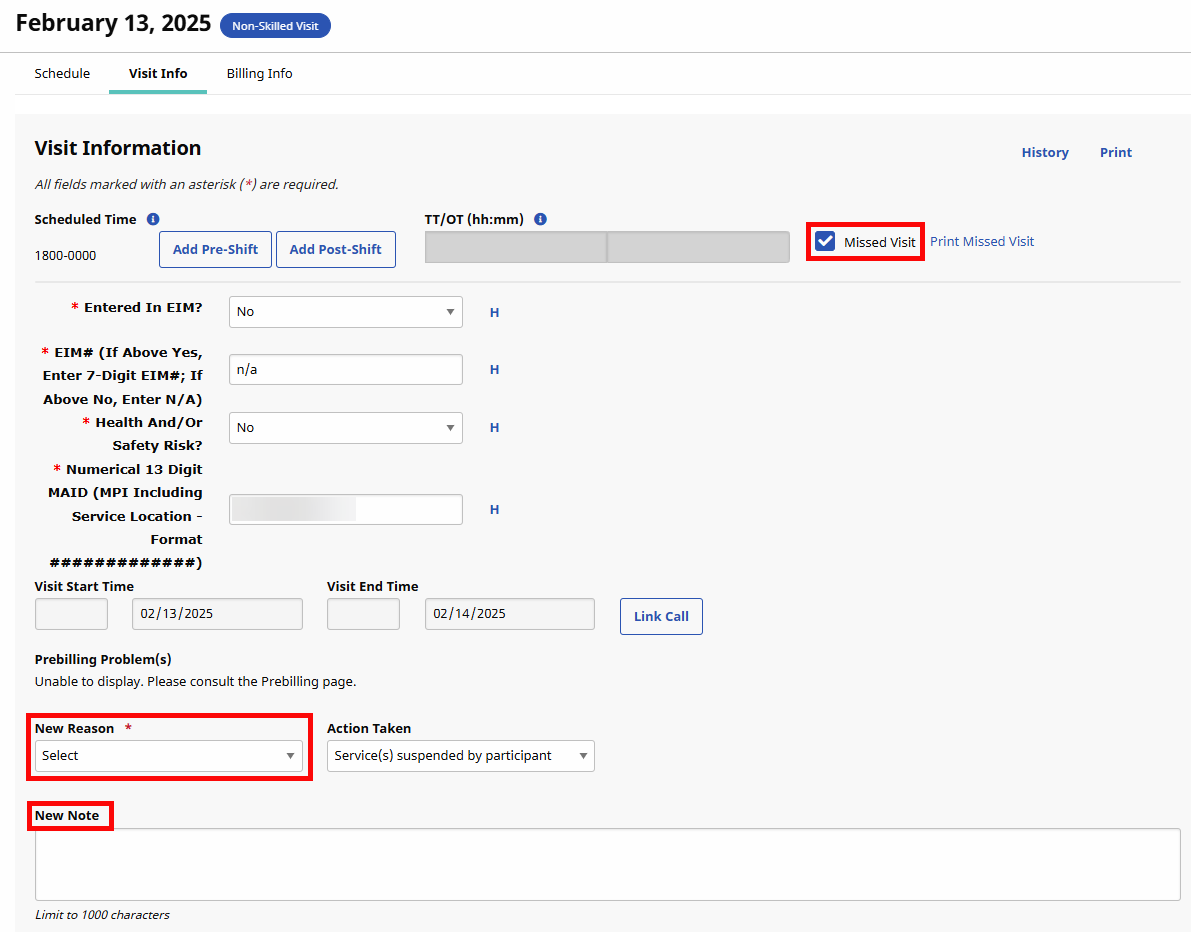
Add Missed Visits Reason Values
Add Missed Visits Reason values under Admin > Reference Table Management to use on the Visit Info tab of a missed visit.
-
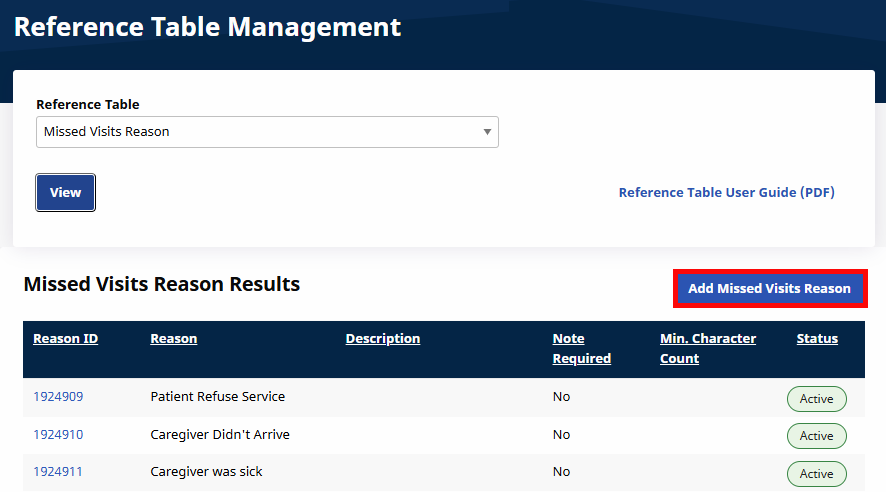
Go to Admin > Reference Table Management.
-
Select Missed Visits Reason under the Visit category from the Reference Table field. Click the View button to obtain a list of values assigned for Missed Visits Reasons.
-
Click the Add Missed Visits Reason button located above the grid.
-
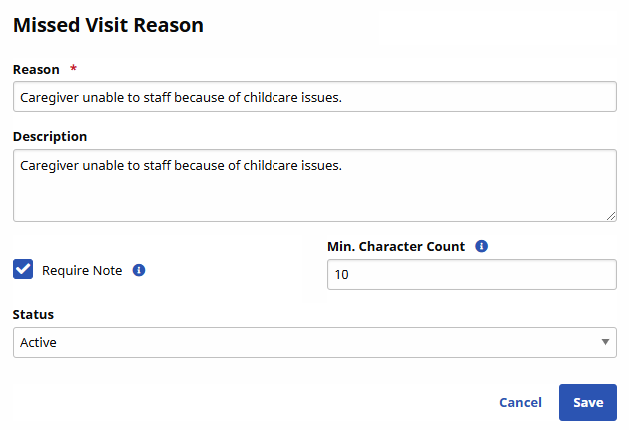
The Missed Visit Reason window opens. Complete the necessary fields and then click Save to finalize.
Field
Description
*Reason
(Required) Enter the Reason title which appears in the New Reason dropdown list in the Visit Info tab.
Description
Enter a description of the Missed Visit Reason.
Require Note
Select the checkbox to require a note for the Missed Visit.
Min Character Count
Enter a minimum character requirement for the required note (value from 1 to 250).
Status
Active or Inactive
-
If a visit is marked as a Missed Visit in the Visit Info tab, then the added Missed Visit Reason value is available to select from the New Reason field and a New Note is required if defined for the Reason.