Billing Rates
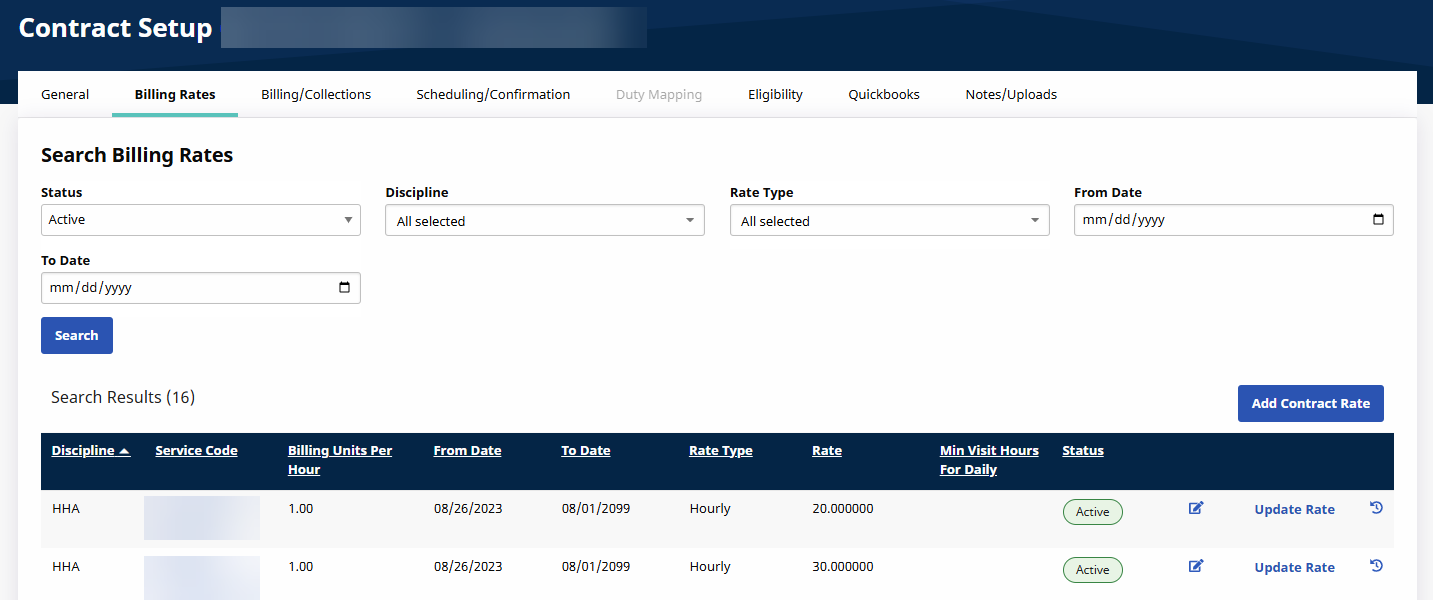
The Billing Rates tab on the Contract Setup page is used to create, review, and search for Billing Rates associated with a Contract.

Go to Admin > Contract Setup > Search Contract. Select Search, select the applicable Contract, select the Billing Rates tab, then select Add Contract Rate.
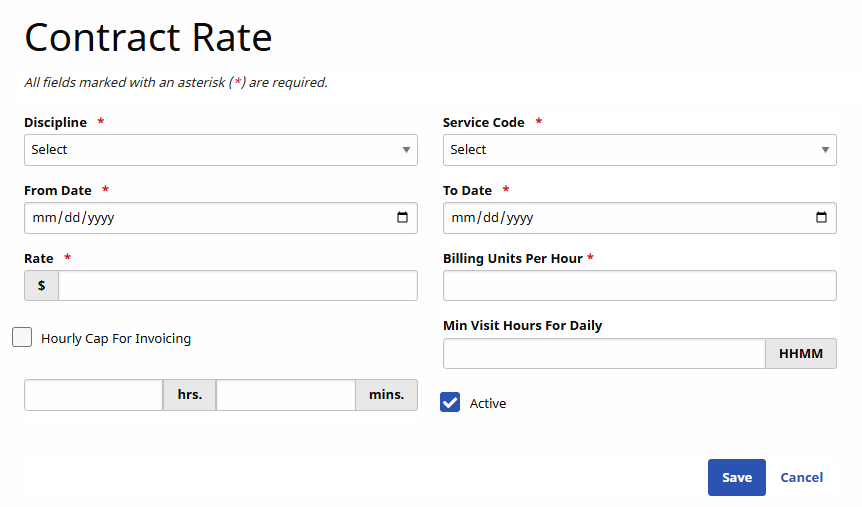
The Contract Rate window opens. Complete the required fields.
For Minnesota users when a caregiver is in a Tier that gives them an enhanced rate and a PCA Discipline is on a visit, the rate percentage increase is automatically added on the Billing Info tab of the Visit for invoicing.
|
Field |
Description |
|---|---|
|
*Discipline |
Select the Discipline attached to the rate (Skilled/Non-Skilled) |
|
*Service Code |
Designates the Discipline, Contract, Rate Type and Visit Type created in the Reference Table. |
|
*From/To Date |
Select the effective date range. |
|
*Rate |
The dollar amount to bill. |
|
*Billing Units Per Hour |
Enter the number of billing units per hour. |
Specify the duration of a visit in the Min Visit Hours for Daily for it to be considered a Daily visit. Click Save.