Connect IVR: Speak Out Duties Translations
The feature must be activated by HHAeXchange System Administration and applies only to Agencies that are migrated to or created in the new AWS Connect IVR. Please contact the HHAeXchange Support Team for details, setup, and guidance.
This topic provides instructions on how to use the Speak Out Duties Translations feature once HHAeXchange System Administration has enabled the permission for an Agency to configure translations in the system. This is a 3-phased approach, as follows:
|
Phase |
Description |
|---|---|
|
1 |
HHAeXchange enables the configuration permission to allow for an Agency to translate duties. |
|
2 |
The Agency translates all applicable duties in the system. |
|
3 |
After all duties are configured/translated, the Agency contacts HHAeXchange Support to fully enable the feature. |

This feature applies to the following Text-to-Speech (TTS) Languages only:
-
English
-
Spanish
-
French
-
Polish
-
Russian
-
Mandarin
-
Arabic
-
Korean
Languages not included in the list above must follow another process. Refer to the Speak Out Duties Job Aid (2019) for details. If a WAV file is missing for a non-TTS language, then the English TTS is used. Refer to the Setup Duty Name Translations section.
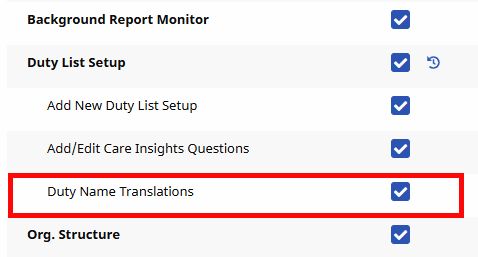
Role permissions for the Duty Name Translations feature must be enabled via Edit Roles under Admin > User Management > Edit Roles. Select Admin from the Section dropdown field and select the applicable Roles and click the View button.
From the Duty List Setup section, select Duty Name Translations.
The Speak Out Duties Translations feature allows a Provider to define TTS translations for Speak Out Duties. There is a difference between setting up Duty Names for English IVR landines and for non-English TTS IVR landlines. This feature is available under Admin > Duty List Setup by clicking on the Add button for a new duty, or the Edit icon for an existing duty.
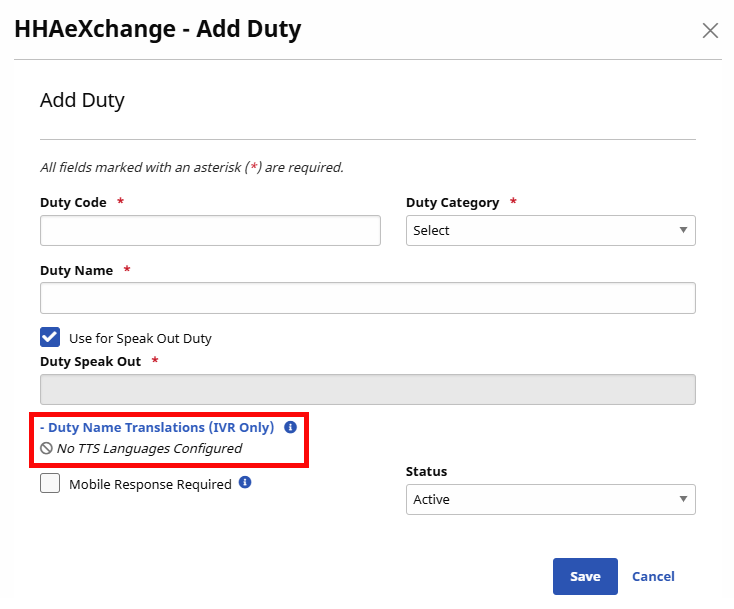
If Speak Out Duties are enabled for an Agency, but no additional languages have been configured other than English (default), then a No TTS Language Configured label appears underneath the Duty Name Translations (IVR Only) link.
To setup other non-English TTS Language lines to configure, please contact HHAeXchange System Administration.
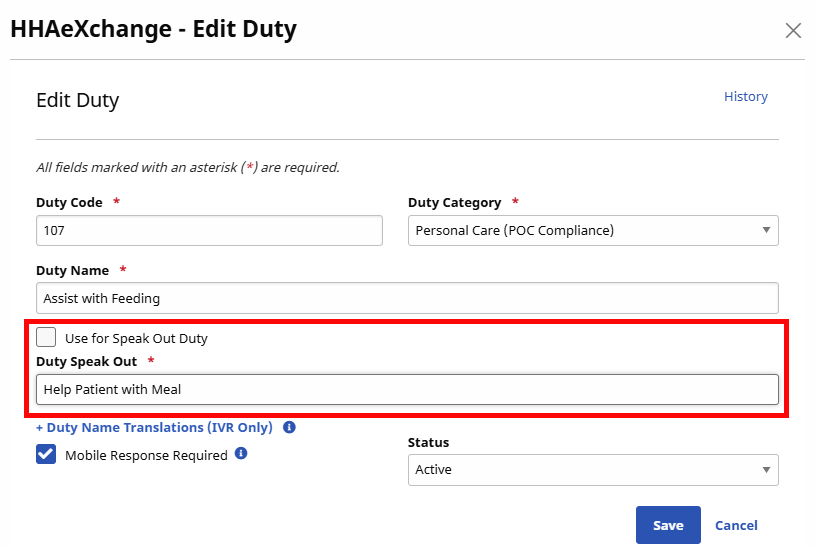
When the Use for Speak Out Duty checkbox is selected, the speak out feature uses the Duty Name (Assist with Feeding).
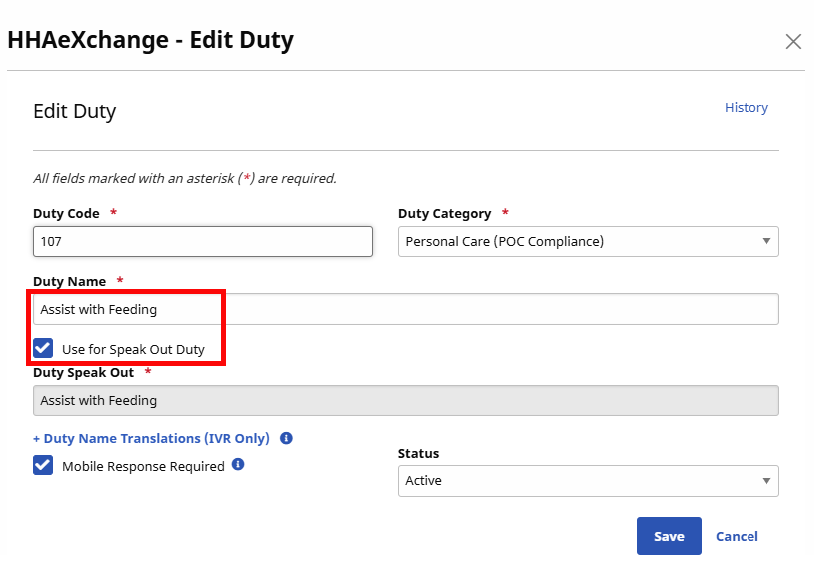
When the Use for Speak Out Duty checkbox is not selected, then the value entered in the Duty Speak Out field (Help Patient with Meal) is spoken.
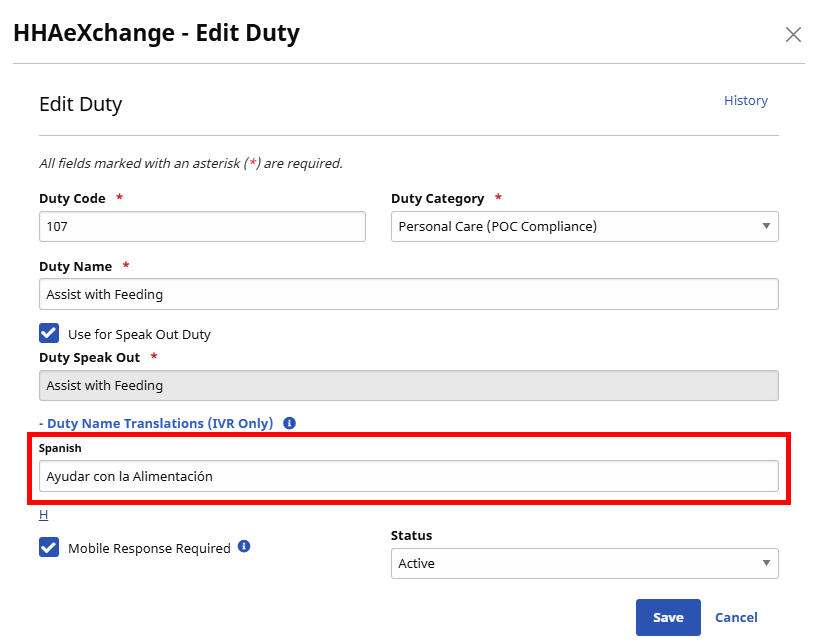
When an Agency is configured for a non-English TTS IVR line, a + Duty Name Translations (IVR Only) link appears in the Add/Edit Duty window under Admin > Duty List Setup > Edit List Configurations. Providers can then add translations (from a list of supported and configured TTS languages) for the Duty Name.
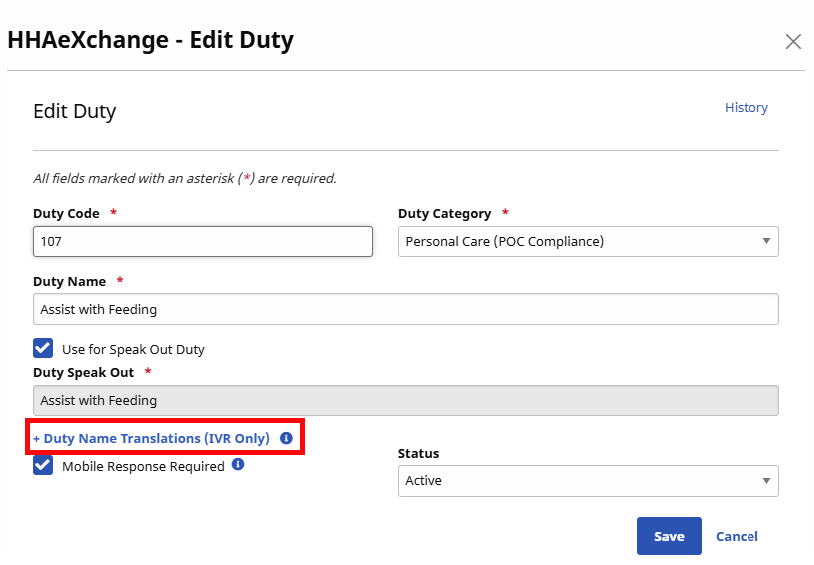
Click the + Duty Name Translations (IVR Only) link to expand the accordion listing the languages configured for the Agency. In each text box, enter the translated text for the Duty Name per language. Click Save to finalize.
Special characters, except for the following are not permitted: ?, ¿, (', '), - and /. The system issues a validation error if any other special characters are used.