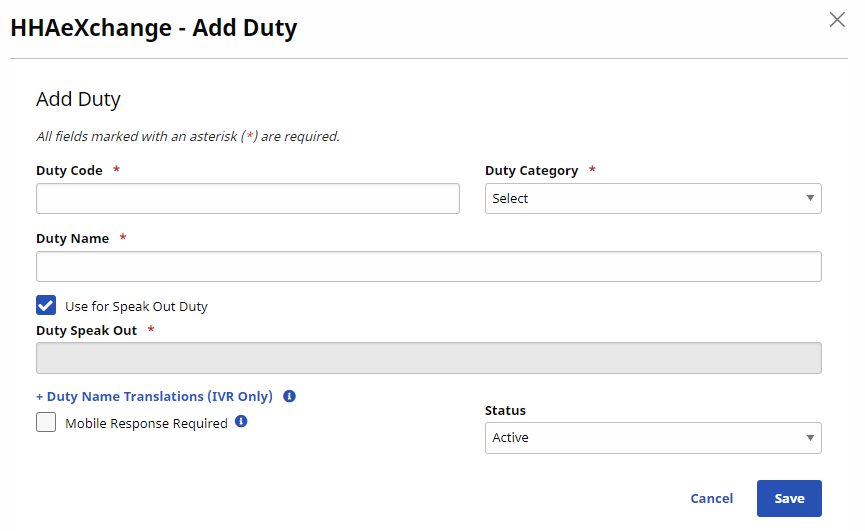
Duty List Setup
Use the Duty List Setup page under Admin > Duty List Setup to manage Plan of Care (POC) Duties.

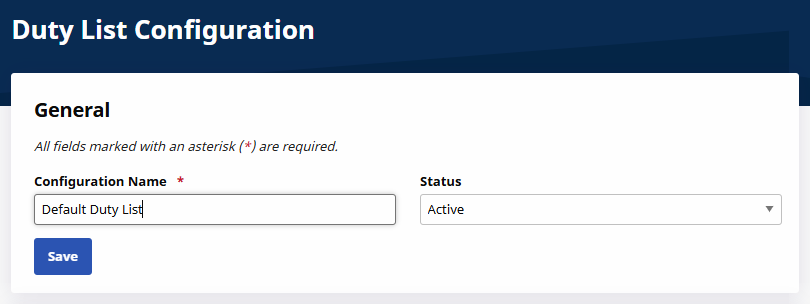
To create a new Duty List, click New to open the Duty List Configuration page. Enter a Configuration Name in the field and select Active in the Status field. Click Save.
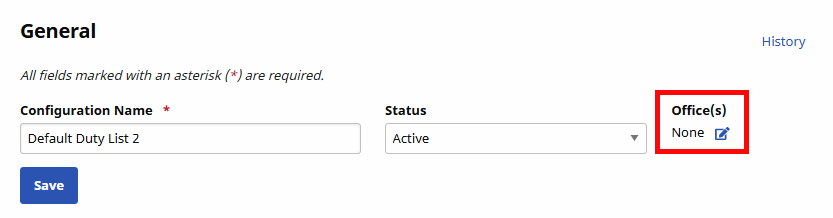
When saved, the Office(s) field appears (under the Status field). Click the Edit icon to assign Offices to the newly created Duty List.
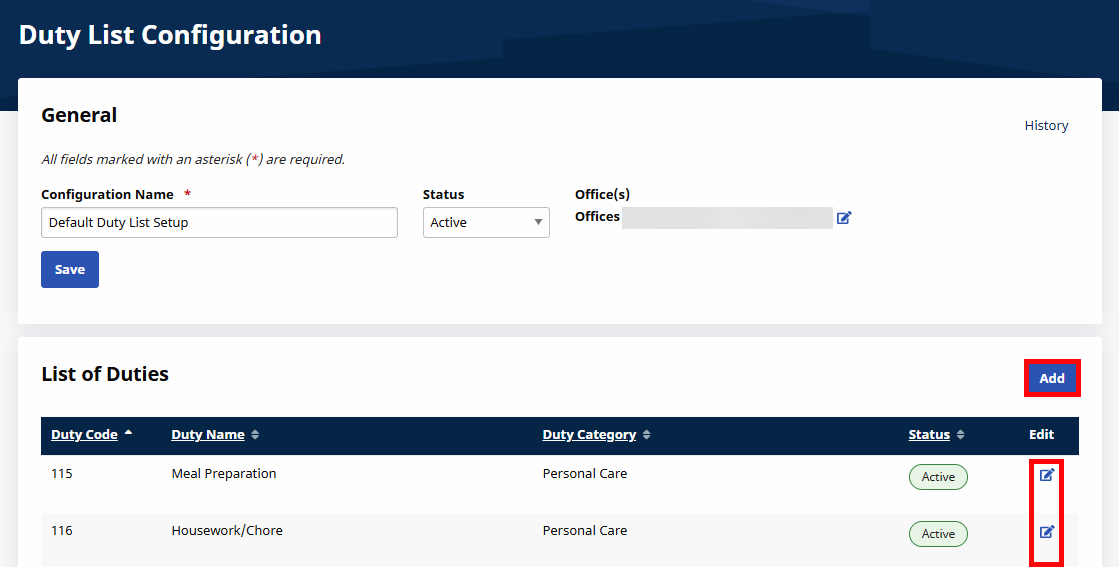
To access an existing Duty List, click Search to locate the applicable Duty List and click the Duty List Setup Name from the Search Results.
When selected, the Edit Duty List Configuration page opens. Click Add to add a new Duty or click the Edit icon to update an existing Duty.
Click Add to add a new Duty. The Add Duty window opens. Complete the required fields, as follows:
-
*Duty Code: Enter a 3-digit code the Caregiver uses to register duty.
-
*Duty Name: Enter the name of the duty.
-
*Duty Category: Select the duty category.
-
Status: Select Active or Inactive.