Edit a Status
Complete the steps in the table to edit an existing status.
-
Go to Admin > Application Process Management.
-
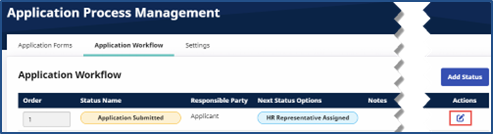
Click the Edit icon of the desired row.
-
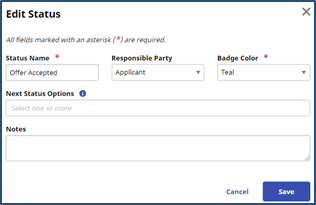
The Edit Status window opens. Enter or select values for the required fields (denoted with red asterisks) to define the status.
-
Click Save.