Invoice Rounding Rules for Internal Contracts
Authorized users can configure Invoice Rounding rules for Internal Contracts. These rules determine how service time is rounded for billing purposes.
-
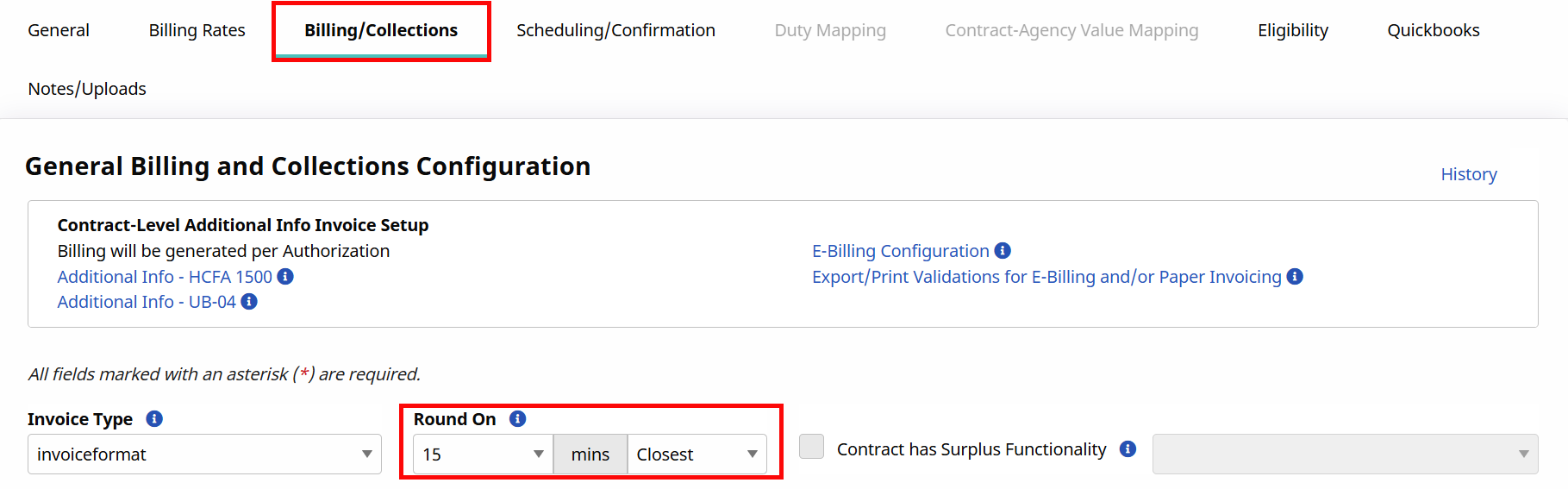
Go to Admin > Contract Setup > Search Contract. Search for your contract and select it.
-
On the contract page, click the Billing/Collections tab.
-
Find the Round On section.
-
Use the dropdowns to choose how time should be rounded, based on a set time increment (for example, 15 minutes):
-
Rounding Up: Time is always rounded up to the next increment. Example: 16 minutes becomes 30 minutes.
-
Rounding Down: Time is always rounded down to the previous increment. Example: 16 minutes becomes 15 minutes.
-
Rounding Closest: Time is rounded up or down to whichever increment is closest. Examples: 16 minutes becomes 15 minutes; 23 minutes becomes 30 minutes.
-
Rounding Closest (Minimum of at least 1 unit): No time is billed until at least one full increment is reached. After that, time rounds to the nearest increment. Examples: With a 15-minute increment, 14 minutes is not billed; With a 15-minute increment, 16 minutes becomes 15 minutes.
-