Mobile User Management
The Mobile User Management function under Admin > Mobile User Management facilitates the search and management of Mobile App Users. This function allows users to update Mobile User information to include password reset without having to contact HHAeXchange Support.
Applying updates via this function does not affect any fields in the HHAeXchange Caregiver Profile.
The Mobile User Management page is comprised of two sections: Search and Search Results, as illustrated in the following image. On the Search Results, each record contains Mobile User information (such as the Office Name, Caregiver Name, Mobile ID, Email Address, and SSN). The right-most columns include an Edit link to update Mobile User information and Reset to reset the user’s password.
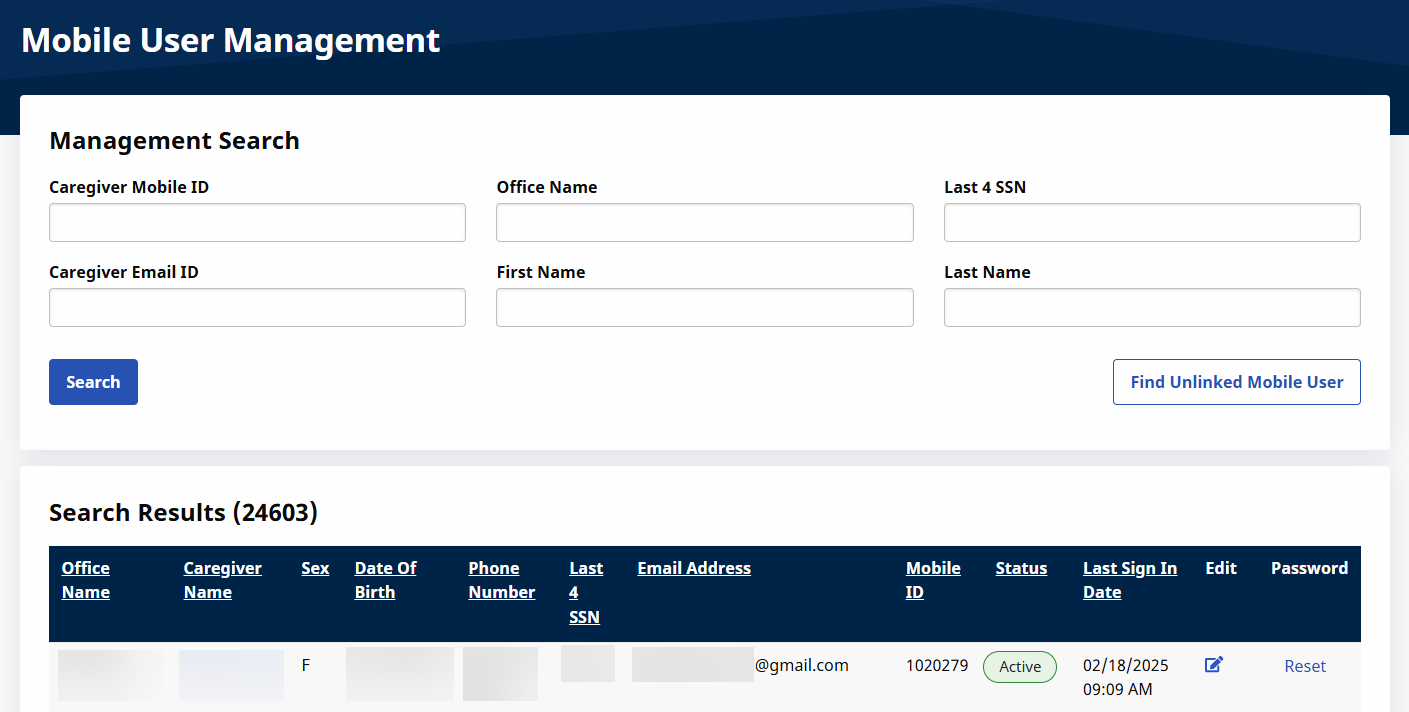
A Mobile User must have an Active Status for the Edit and Reset links to be available. In addition, a user must have permissions enabled for Edit Mobile User Profile and Reset Mobile Passwords. Refer to the Permissions section below for further details.
Upon clicking on Reset, an email or text message is sent to the mobile user prompting for a Password Reset.
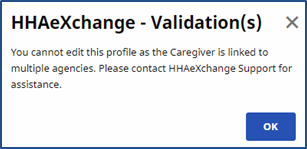
Editing information in a Mobile User Profile is permission-based. In addition, Caregivers linked to multiple Agencies cannot be edited in the system, as illustrated in the image below. In this case, contact the HHAeXchange Support Team for further assistance.
Editing Mobile User Information via the Mobile User Management function inactivates the User’s Mobile/Portal ID (in the Mobile App). The Mobile/Portal ID must be changed to Active thereafter in the Caregiver Profile page.

When editing a Caregiver’s information via the Mobile User Management function, a History link is available on the Edit Caregiver Profile Information window to view a history of any Mobile User Management function for the Caregiver.
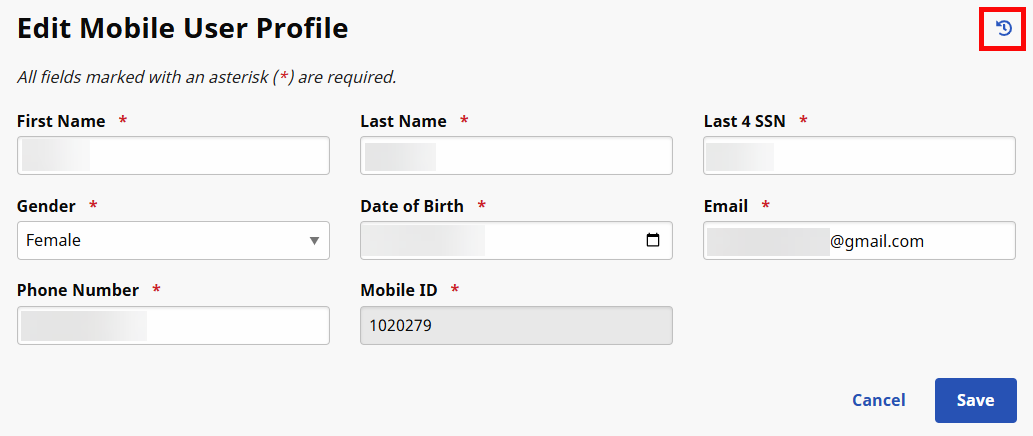
When clicking on the History link, the system prompts for a Field Name as well as a From/To Date range. Based on the selected Field Name, the Search Results show a Caregiver Mobile Management change log providing information such as the User who made the edit, the date, the Caregiver Name and the old and new values.

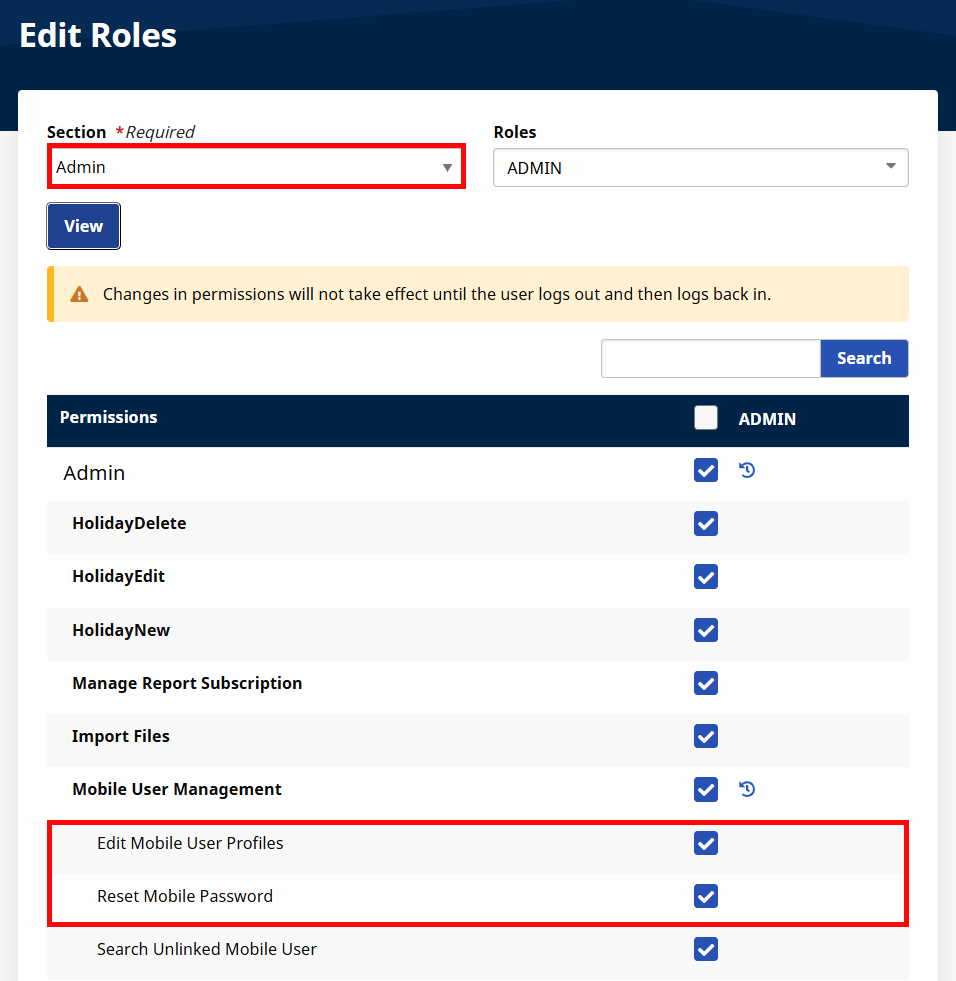
Role permissions must be enabled for users for this function. To grant permission to a role, go to Admin > User Management > Edit Roles. Select Admin from the Section field dropdown and the applicable role(s) from the Roles dropdown.
Scroll to Mobile User Management and select Mobile User Management for the respective role(s).
-
Select Edit Mobile User Profiles to allow a role to view and edit profiles.
-
Select Reset Mobile Password to allow the role to reset a Mobile User’s passwords.