Office Option Setup
The Office Option Setup section under Admin > Office Setup > Office Edit contains a secondary Office Level Reference Table functionality where values can be configured for certain fields in the Portal. This functionality only applies to the Office as opposed to the general Reference Table that applies to the entire Agency, containing Agency Default values.
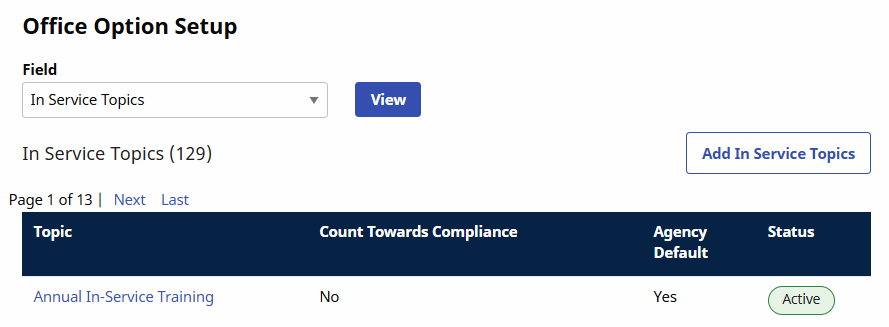
The following image illustrates the In Service Topics values for the Office. Click the Add In Service Topics button to add a value or click the Topic link to edit.

The Office-Level Reference Tables listed below are available in the Office Option Setup section. Most tables can be edited on both the Office and Agency Level Reference Tables. Administrators can configure the following features for patient and caregiver profiles.
-
Branch
-
Caregiver Referral Source
-
Caregiver Team
-
Clinical Category Goal
-
Clinical Category Orders
-
Clinical Discipline Categories
-
Clinical DME and Supplies
-
Clinical Nutritional Requirements
-
Clinical Safety Measures
-
Electric Equipment Dependency
-
Evacuation Location
-
Evacuation Zone
-
Location
-
Mobility Status
-
Patient Preferences
-
Patient Team
-
Priority Code
Several sections of the MD Order are configurable such as Clinical Category Goals, Clinical Category Orders, Clinical Discipline Category, Clinical DME and Supplies, Clinical Nutritional Requirements, and Clinical Safety Measures. The system uses exact (matching) text for the information to flow from the eDoc assessment to the MD Order in these sections.
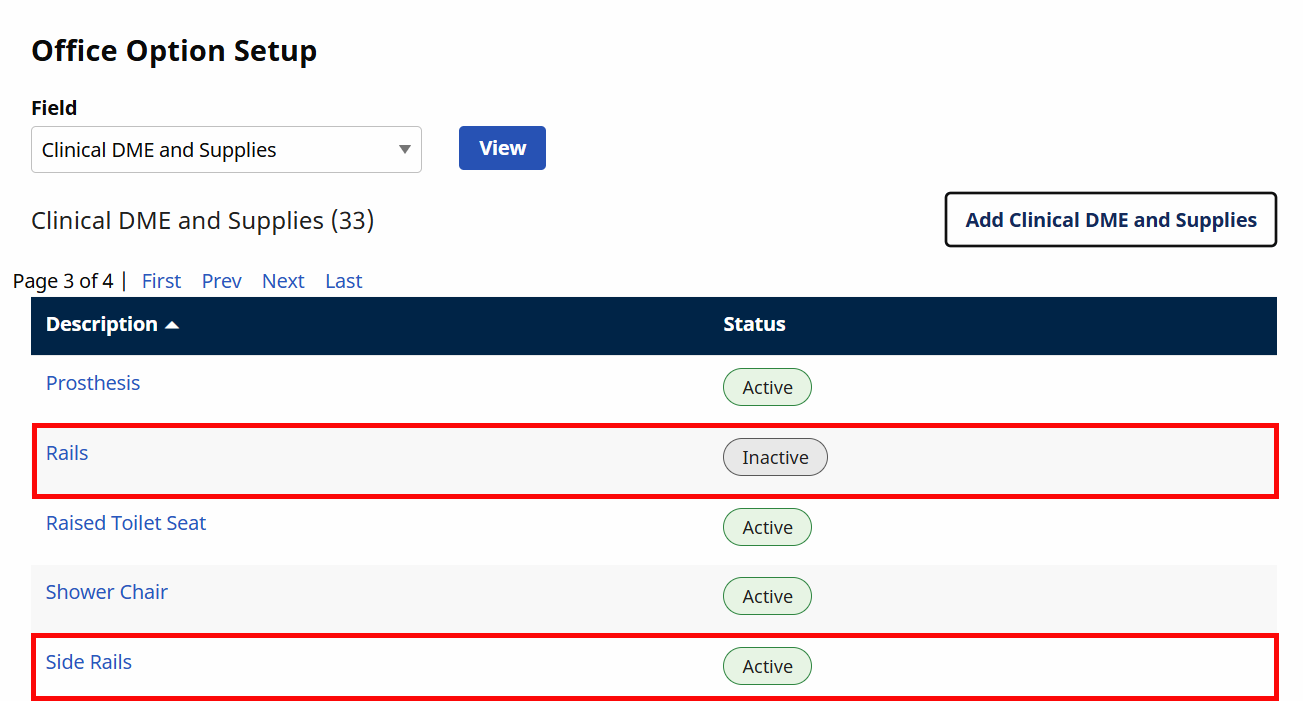
Values can be set to inactive in the Office Option Setup section under Admin > Office Setup > Office Edit. A field that does not match the corresponding field in the assessment, can be inactivated and then replaced with a label that matches.
For example, in the following image, Rails is set to Inactive and replaced with Side Rails. Once saved, the custom MD Order field matches the text on the eDoc assessment DME and Supplies tab.