Provider Self-Service Client ID for EVV API
This feature applies and can only be seen by Providers configured to use Third-Party vendors for EDI. Contact HHAeXchange Support Team for details, setup, and guidance.
This feature helps Providers (who use third party vendors) to manage their Client ID and Client Secret (required credentials) when using the EVV API (Application Programming Interface).
To manage these fields, go to Admin > Agency Profile. On the Agency Profile page, in the API Security Details section, click the Add button.

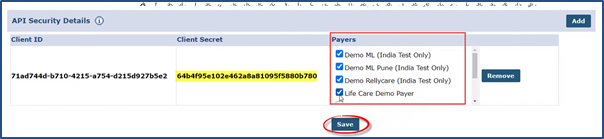
The Client ID and a new system-generated Client Secret code appears on the screen along with the Agency’s associated Payers . Ensure to copy and save the Client Secret code for future use (required to perform EVV API). Next, select the Payers applicable to the new set of credentials. Click Save.
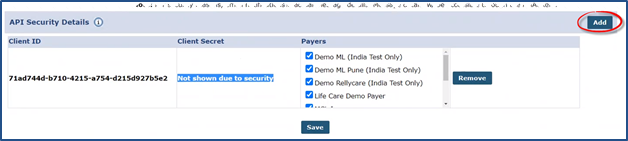
When returning to the API Security Details section, the Client Secret code is replaced with a security message (Not shown due to security). To add another set of credentials, click the Add button. There is a limit of 2 sets of credentials at a time.
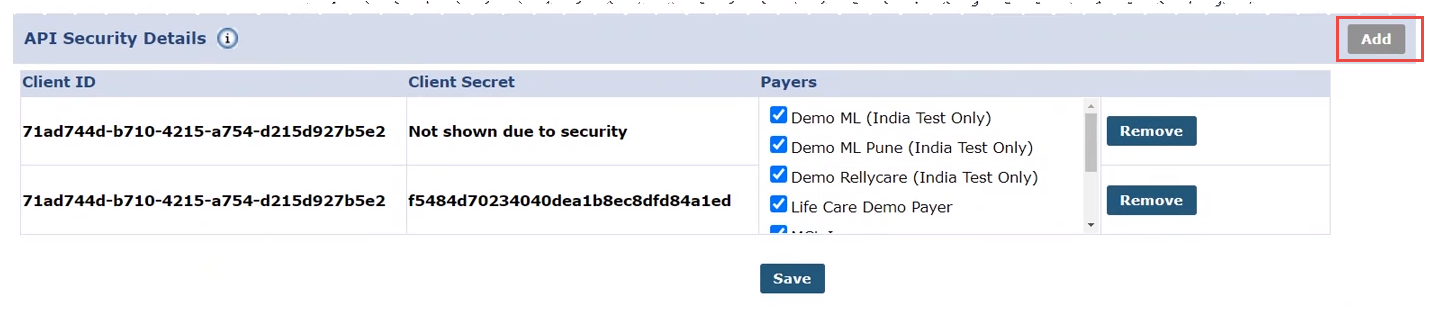
The second set of credentials appear on the second row. Repeat the process to save. Notice that the Add button becomes unavailable, as there is a 2-set limit at a time.
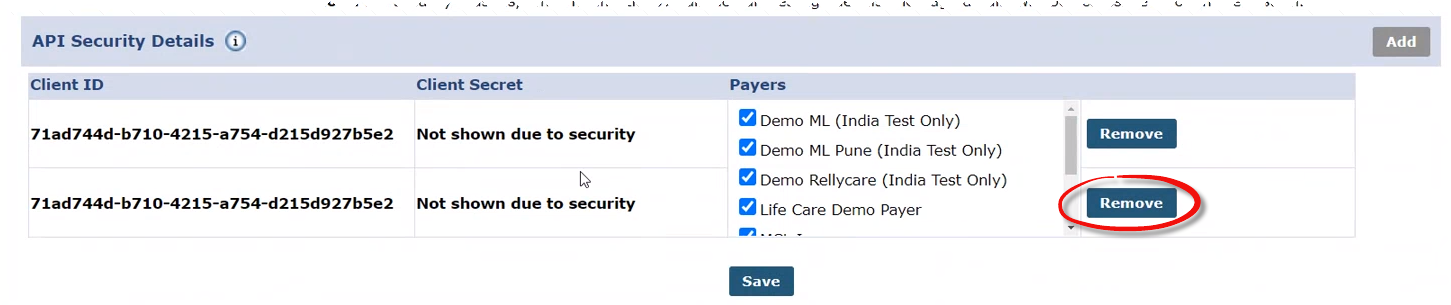
To delete a set of credentials, click Remove, and then click Save.
Providers can Add and Remove credential sets as needed as long as the correct set of credentials is provided to the Third-Party vendors to perform EVV API. If both sets of credentials are removed from the API Security Details section, then the EVV API is disabled until a credential set is added.