Update Rates for Existing Pay Codes
Follow the steps outlined below to update a rate for an existing Pay Code.
-
Go to Admin > Payroll Setup.
-
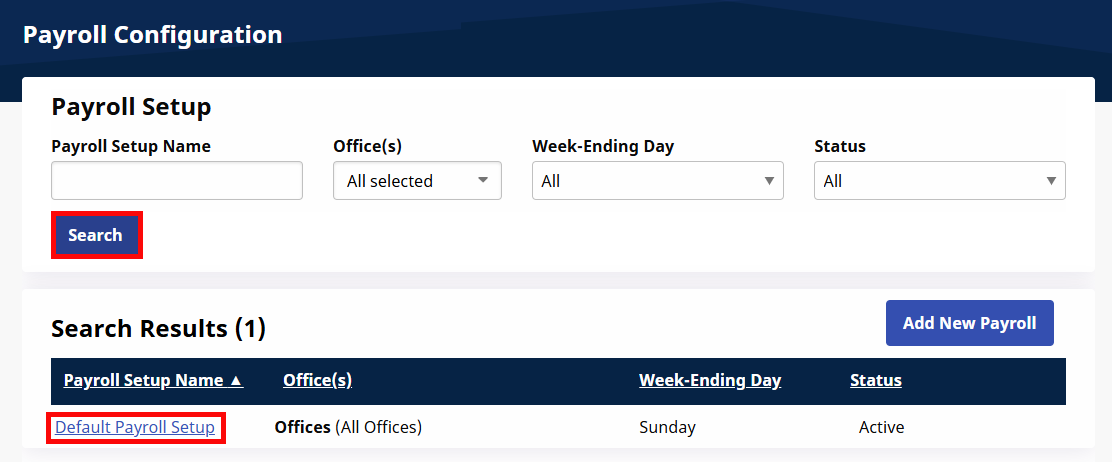
Click the Search button and click the name of the appropriate Payroll Setup.
-
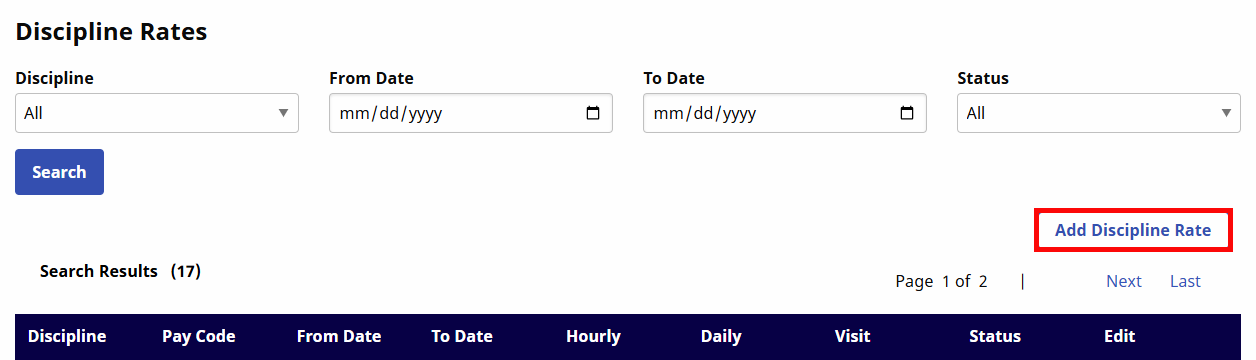
Scroll down to the Discipline Rates section of the Add/Edit Payroll Configuration page and click the Add Discipline Rate button.
-
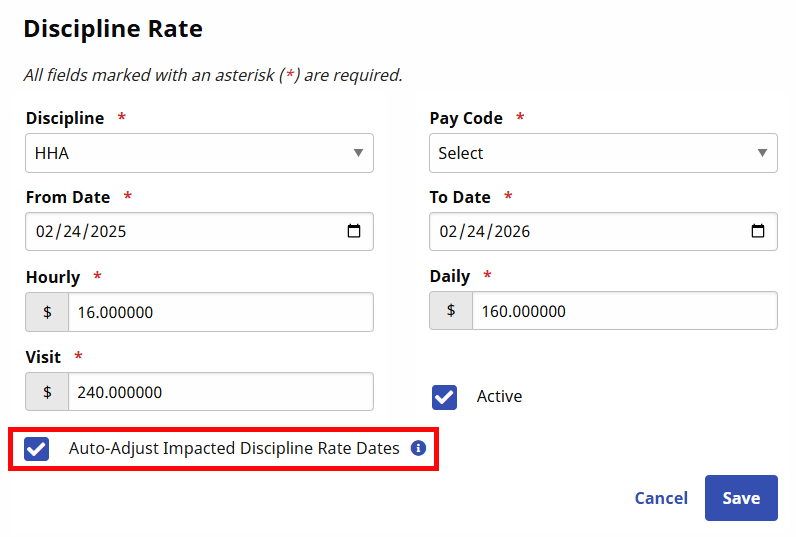
The Discipline Rate window opens.
-
Tick the Auto-Adjust Impacted Discipline Rate Dates checkbox to ensure the previous rate is adjusted to end prior to the rate being added.
-
Select and enter information on the required fields (marked by red asterisks).
-
Select the Discipline and Pay Code.
-
Enter the Effective Dates. The To Date for the existing Rate changes to the day before the entered From Date.
-
Enter the updated rates (Hourly, Daily, and/or Visit) as required.
-
Click the Save button.
-