Payments & Refunds Bulk Adjustments
The Bulk Adjustment feature under Billing > Cash Payment > Bulk Adjustments is used to apply and process adjustments to open invoice items. Adjustments may be entered on a case-by-case basis, or adjustment criteria can be set to apply and process adjustments to multiple items.
Complete the following steps to process adjustments using the Bulk Adjustment feature.
-
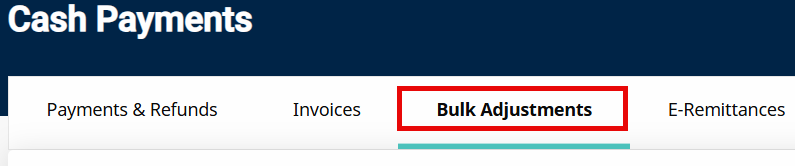
Go to Billing > Cash Payment > Bulk Adjustments tab.
-
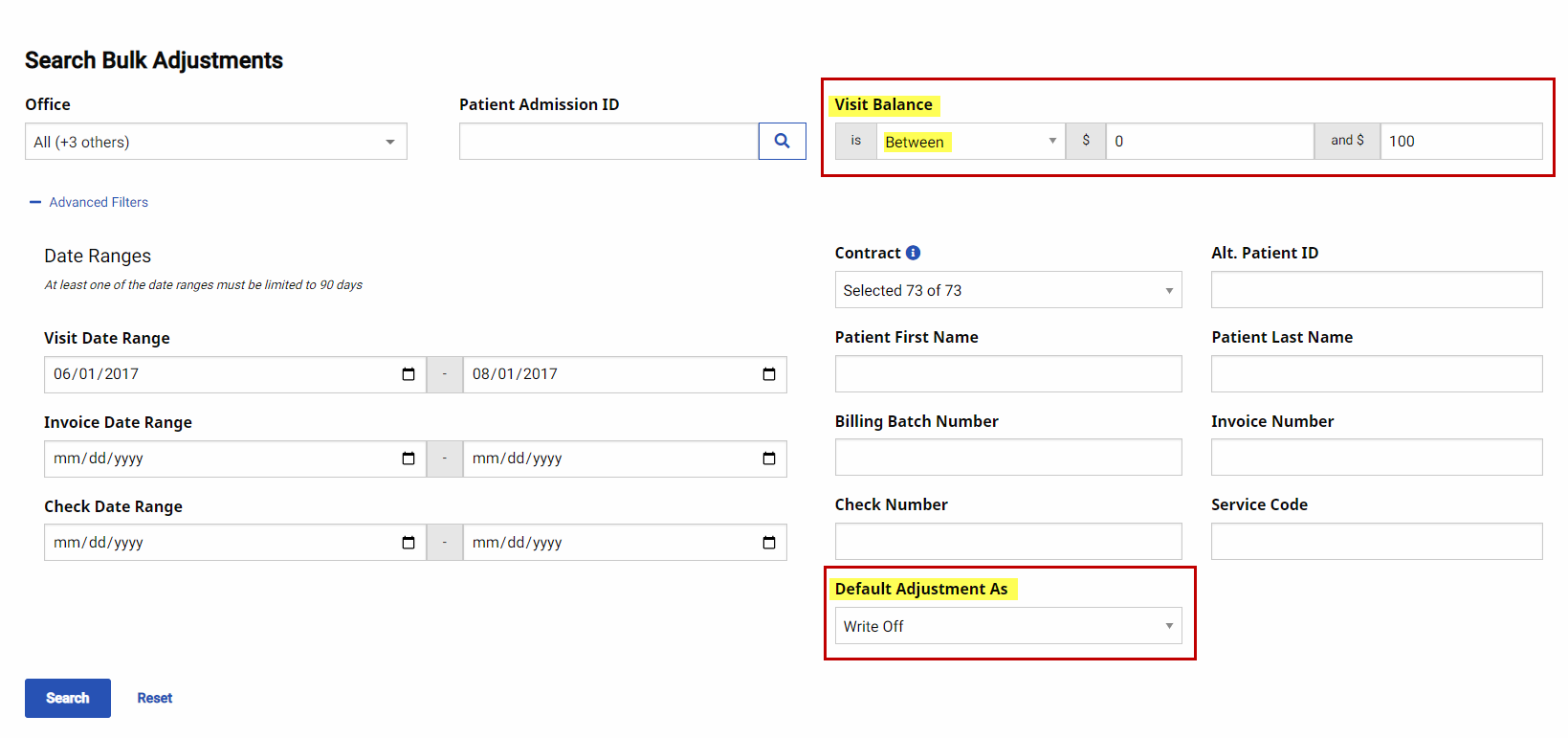
Search for the desired open invoice items. To place an automatic adjustment on all invoice items returned by the search, enter values in the Default Adjustment As dropdown and/or Visit Balance Is fields.
-
Use the Default Adjustment As field to assign an adjustment reason to all open invoice items returned by the search. Adjustment reasons include Adjustment, TT Adjust, and Write-Off or any custom reasons created via Reference Table Management.
-
Use the Visit Balance fields to specify which open invoice items returned by the search receive an adjustment, reducing the balance to 0. Enter a numeric value and/or use an available qualifier (such as Less than, Greater than, Equal to, or Between).
-
-
Select the checkbox for each Visit to apply an adjustment to the open invoice item and confirm the item for processing.
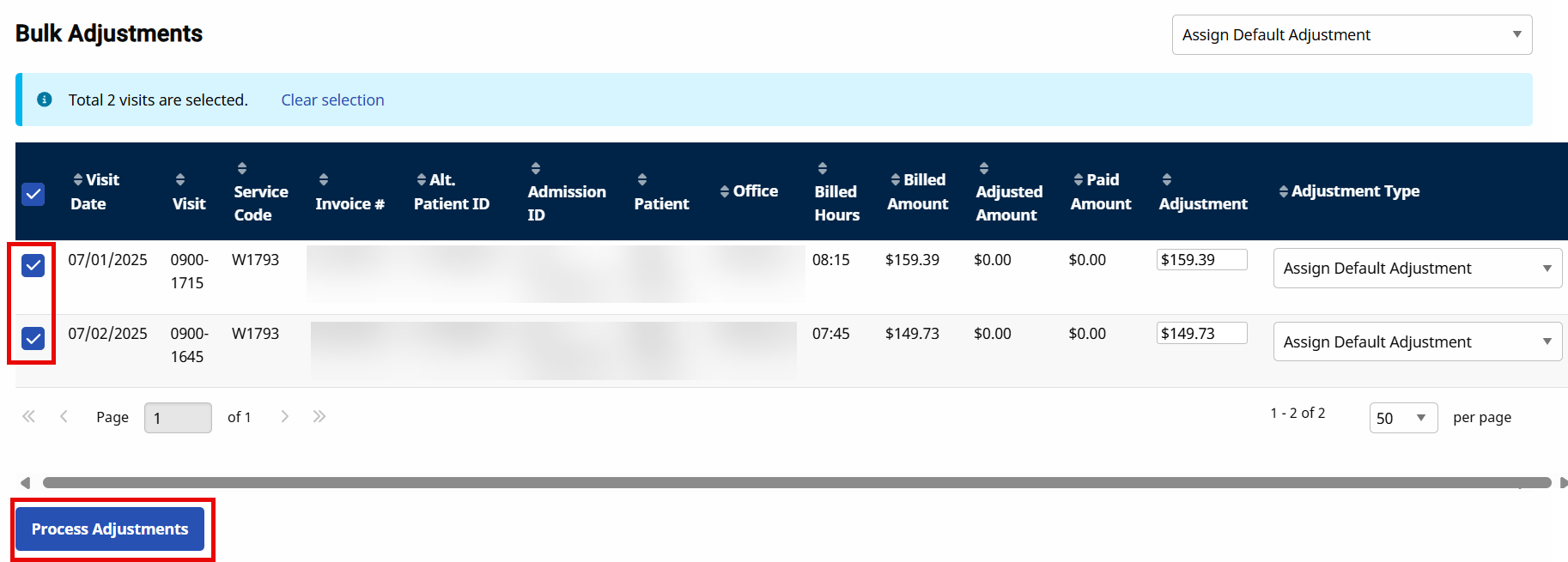
Even if adjustments have been applied using the Default Adjustment As and Visit Balance Is fields, the invoices must still be selected to finalize the adjustments.
-
Select the Process Adjustments button once all items are selected.
When a Bulk Adjustment completes, HHAeXchange generates one or more checks depending on the number of unique Contracts represented in the Bulk Adjustment.
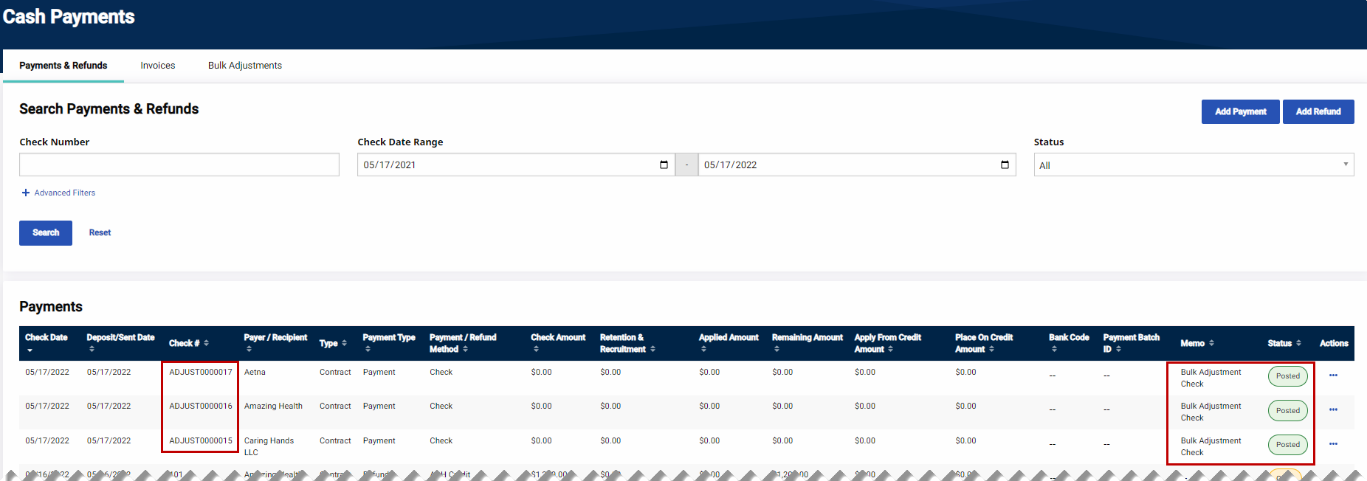
Checks generated via the Bulk Adjustment process are automatically assigned a Posted status and are prefixed with Adjust under the Check # column to easily differentiate between actual checks and adjustment checks.
The purpose of the adjustment check is to provide Agencies a simple method of tracking adjustments created using the Bulk Adjustment process.