Rebilling - Resubmissions and Adjustments
Once a claim has been exported, it is either accepted by the Payer, or returned to the Agency due to an issue or discrepancy. If a Payer rejects a claim, the Agency can document the actions taken to either resubmit it, or ultimately void the claim. If the Agency modifies the rejected claim and resubmits it, it is defined as an Adjustment. If the Agency chooses to stop persuing reimbursement for a claim, then it becomes a Void.

Completed the following steps to adjust or void a claim.
-
Go to Billing > Electronic Billing > E-Submission Batches.
-
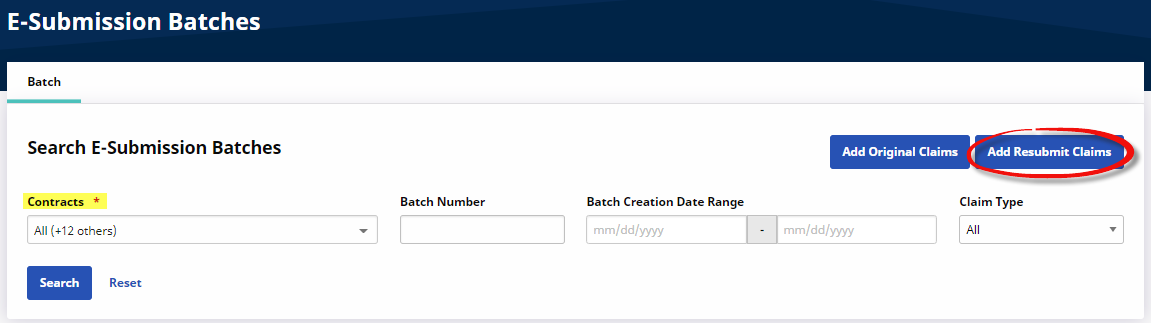
On the E-Submissions Batches page, select applicable Contracts and click the Add Resubmit Claims button.
-
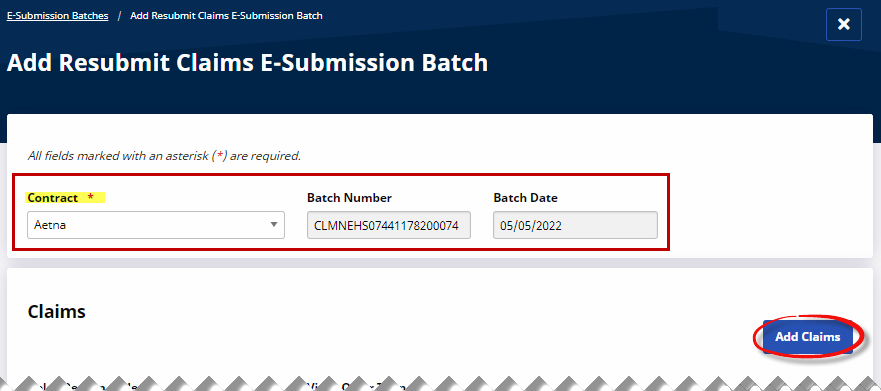
On the Add Resubmit Claims E-Submission Batch page, select the desired Contract. The Batch Number and BatchDate fields automatically populate. Click the Add Claims button to search and add the claims.
-
On the Claims Search window, use the filter fields to narrow an invoice search. Click Search to generate results.
-
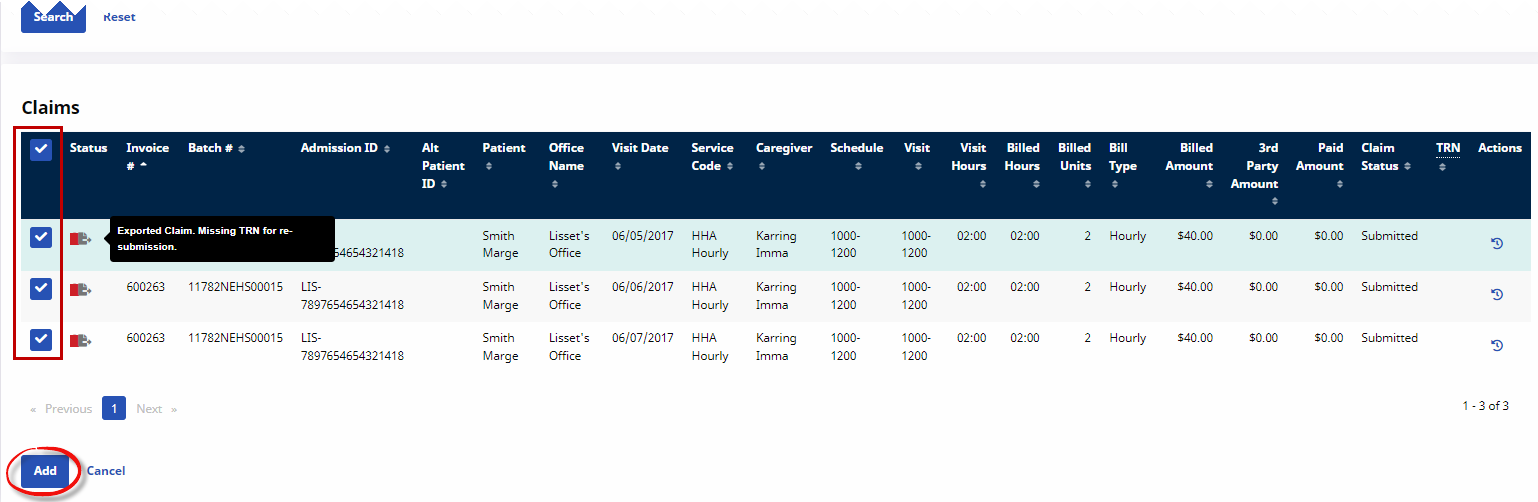
In the Search Results, under the Claims section of the page, the previously submitted claims appear. Hover over the Status icons to view any issues. Select the claims to add and click the Add button.
-
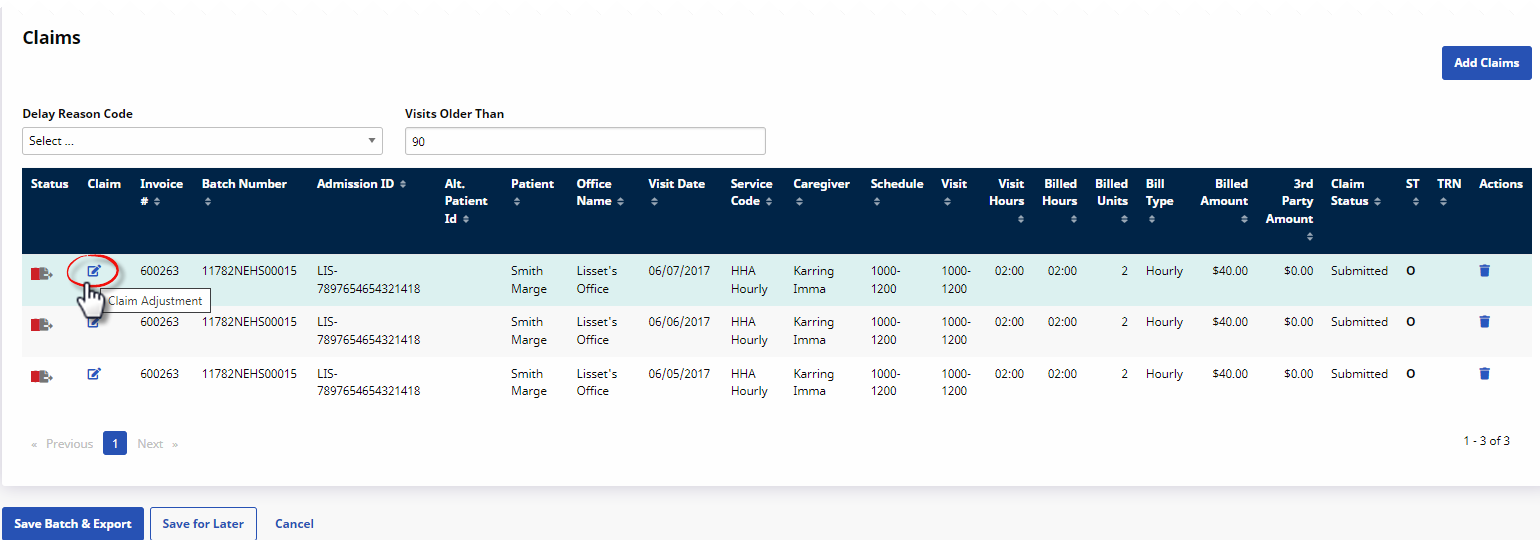
On the Add Resubmit Claims E-Submission Batch page, click the Edit icon
 to open the Claim Adjustment window to make edits to each claim. To remove a visit from the batch, click the Delete icon
  .
.
-
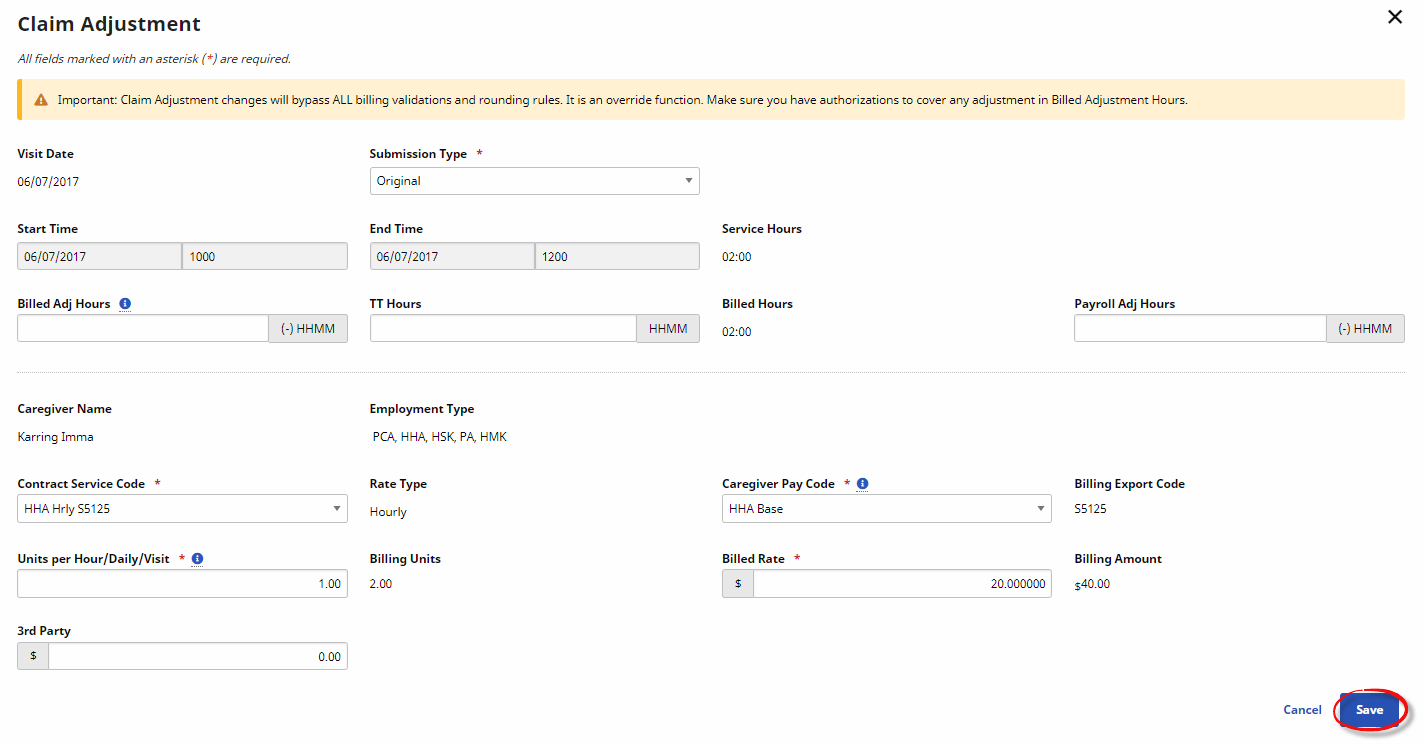
The Claim Adjustment window opens. On the Submission Type field, select Original, Adjustment, or Void. Make any other necessary edits to the claim and click Save to finalize. Repeat this step for all applicable adjustments.
Select…
If…
Original
the Contract has not yet received or processed the initial submission.
Adjustment
the Contract rejected the initial claim and the Agency is resubmitting it. Refer to Step 8 below.
Void
the Agency has decided not to resubmit a rejected claim. Refer to Step 9 below.
The TRN Number (field) is required for Adjustment and Void claims.
-
When making an Adjustment. the visit’s Contract Service Code, Caregiver Pay Code, Billed Rate, Units per Hour, TT Hours, and/or Payroll Adj Hours can be revised. Use the Update dropdown to apply the Adjustment to either the selected claim, all the claims in the batch, or every claim within the batch with the same invoice number.
Updating information here automatically updates visit information outside the normal Prebilling/Billing Review process.
-
When Void is selected, the TRN Number is required. In the Update field, select whether to Void the selected claim, all the claims in the batch, or every claim within the batch with the same invoice number.
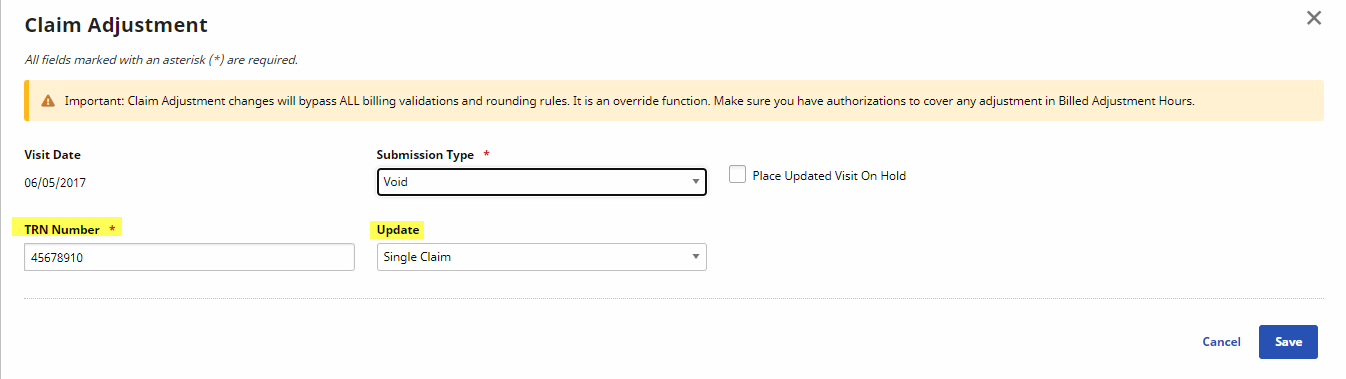
If the Place Updated Visit on Hold checkbox is selected, then visits are flagged as On Hold and do not pass the Billing Review. This prevents resubmitting claims before necessary changes are made to the visit.
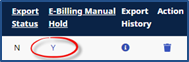
The Hold can only be removed by going to the Billing > Invoice Search > By Invoice page, locate the held visit, and click the linked Y in the E-billing Manual Hold column.
-
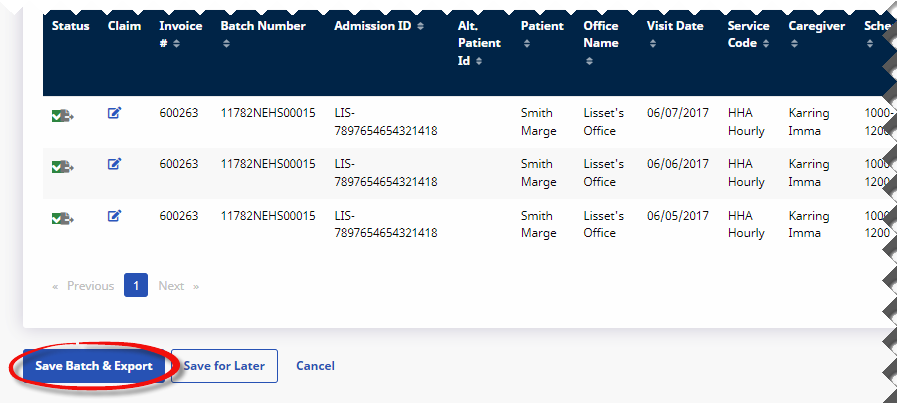
Once the necessary (Original, Adjustment, or Void) claim adjustments have been made, click the Save Batch & Export button to create the resubmission batch.
-
The system creates the batch and prompts the user to name the file and save it locally. This is the file to be submitted to the Contract or Clearinghouse.
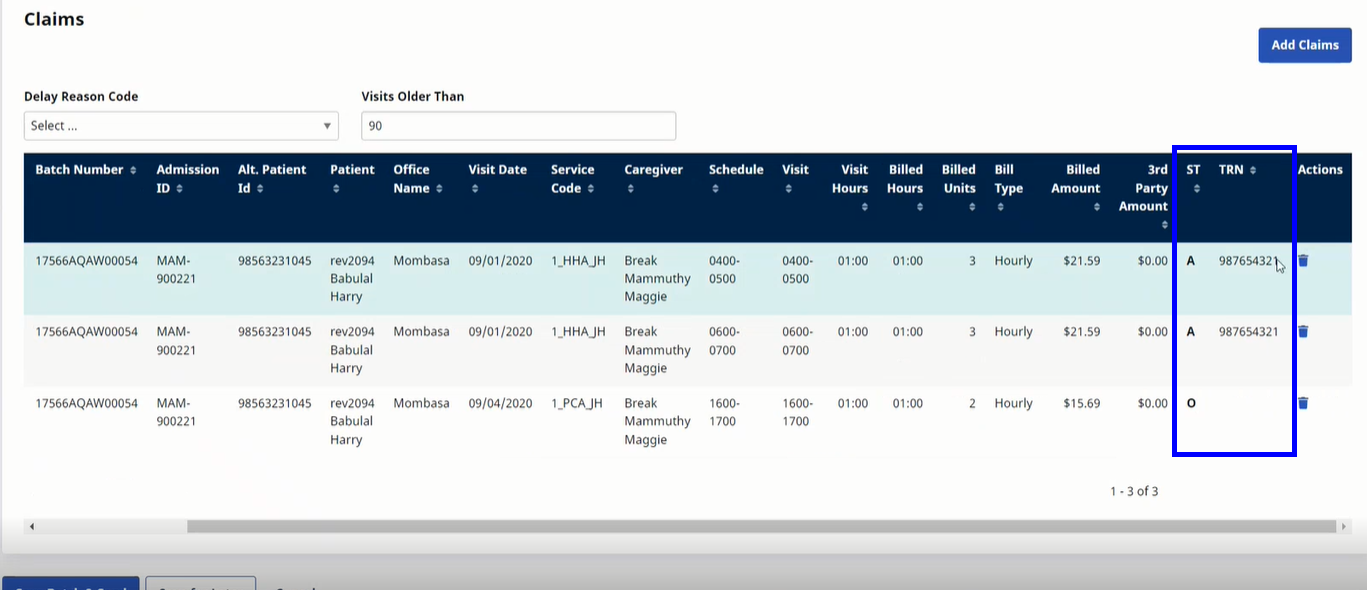
The system automatically marks claims with a TRN number as an Adjustment (rather than Original) Submission Type in the E-Submissions Batches page under Billing > Electronic Billing (Non-Silverlight) > E-Submission Batches. This facilitates the claim resubmission process for Providers.
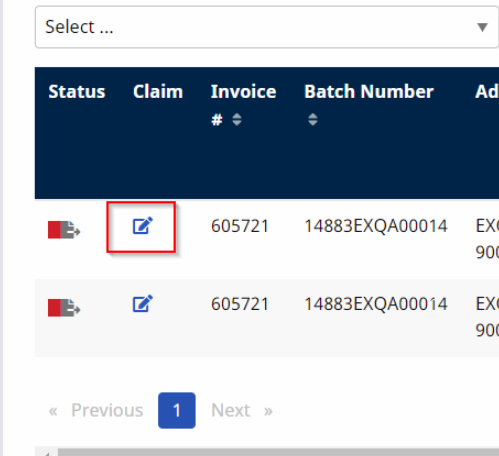
On the applicable claim, click the edit icon to open the Claim Adjustment window.
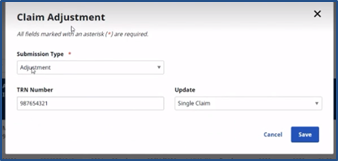
On the Claim Adjustment window, make the necessary changes and Save.
For the State of Michigan Home Health, if a claim is Denied or Rejected by CHAMPS, the provider corrects the denial issues and then resubmits the claim as an original. If a claim is paid and requires adjustments or voids, an ICN (TRN Number in HHAeXchange) or original claim number is sent back, and then the provider resubmits the claim as an adjustment claim.
For State of Michigan Home Help, if a claim is Denied or Rejected by CHAMPS, the provider corrects the denial issues and then resubmits the claim as an original claim. Per Michigan policy there are no adjustments allowed, only original claims. There is not an ICN or original claim number sent back for an adjustment claim.
All other Michigan payers, follow the Adjust or Void a Claim rebilling process.