Reports
The information entered on invoices and in the Cash Payment feature can be exported and formatted into various Reports. While some reports provide a basic overview, others offer complete and specific information.

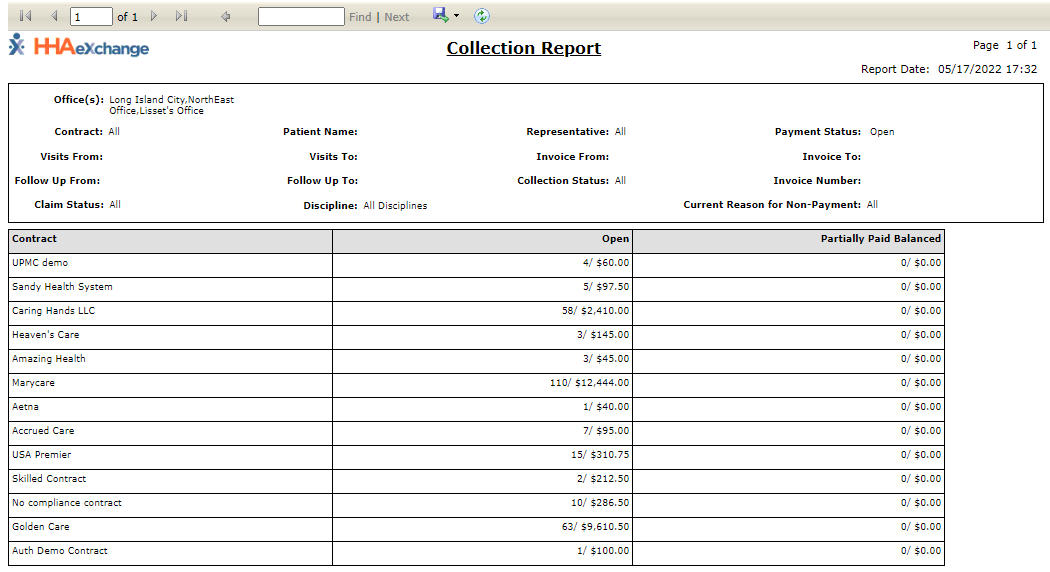
The Collection Report, Summary View under Action > Collection displays information from the Collection Dashboard in the Summary View. This report displays information based on the search parameters set on the Collection page. To run this report:
-
Go to Action > Collection.
-
Select the Summary View radio button, and select the Print button.
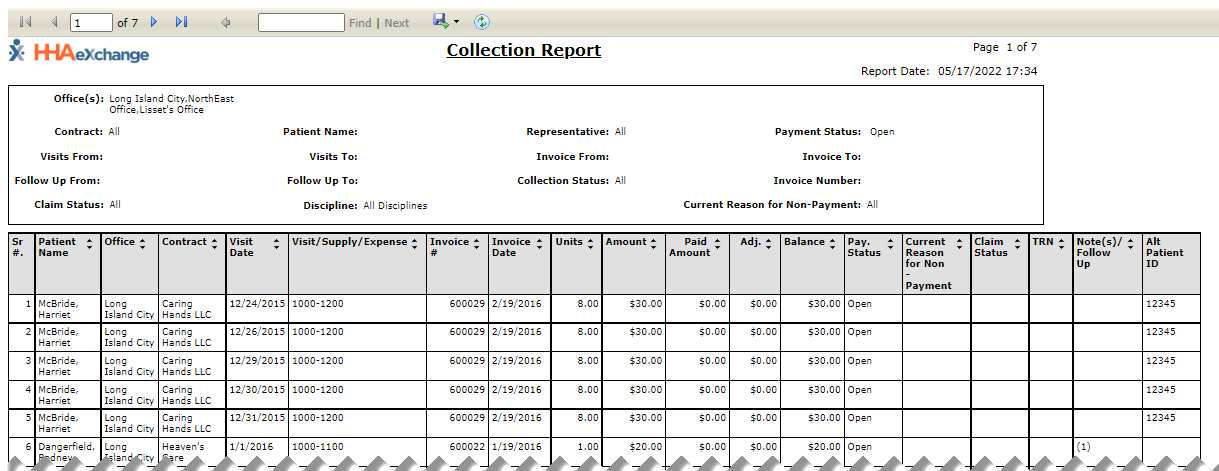
The Collection Report, Detail View under Action > Collection displays information from the Collection Dashboard in the Detail View. The Report displays information based on the search parameters set on the Collection page. To run this report"
-
Go to Action > Collection.
-
Select the Detail View radio button and select the Print button.
-
Select the Print Detailed View option.
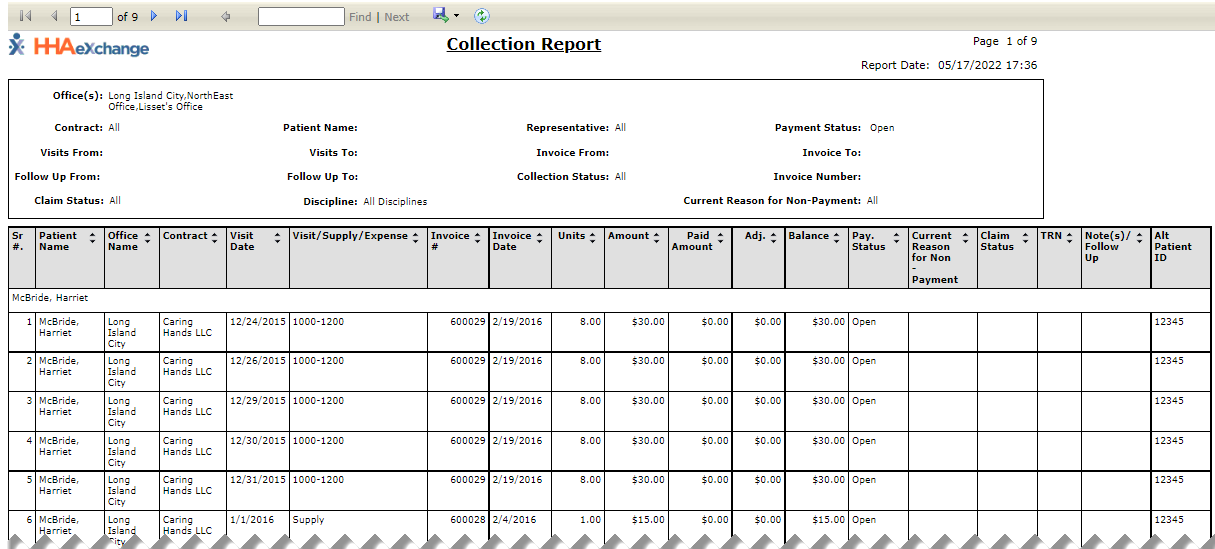
The Collection Report, Detail View under Action > Collection displays information from the Collection Dashboard in the Detail View. This report breaks down the information by Patient according to the search parameters set on the Collection page. To run this report:
-
Go to Action > Collection.
-
Select the Detail View radio button.
-
Select the Print button and select the Print Detailed View by Patient option.
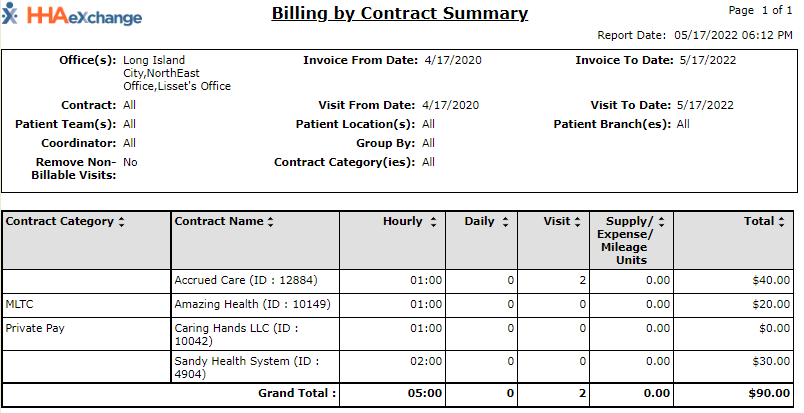
The Billing by Contract Summary Report under Report > Sales > Billing by Contract Summary provides a high-level overview of revenue for a Contract(s) over a specified time frame. The report can be broadened to include all Contracts managed by an Agency.
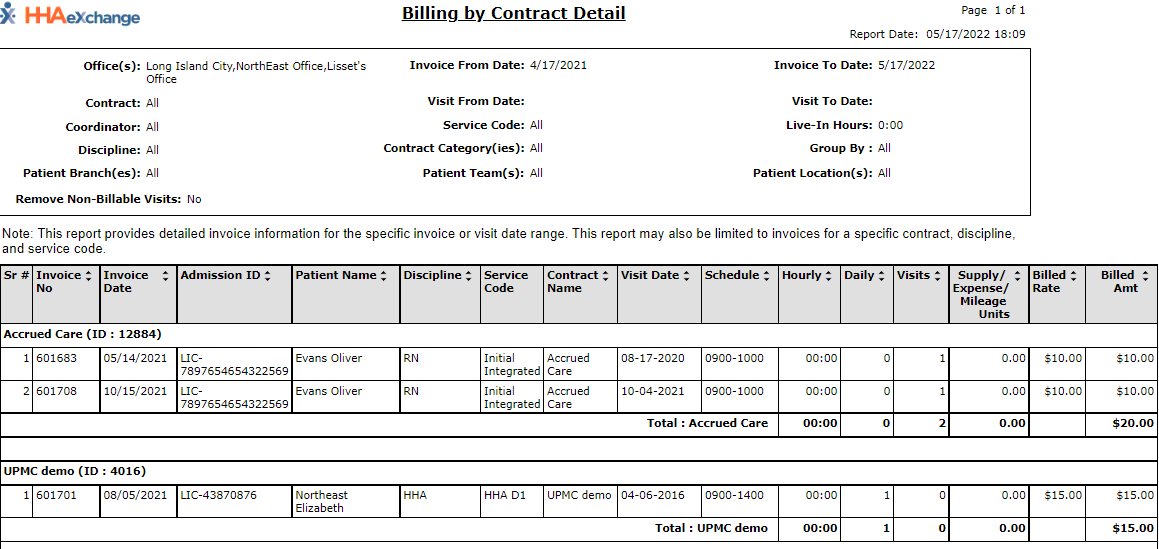
The Billing by Contract Detail Report under Report > Sales > Billing by Contract Detail breaks down the information found on the Billing by Contract Summary report by invoice.
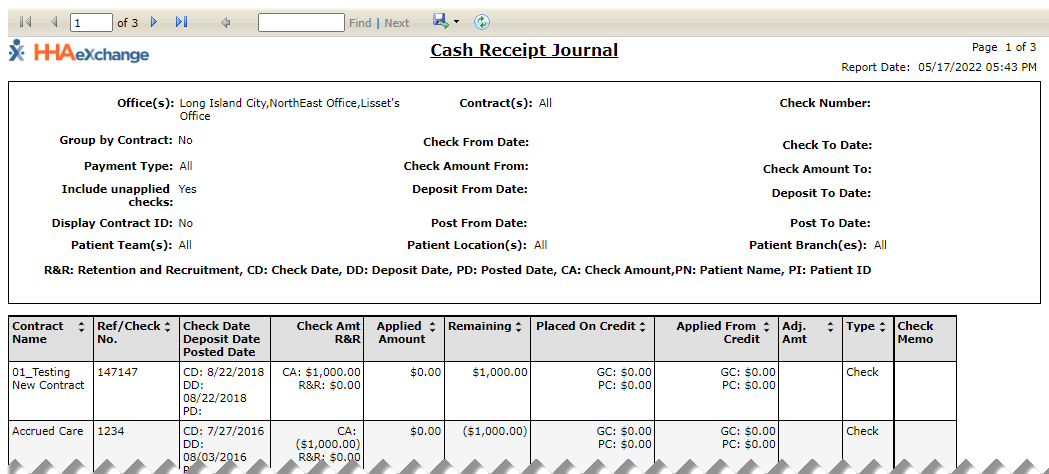
The Cash Receipt Journal Report under Report > AR > Cash Posting > Cash Receipt Journal provides an overview of remittance checks entered in the Cash Payment feature. It also displays the total amount of money received by a contract.
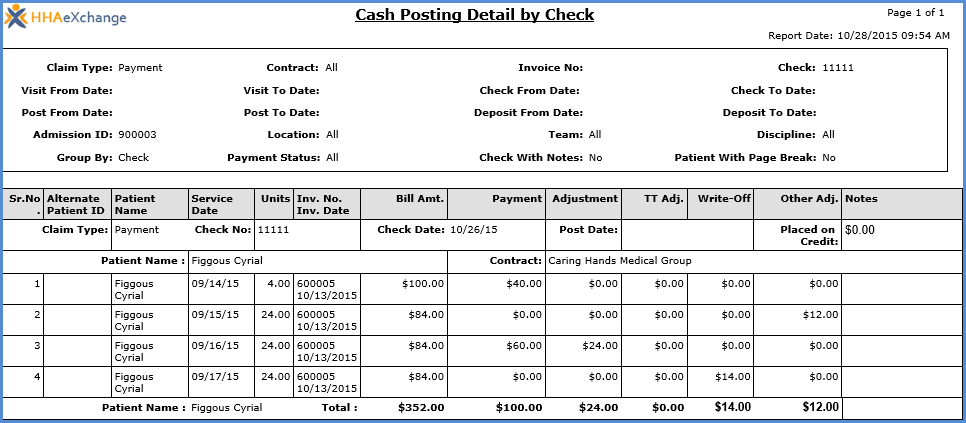
The Cash Posting Detail by Check Report under Report > AR > Cash Posting > Cash Posting Detail by Check breaks-down the distribution of a check from invoice to invoice. It also provides information on any adjustments made or credit applied.
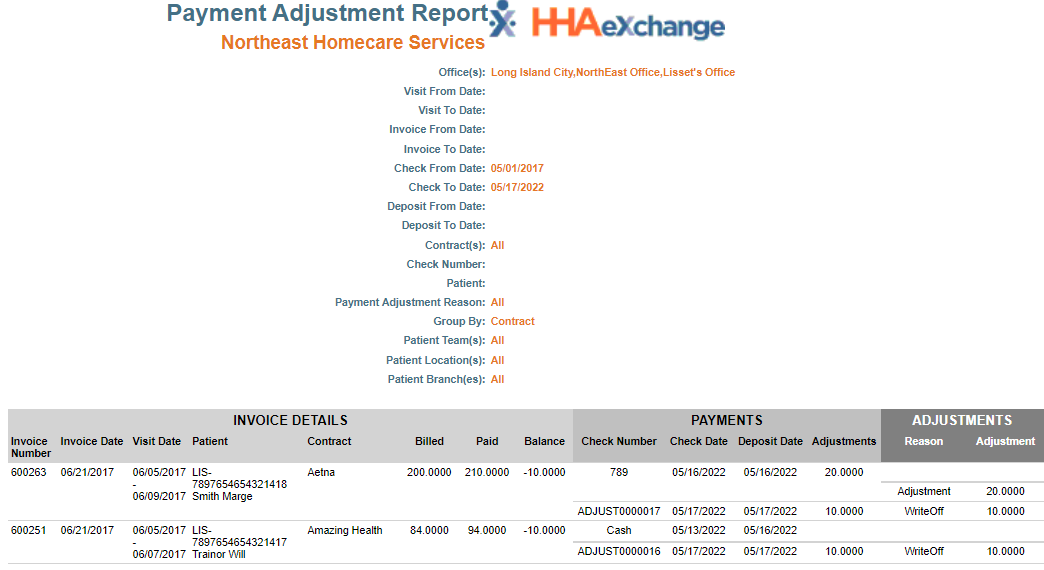
The Payment Adjustment Report under Report > AR > Cash Posting > Payment Adjustment Report is used to review adjustments made to checks using the Cash Posting feature.
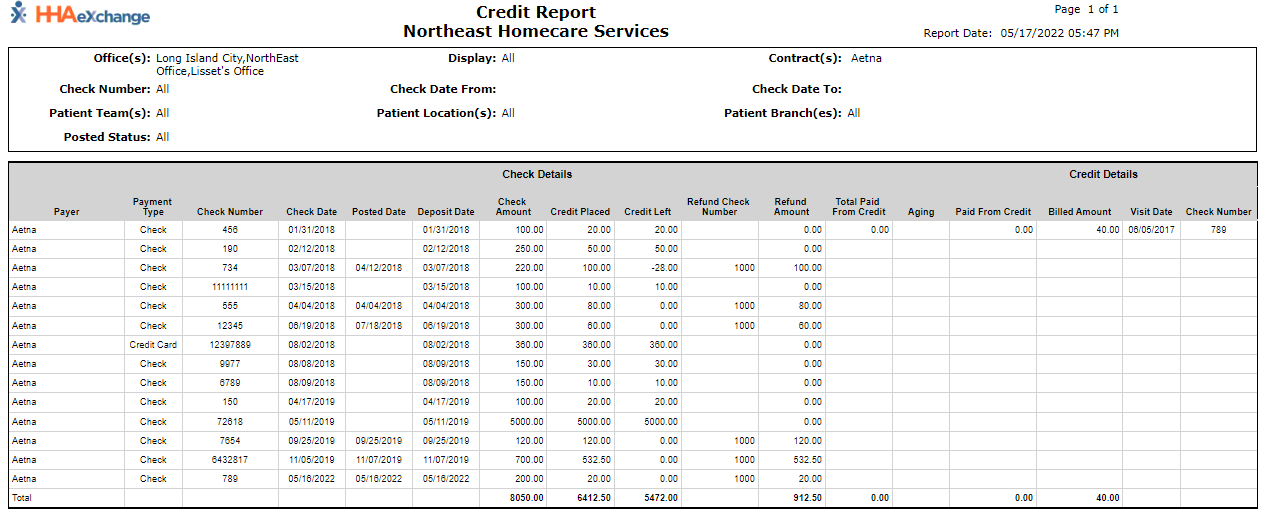
The Credit Report under Report > AR > Cash Posting > Credit Report is used to review everything relating to credit: credit received, placed on a payment, refunded, etc.
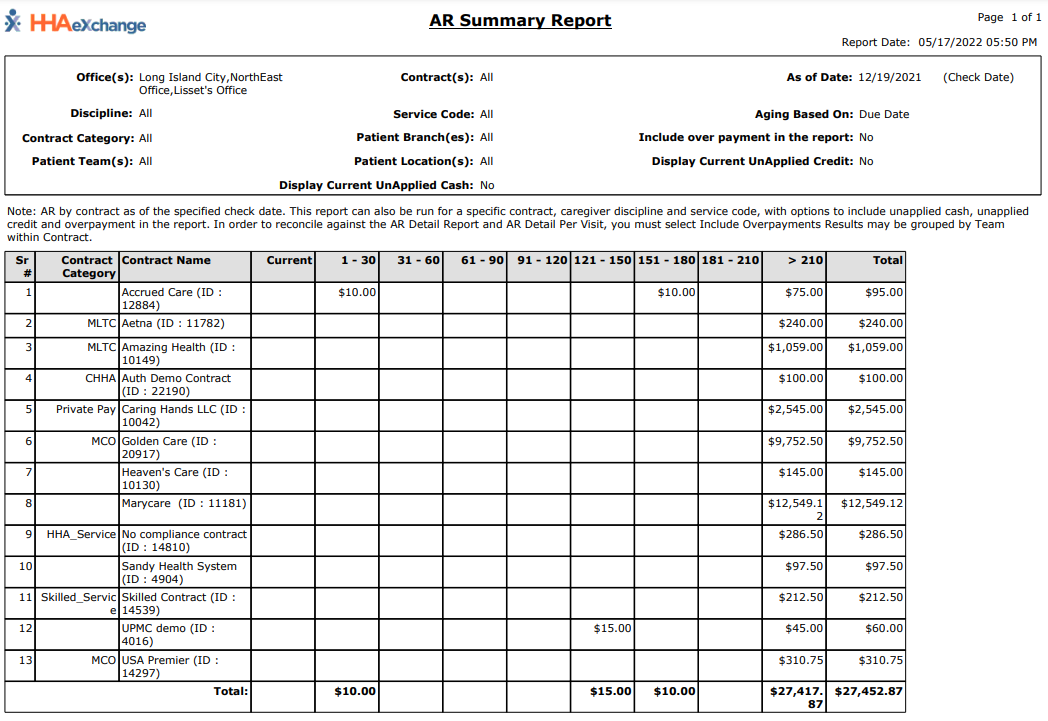
The AR Summary Report under Report > AR > AR Summary Report contains an aging view of client receivables, or the billing minus the cash payments. The receivables are divided into thirty day increments.
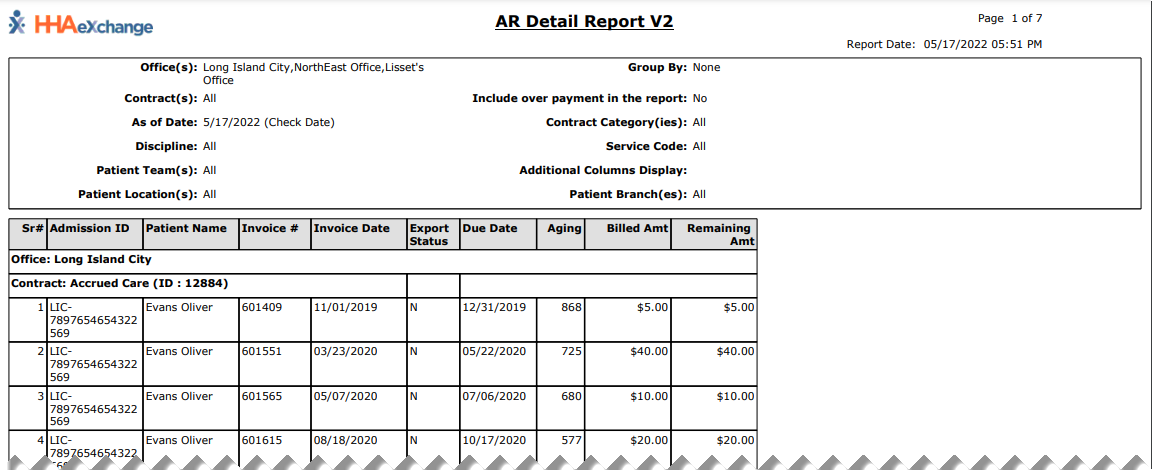
The AR Detail Report under Report > AR > AR Detail Report V2 breaks down receivables to the invoice level, showing the patient details as well as billing information and notes made using the Cash Payment feature.
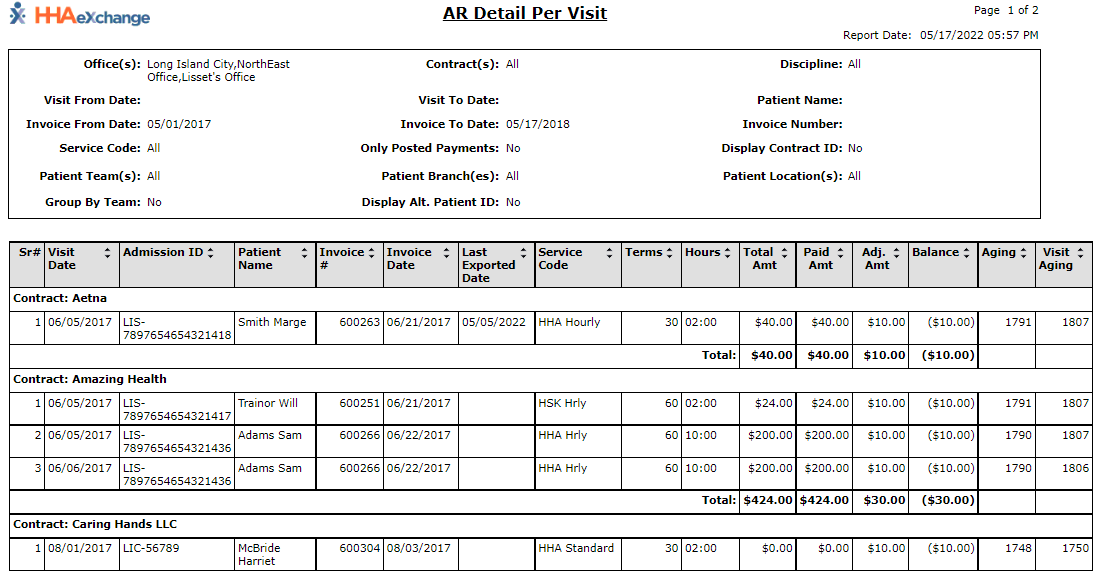
The AR Detail per Visit Report under Report > AR > AR Detail per Visit breaks down receivable to the visit level, or each individual visit within an invoice.