Review Invoice Details
Reviewing processed invoices, specifically those with a Pending Status (i.e., have not been exported from HHAeXchange) allows Providers one last opportunity to detect clerical errors that are not be caught by the Prebilling Review or Billing Review exception pages.
If an error is detected, the Visit in question may be removed from an invoice, providing that the Status is Pending, using the X icon. Visit information cannot be edited for Visits /Invoices which have been exported with a Status of Billed.
Processed invoice details can be reviewed at three levels: By Batch, By Invoice, and By Visit. Complete the steps outlined below according to review type.
Once an invoice batch finishes processing, batch details can be reviewed. Complete the steps below to review.
-
Go to Billing > Invoice Search and select a search method: By Batch, Invoice, or Visit.
-
If searching By Batch, the system provides Batch Summary details. Click the link in the Batch Number column to view the details of the invoices included in the Batch.
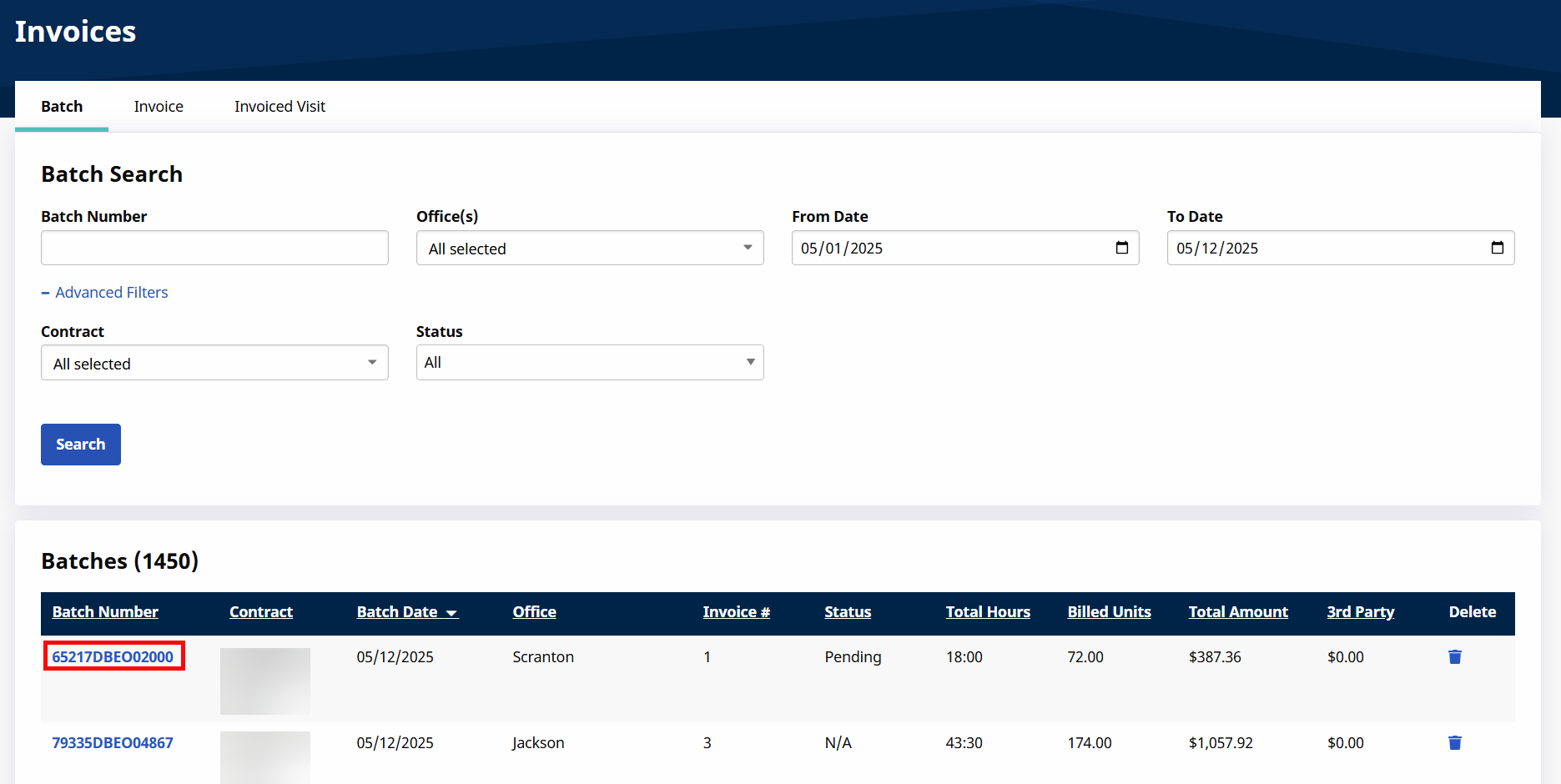
From this page, select individual invoices by clicking on the line in the Invoice # column to see the details of Visits included within that invoice.

-
If searching By Invoice, the system displays individual invoices for the selection. Click the invoice number link under the Invoice # column to review the individual invoice details.
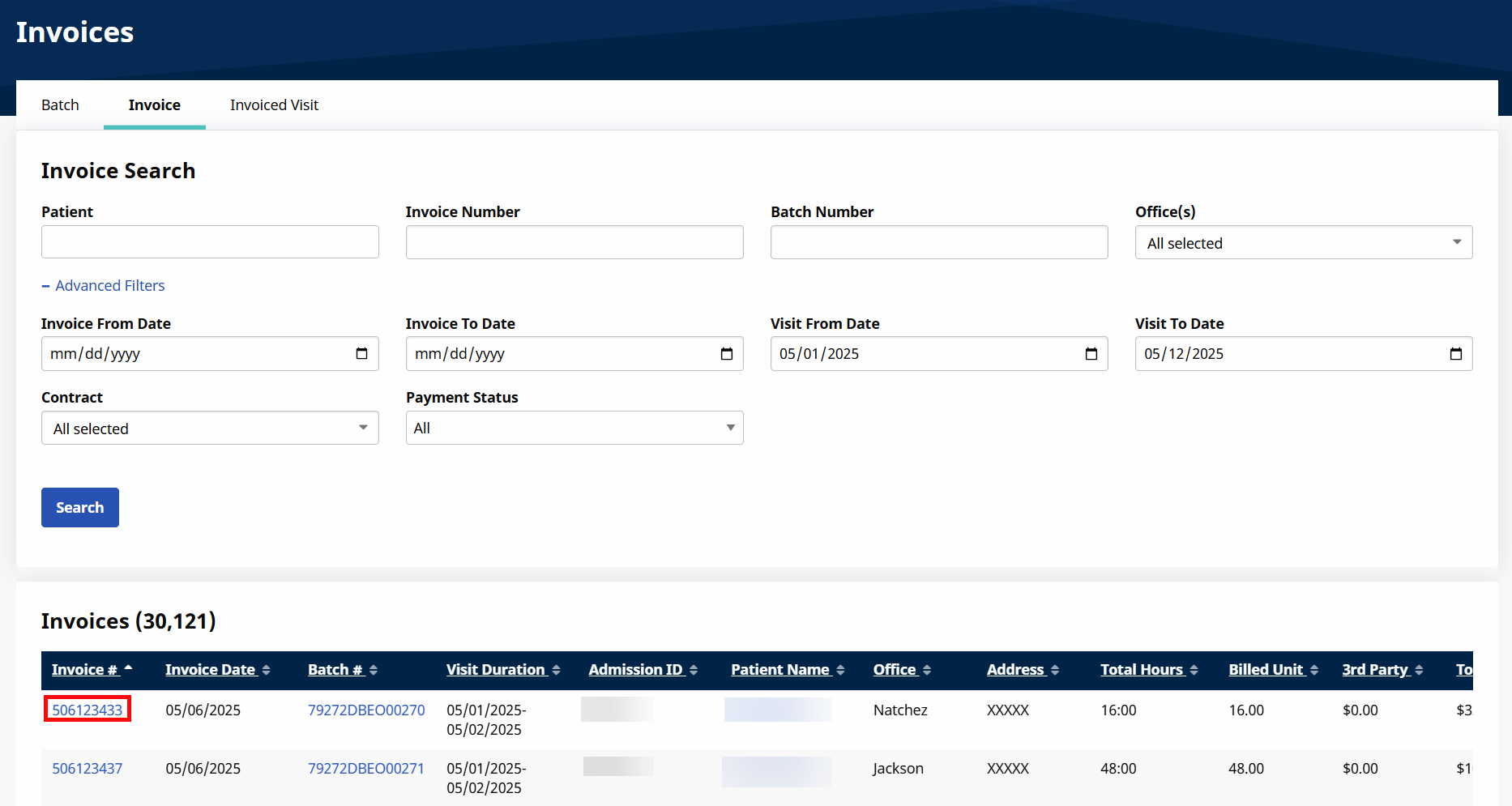
-
If searching By Visit, the system displays individual invoiced Visits for the selection.
