Secondary Billing for Linked Contracts
The Enterprise system supports Secondary Billing for Linked Contract Patients who have additional insurance, aside from Medicaid. Once enabled and configured, Secondary Billing key information is included in the claim sent to Payers.

The Secondary Billing feature is enabled at a Patient Authorization level. To access, go to the Patient’s Authorization page under Patient Profile > Auth/Orders. Click the applicable Attachment icon under the Authorizations tab.

The Secondary Billing feature can also be enabled at the visit level. Entering Secondary Billing data at the visit level overrides information at the Authorization level. The Secondary Billing details captured at the visit level are sent on the claim files.
Secondary Billing at the visit level is entered via the Bill Info tab once a visit has been confirmed. On the Secondary Billing field, click the Edit link to open the Secondary Billing window.
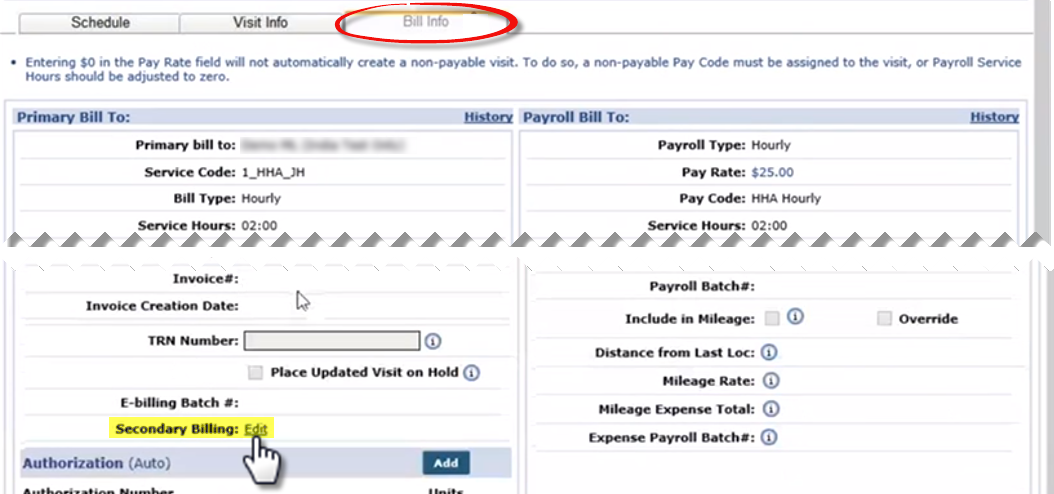
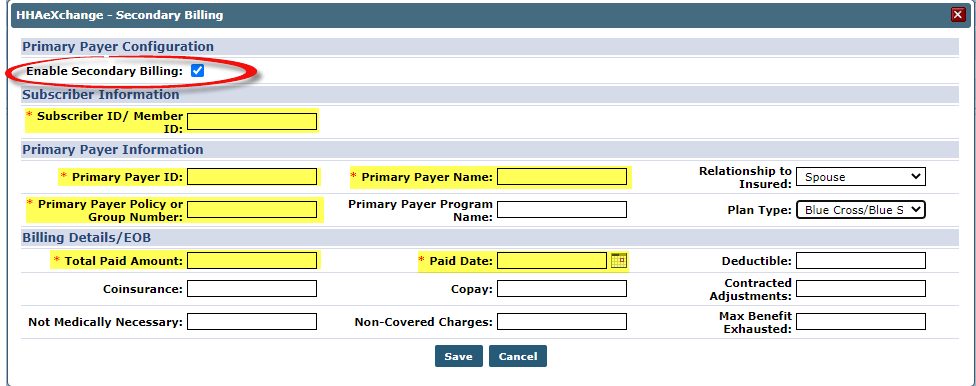
On the Secondary Billing window, click the Enable Secondary Billing checkbox to enable the fields. Complete the required fields.
|
Field |
Description |
|---|---|
|
*Subscriber ID/Patient ID |
The Subscriber or Patient ID assigned by the Payer. |
|
*Primary Payer ID |
The unique Payer ID for the Primary. |
|
*Primary Payer Name |
The Primary Payer Name. |
|
*Primary Payer Policy or Group Number |
The Primary Payer’s policy or group number. |
|
*Total Paid Amount |
The total amount paid in the Primary Payer’s EOB. |
|
*Paid Date |
The paid date in EOB from the Primary Payer. |
To edit the information, go to the Patient Authorizations page as explained above. Click the Secondary Billing link (via the Attachment icon). The Secondary Billing window opens. Edit information as needed and Save.
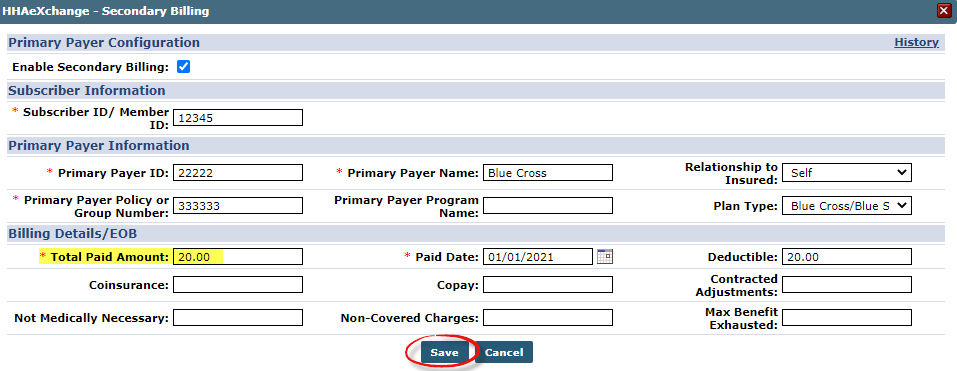
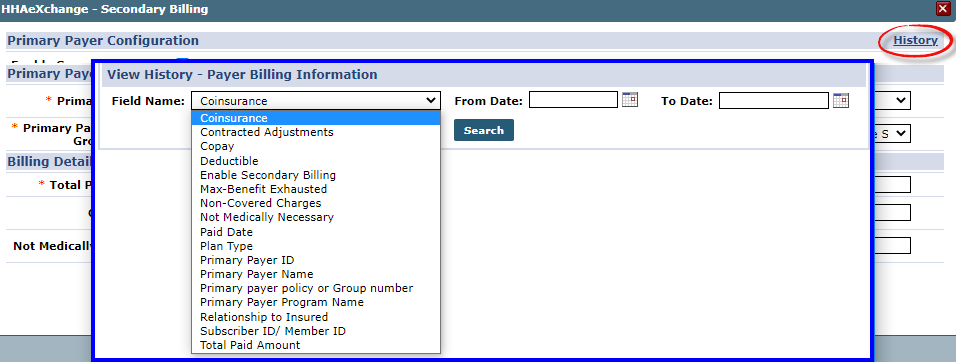
Click the History link on the Secondary Billing window (as seen in the image below) to capture and track new values, old values, and the date when updates were performed. On the View History window, select the Field Name, From Date, and To Date to generate a search.
API specifications have been updated to accommodate Secondary Billing information for Providers using a 3rd party vendor.