Limit Maximum Payer Contribution
Some Patients have multiple long-term contracts, each having their own billing rules such as Weekly Maximums and Elimination Periods. To ensure that these billing rules work consecutively when there are two simultaneous long-term contracts, a Secondary Contract option is available in the Limit Maximum Payer Contribution feature (initially only allowing for Private Pay).
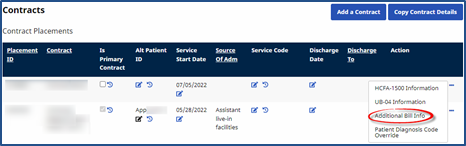
To access this setting, go to the Patient’s Contract page under Patient > Contract. Click the three-dot icon for the applicable Contract, then select the Additional Bill Info option from the menu to access the window.
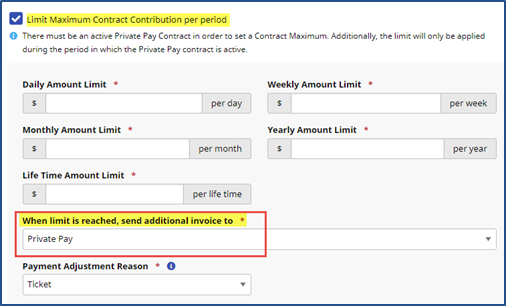
On the Additional Bill Info window, select the Limit Maximum Payer Contribution per period option, and enter the applicable maximums per period. On the When limit is reached, send additional invoice to field, select the applicable Contract from the available options.