Service Code Billing Overrides
Billing identifier fields, in the Contract Service Code window, are used to override any Service Code billing information entered at another level in the system (such as the Agency and/or Office level).
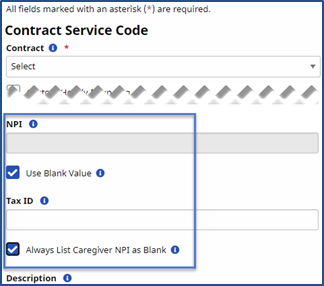
Go to Admin > Reference Table Management > Contract Service Code and select the applicable Service Code. On the Contract Service Code window the NPI, Tax ID, and Caregiver NPI (billing identifiers) fields are displayed.
|
Field |
Description |
|---|---|
|
NPI |
Enter the 10-digit number to override billing information for the Service Code in all other levels. The NPI is then included in paper invoices and electronic billing claims. Select the Use Blank Value checkbox to hide the NPI. When selected, the NPI field becomes unavailable and the NPI is not included in the invoice (paper or electronic billing); regardless of where the NPI is entered. |
|
Tax ID |
Enter the 9-digit number to override billing information for the Service Code in all other levels. The Tax ID is then included in paper invoices and electronic billing claims. |
|
Always List Caregiver NPI as Blank |
Select the Always List Caregiver NPI as Blank checkbox to override a Caregiver NPI number entered in the Caregiver Profile; consequently appearing as a blank Caregiver NPI in the invoice (paper and electronic billing claims). |
Billing Identifier and Overrides Validations
For all Contracts (Internal and Linked), the NPI and Tax ID values used in invoices are taken from the system in the following order (starting with lowest level):
-
Service Code under Admin > Reference Table Management > Contract Service Code > Contract Service Code window.
-
Contract Level under Admin > Contract Setup > General tab.
-
Office Level under Admin > Office Setup > General section.
-
Agency Level under Admin > Provider Info > Agency Info General section.
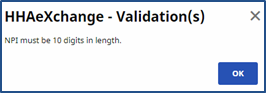
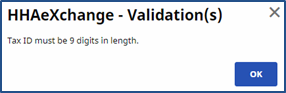
It is recommended that the NPI and Tax ID fields are reviewed in each of these pages to ensure that the data is valid and correct. When saving values for these fields, validations are displayed on each page to ensure entered data format is correct.