Caregiver Notes Page
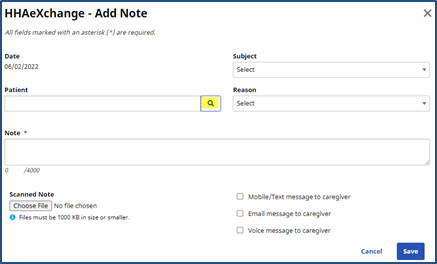
From the Caregiver > Notes page, users with the Caregiver’s Primary Office permissions can view, add, edit, and delete Notes. Users with Secondary Office rights can only view Notes. To edit visit information, click the  icon corresponding to a Note in the search results on the Notes page. In the Add Note window, click the
  icon to add a related Patient to the Note.