Create a Mileage Event

A Mileage Event is automatically created when a Caregiver logs mileage via a Duty Code upon a visit Clock-OUT. Once logged, the Mileage is reflected in both the Patient and Caregiver Calendars. A POC must be setup for mileage. Contact HHAeXchange Support Team to create a Mileage POC.
Mileage cannot be edited on the Mobile App after Clock-OUT. Once Clocked-OUT, the miles can only be edited manually from the HHAeXchange application.
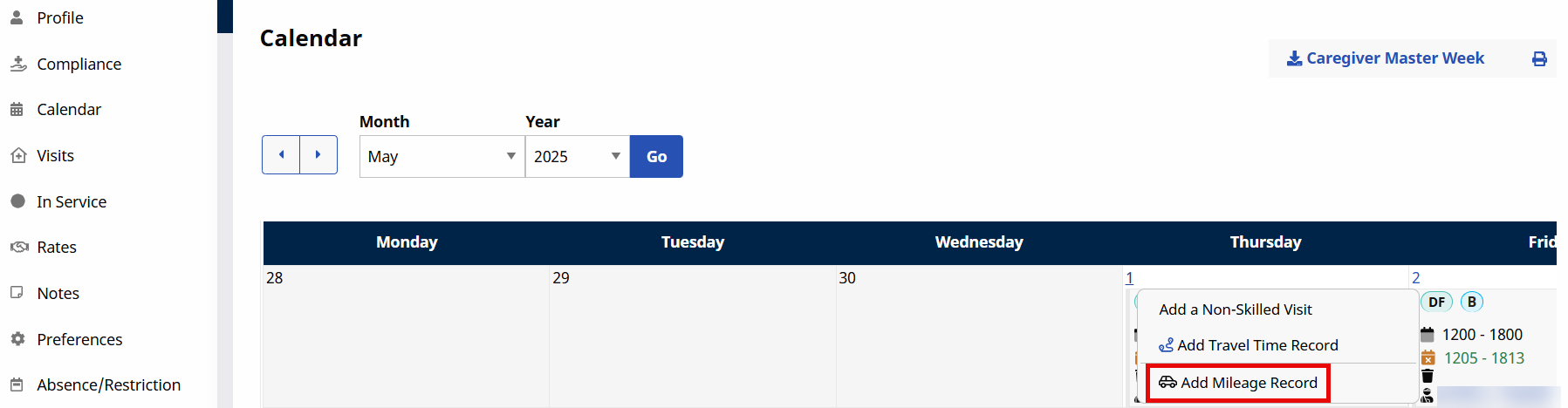
Go to Caregiver > Search Caregiver > Calendar. Click the applicable date link and select Add Mileage Record from the dropdown.
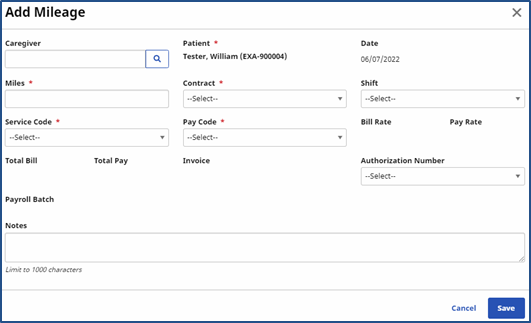
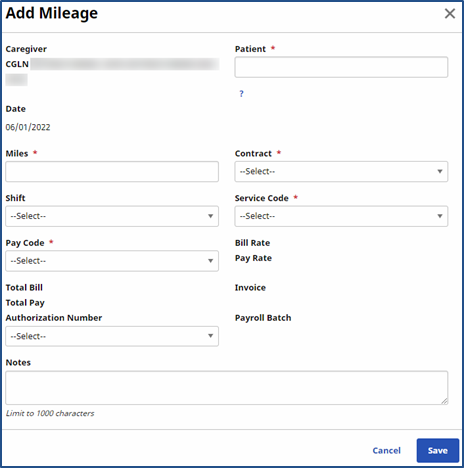
The Add Mileage window opens. Complete the required fields (marked with a red asterisk). Refer to the Mileage Authorization section for details, as needed.
|
Field |
Description |
|---|---|
|
*Caregiver |
(Required) The Caregiver field is pre-populated. |
|
*Patient |
(Required) Select/Search for the applicable Patient OR select the Shift from dropdown field for the respective Patient to auto-populate. |
|
*Miles |
(Required) Enter the number of miles. |
|
*Contract |
(Required) Select the associated Contract. |
|
*Service Code |
(Required) Select the applicable Service Code. The Bill Rate is calculated based on selected Service Code. |
|
*Pay Code |
(Required) Select the Pay Code. The Pay rate is calculated on the selected Pay Code. |
|
Total Bill Amount |
Auto-calculated (Miles x Bill Rate). |
|
Total Pay Amount |
Auto-calculated (Miles x Pay Rate). |
|
Authorization Number |
Populates if an Authorization(s) exists for the selected Patient, Contract, Service Code and Mileage Date. Refer to the Authorization Number section for details. |
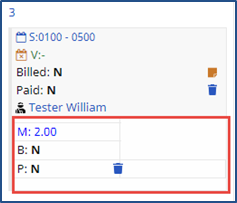
Once saved, the Mileage shows up on the Patient and Caregiver Calendar. To edit, click the M: link to open the Mileage window. The B: indicates if the mileage has been billed and the P: indicates if it applies to Payroll. If not billed, mileage can be deleted by clicking the Delete icon  .
.
Creating a Mileage Event on the Patient Calendar is the same as with the Caregiver Calendar. Go to Patient > Calendar. Click the applicable date and select New Mileage Record from the dropdown.
The Mileage window opens displaying the same fields. In this case, however, the Patient field is pre-populated. Select/Search for the applicable Caregiver OR select the Shift from dropdown field for the respective Caregiver to auto-populate.