Expense Permissions
The following are the permissions for the Expense functionality.
|
Permission |
Description – Allows Users to… |
|---|---|
|
Override Expense Bill Rate |
Override the Bill Rate ($) field on the Add Expense window. |
|
Override Expense Billing Export Code |
Override the Bill Export Code on the Add Expense window. |
|
Override Expense Pay Rate |
Override the Pay Rate ($) field on the Add Expense window. |
|
Override Expense Payroll Export Code |
Override the Pay Export Code field on the Add Expense window. |
|
Edit Expense Details |
Edit existing records on the Expenses page. |
|
Delete Expense |
Delete existing records on the Expense page. |
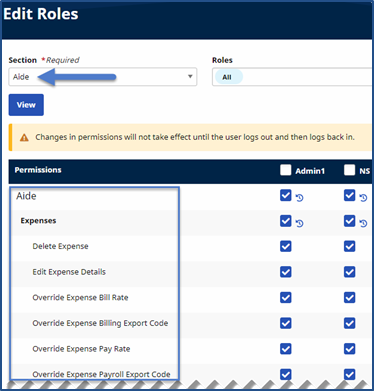
To activate these permissions, go to Admin > User Management > Edit Roles and select the Aide from the Section field.