AR Dashboard
The Accounts Receivable (AR) Dashboard under Data Insights captures data such as billed amounts, paid amounts, and the aging of invoice records, among other figures. This dashboard shows all information in one place, eliminating the need to run multiple AR reports. This section covers the entire AR Dashboard from key terms and formulas to descriptions and features of each widget section.
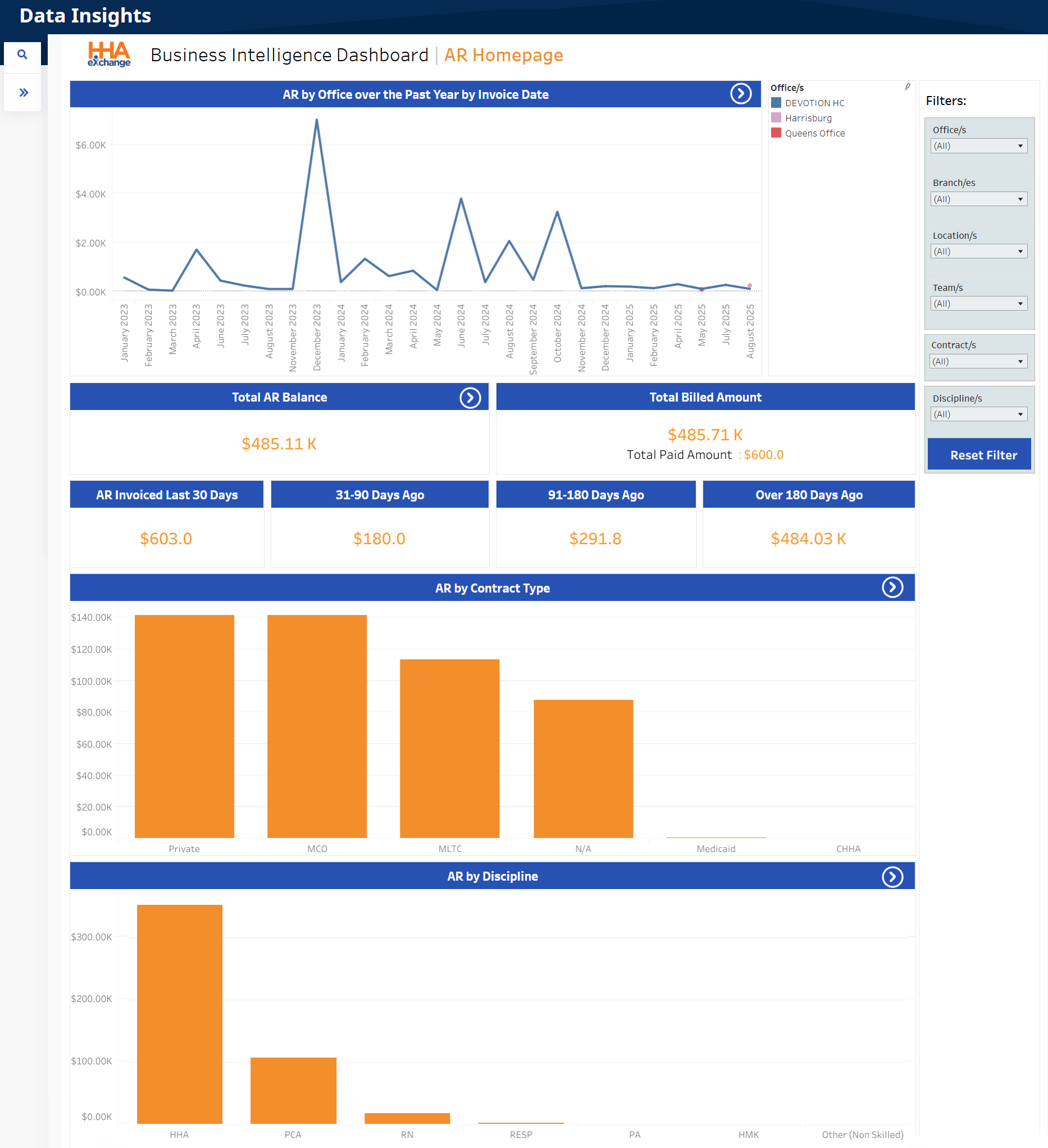

The following tables describe key terms, indicator meanings, and formulas used in the AR Dashboard under Data Insights.
| Term | Definition |
|---|---|
|
91-180 Days |
Total AR balance from Invoice Dates 91 to 180 days past for selected filters. |
|
31-90 Days |
Total AR balance from Invoice Dates 31 to 90 days past for selected filters. |
|
Over 180 Days |
Total AR balance from Invoice Dates 180 days past for selected filters. |
|
AR Aging Range |
Total number of days from invoice date | Difference between the Invoice Date and Current Date. |
|
AR Invoiced Last 30 Days |
Total AR balance from Invoice Dates within the last 30 days for selected filters. |
|
Total AR Balance |
Total Accounts Receivable balance for selected filters. |
|
Total Billed Amount |
Total Billed Amount for selected filters |Total Paid Amount for selected filters. |
The AR Dashboard graph widgets under Data Insights show various visual trends. Select any graph widget in this dashboard to see more specific details. Each section is described below from top to bottom (in order of appearance).
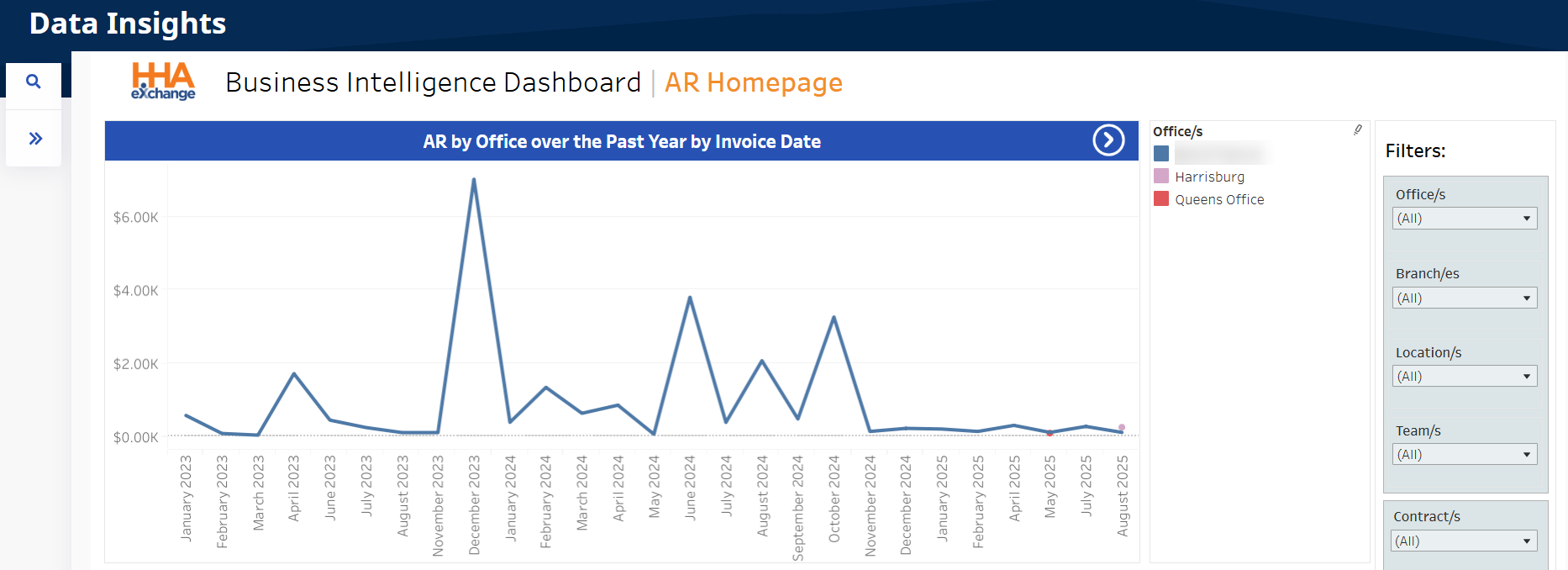
The first graph widget, shown before the indicator widgets, provides a visual of accounts receivable by office over the last 12 months, organized by invoice date. Selecting any segment of these graphs provides a summary of a selected point.
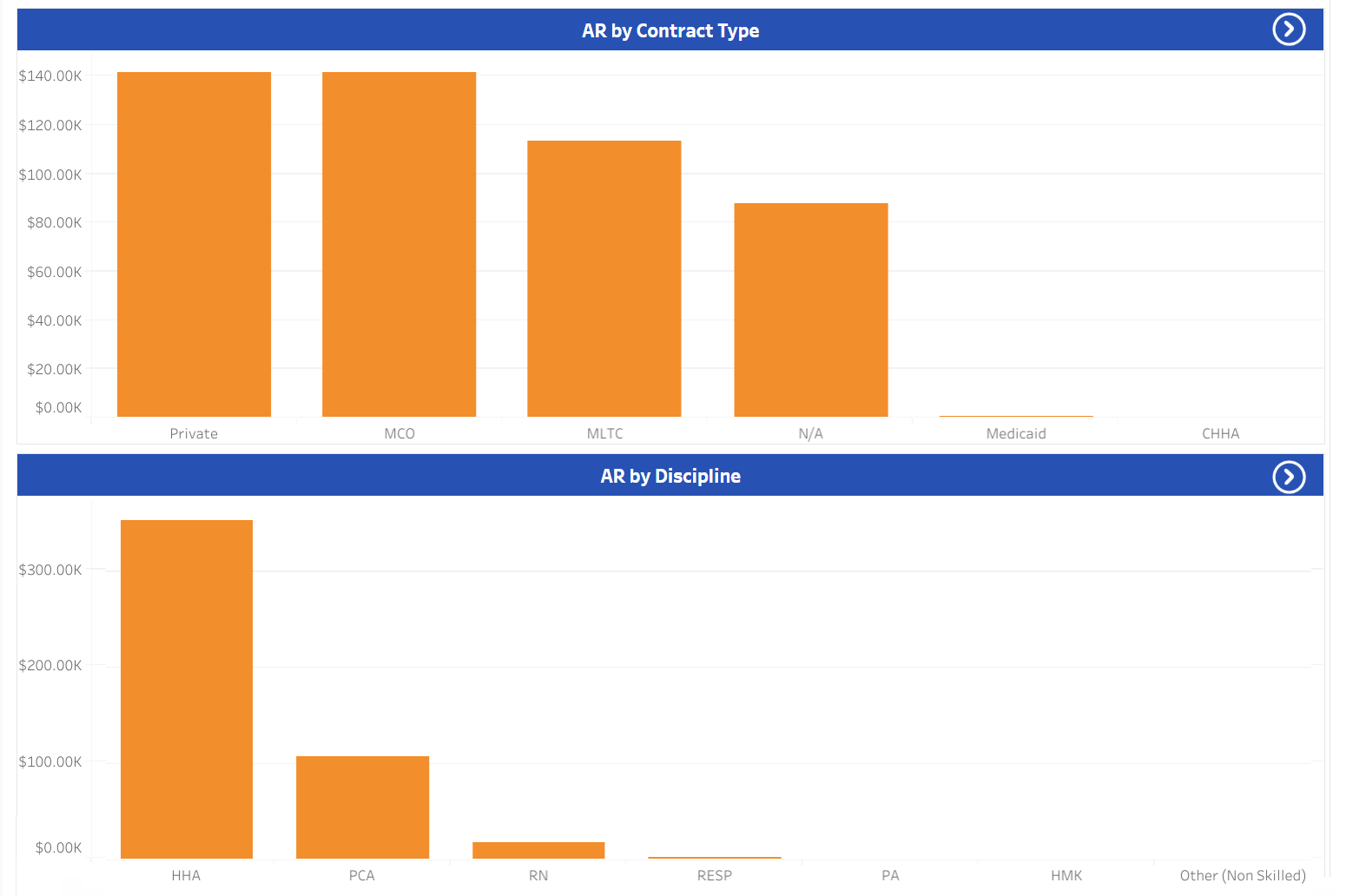
The following column graphs show the Total AR Amounts by Contract Type (top) and AR by Discipline (bottom).
There are several indicator widgets available in the AR Dashboard under Data Insights including the Total AR Balance, Total Billed Amount, as well as another four widgets that indicate invoice aging figures such as AR Invoiced Last 30 Days, 31-90 Days Ago, 91-180 Days Ago, and Over 180 Days Ago.
