Case Acceptance Dashboard
The Case Acceptance Dashboard under Data Insights captures case broadcast data such as the response numbers to issued broadcasts (by Single Visits or by Master Week), as well as number of Agency Revocations, Caregiver Rejections, Broadcast Success Rate, and Broadcast Duration, among other information.
This dashboard includes indicator and graph widgets providing a visual aid and real-time figures including response percentages and trends by Office, Branches, Location, Teams, and Broadcast Time.
This section covers the Case Acceptance Dashboard in its entirety providing descriptions and functionality of each widget section. All widgets on this dashboard are drillable, providing details when clicking on precise points.
Refer to the Navigate Classic Dashboards section to learn how to navigate in this dashboard.
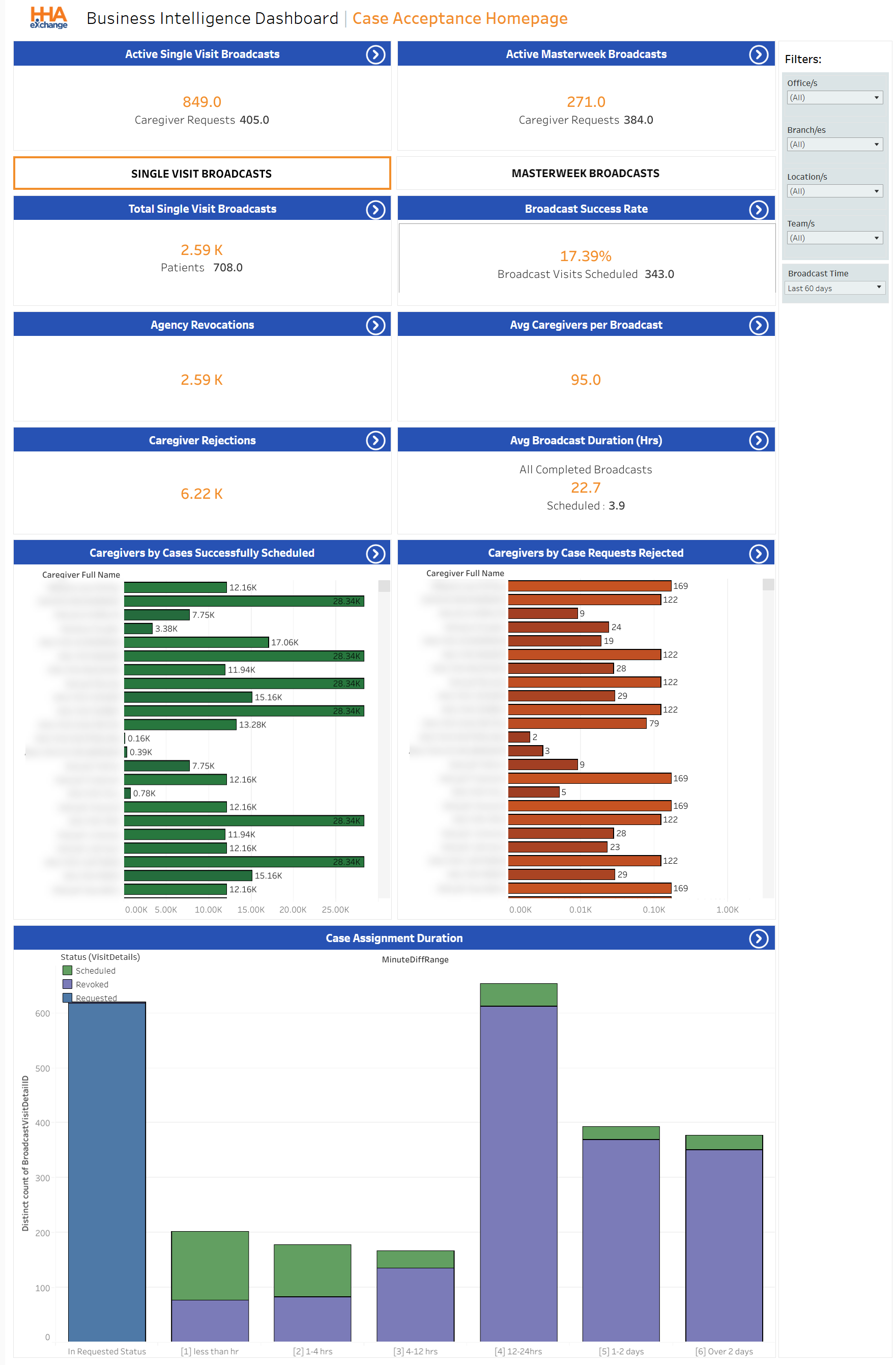

The Case Acceptance Dashboard graph widgets under Data Insights illustrate various visual trends. All graph widgets in this dashboard are expandable for viewing specific details. Each section is described below from top to bottom (in order of appearance).
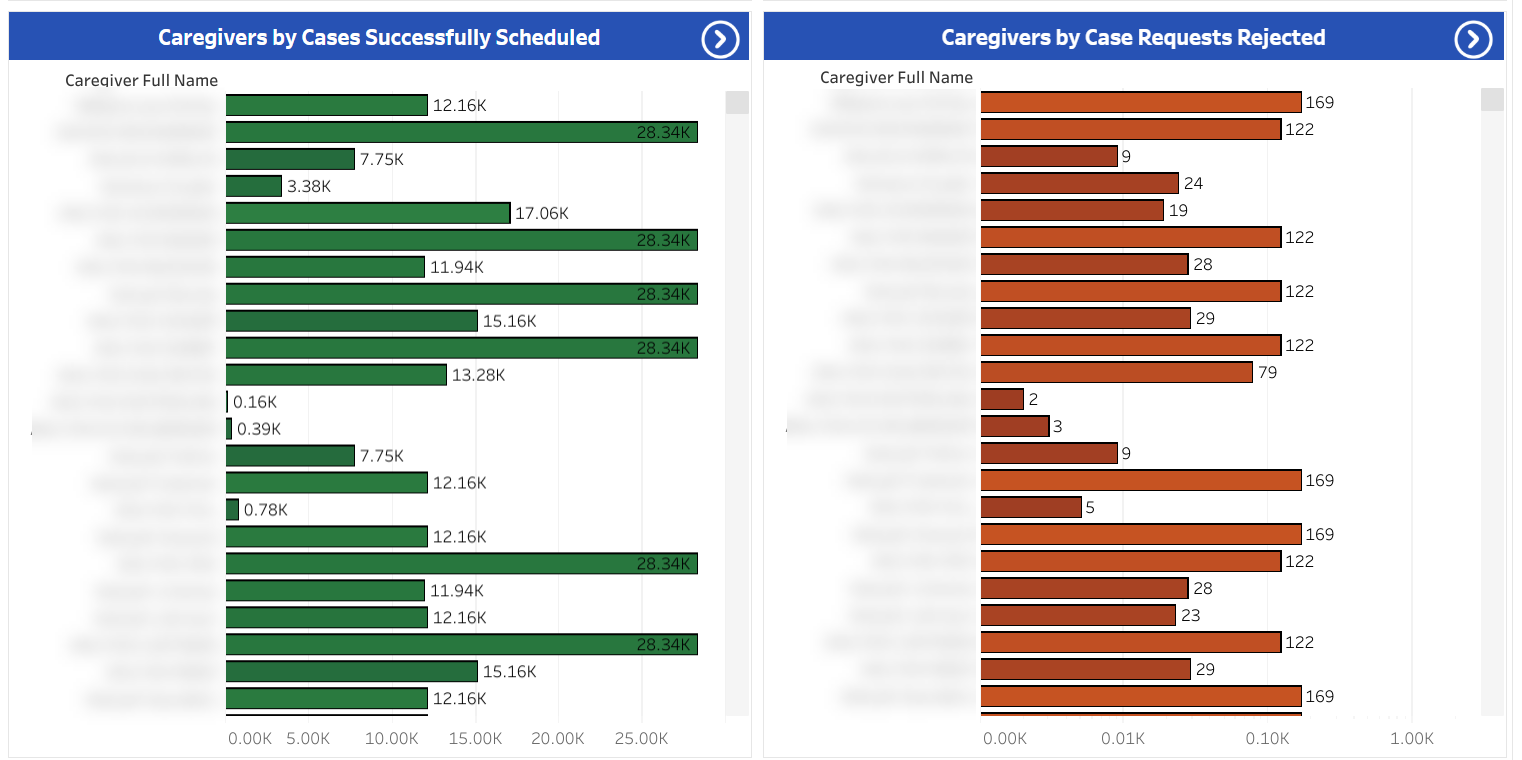
The first bar graph widget provides a visual of Caregivers by Cases Successfully Scheduled (left) and Caregivers by Case Requests Rejected (right). Clicking on any segment of these graphs provides a summary of the selected point.
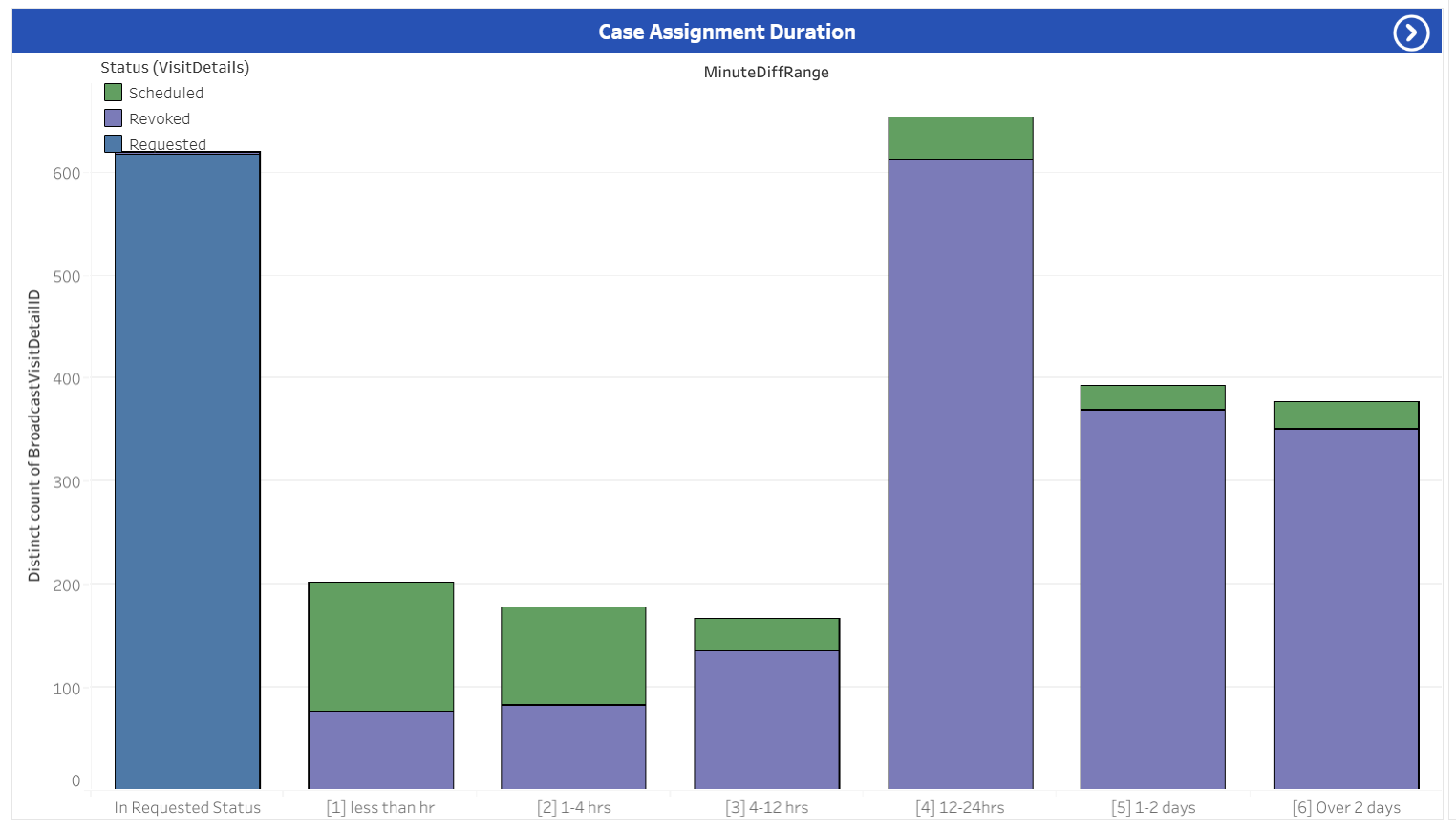
The following graph widget (at the bottom) illustrates the Case Assignment Duration.
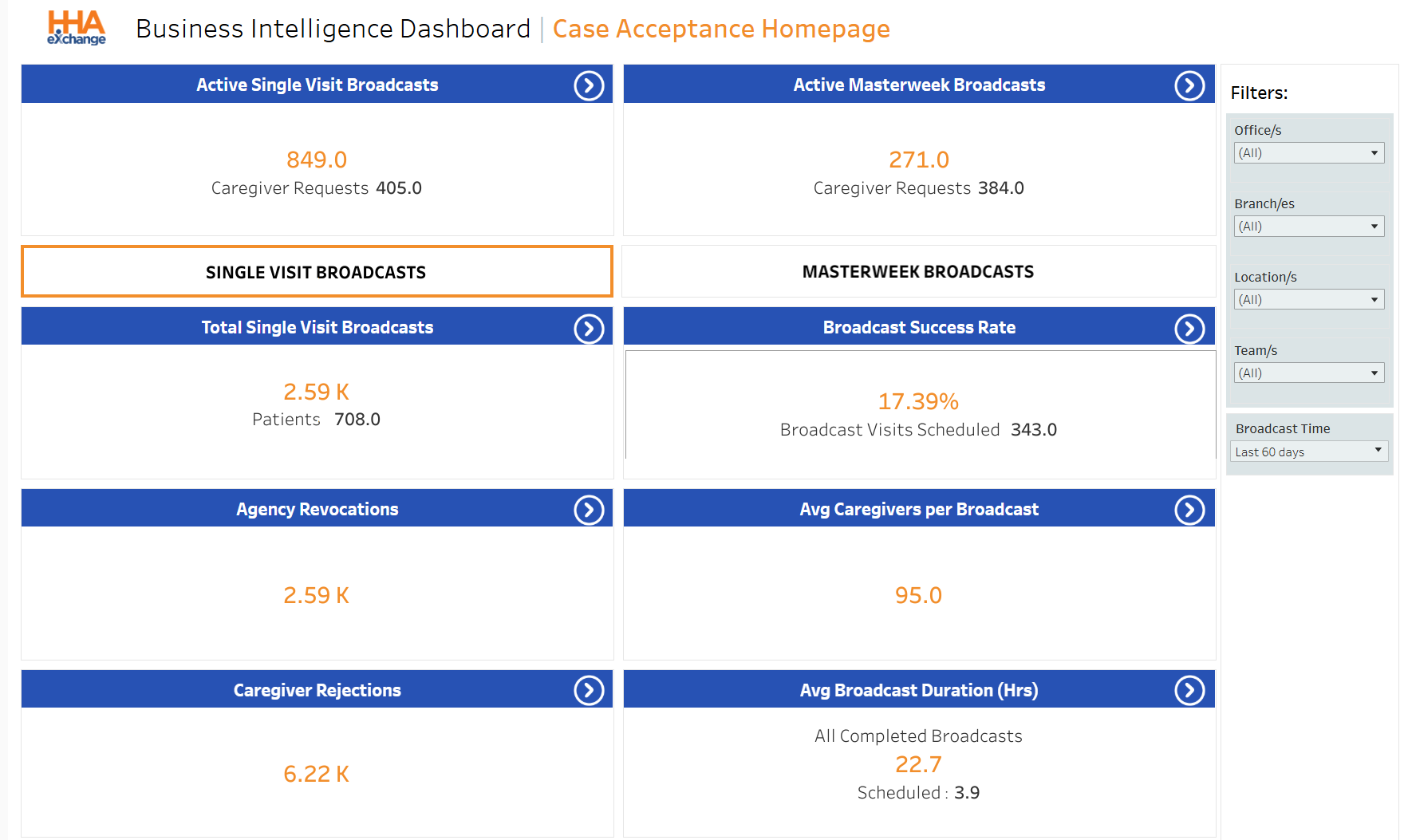
There are several indicator widgets available in the Case Acceptance Dashboard under Data Insights to include the Active Single Visits Broadcast and Active Master Week Broadcasts. Select the Single Visit Broadcasts button or Masterweek Broadcasts button to display the next set of indicator widgets for the selection.
In the image below, Single Visit Broadcasts is selected. The widgets then indicate figures for single broadcasts in all other widgets. Click any of the indicator widgets to obtain supporting details.
To view Master Week information, click the Masterweek Broadcasts button.