Add a Plan of Care (POC) to a Patient
A Plan of Care (POC) consists of Duties a Caregiver must perform during a visit. To setup a Plan of Care and attach it to a visit, Agencies must first create a Duty List. Once the Duty List is complete, POCs may be setup for Patients assigned to the corresponding Office(s). Complete the following steps to add a POC to a Patient.
-
Go to Patient > Search Patient and select a Patient.
-
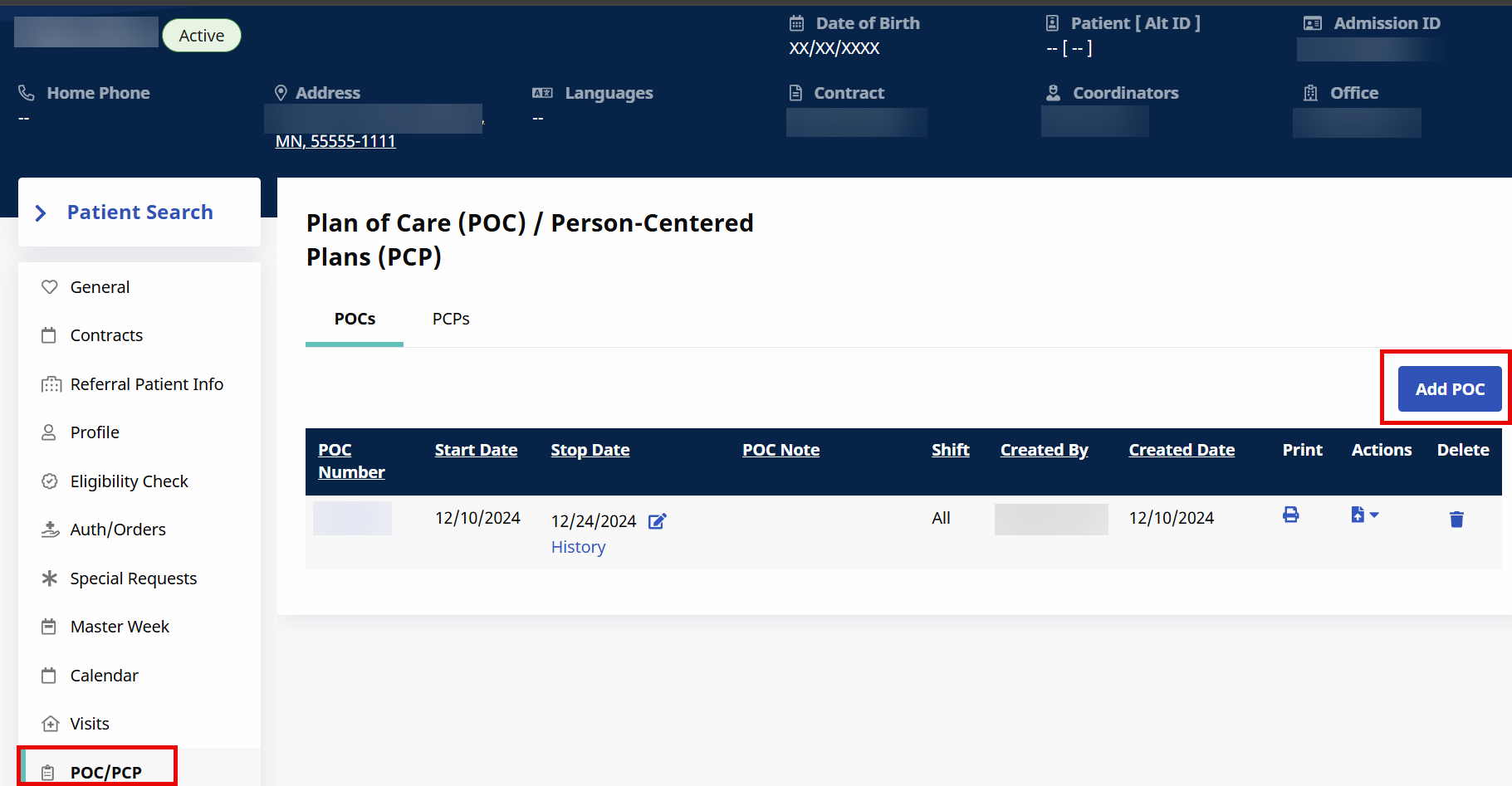
In the PatientProfile, select the POC link from the Index.
-
Click the Add POC button and enter the POC details.
-
Select a Start / End Date for the POC. Add Duties by selecting the corresponding checkbox in the As Needed column. Click Save to finalize.
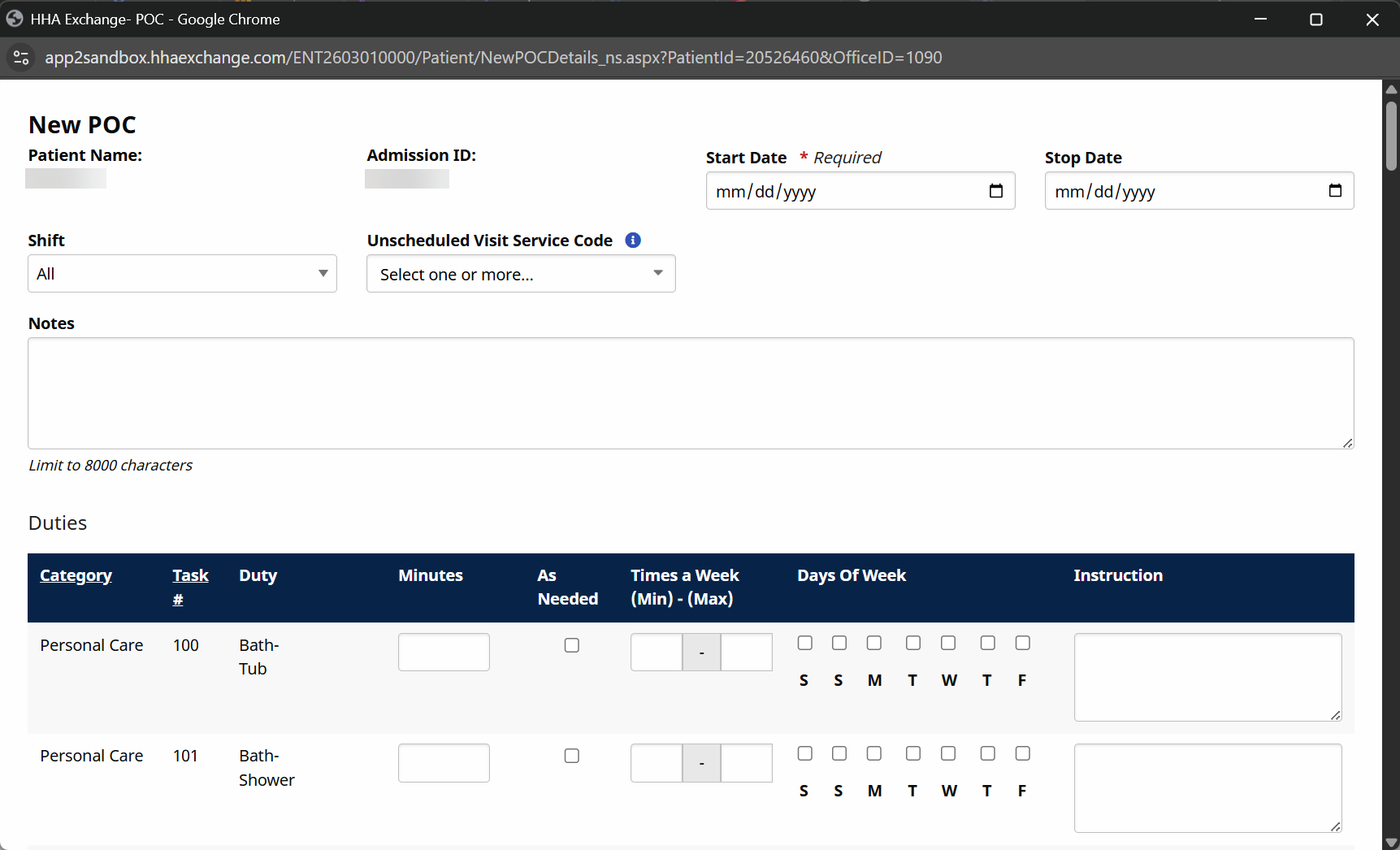
Enter a value for either the As Requested, Times a Week, and Days of Week fields prompts the system to add the Duty to the POC. Each of these fields serve the same purpose.
-
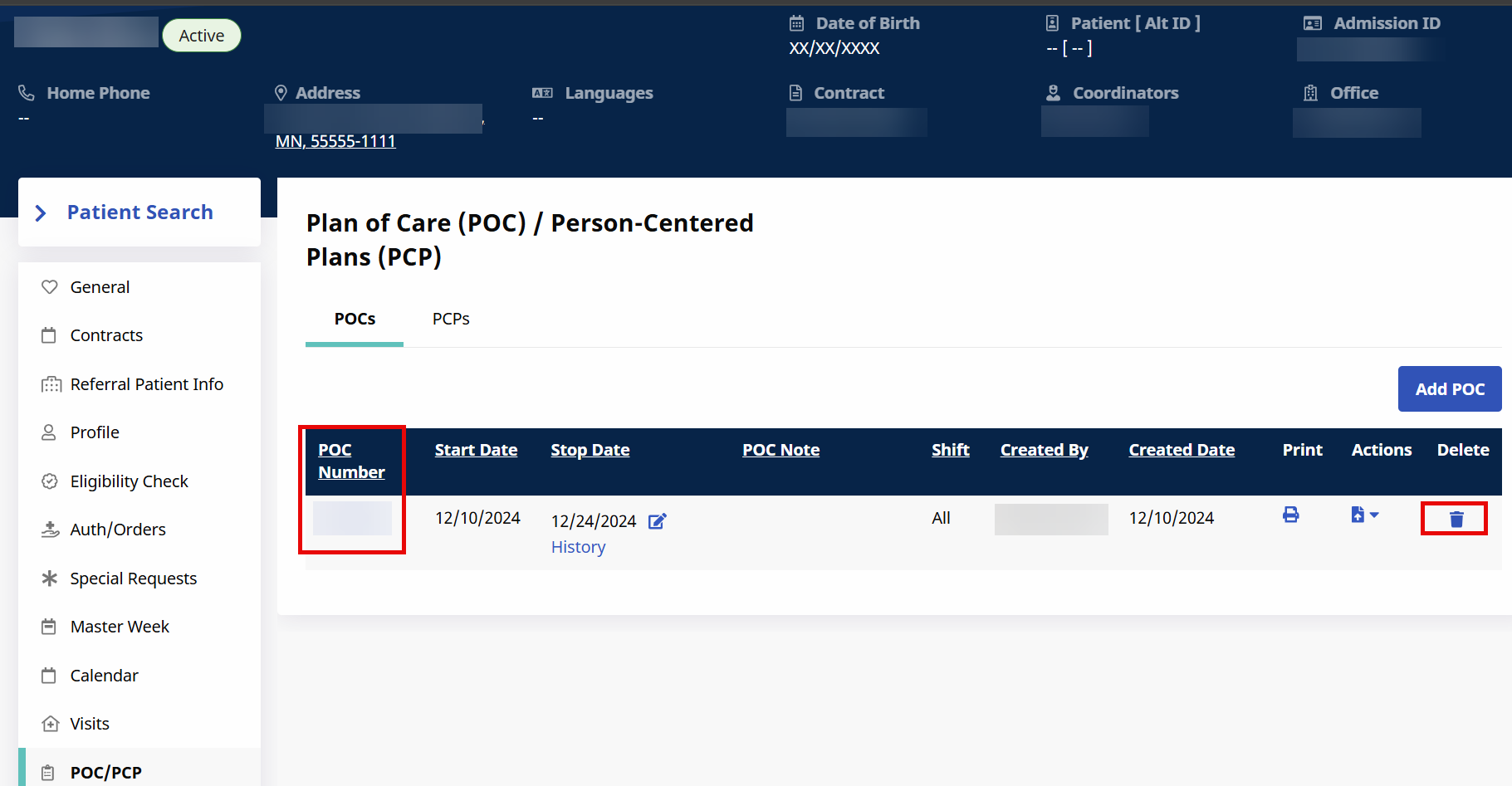
The POC can now be applied to visits for the Patient. To edit the POC in the future, click the link in the POC Number. Click the Delete icon to delete the POC.