Custom Master Week Length
The Master Week rollover length can be customized to view and coordinate visits (schedules) on a monthly basis according to Authorization calculations. Because the Master Week rollover length may be adjusted for each Contract, the system needs to validate scheduled visits based on the Contract settings.
For example, if Contract A is set for the Master Week rollover length to 30 days, the system then validates up to 30 scheduled visits at a time. If Contract B has the rollover set for 10 days, the system then validates up to 10 scheduled visits at a time.
This feature is applicable for both Linked and Internal Patients.
This Master Week Timeframe setting can only be changed by HHAeXchange. Contact HHAeXchange Client Support for further details.

The system default is set at 14 days for the Master Week Rollover Time Frame.
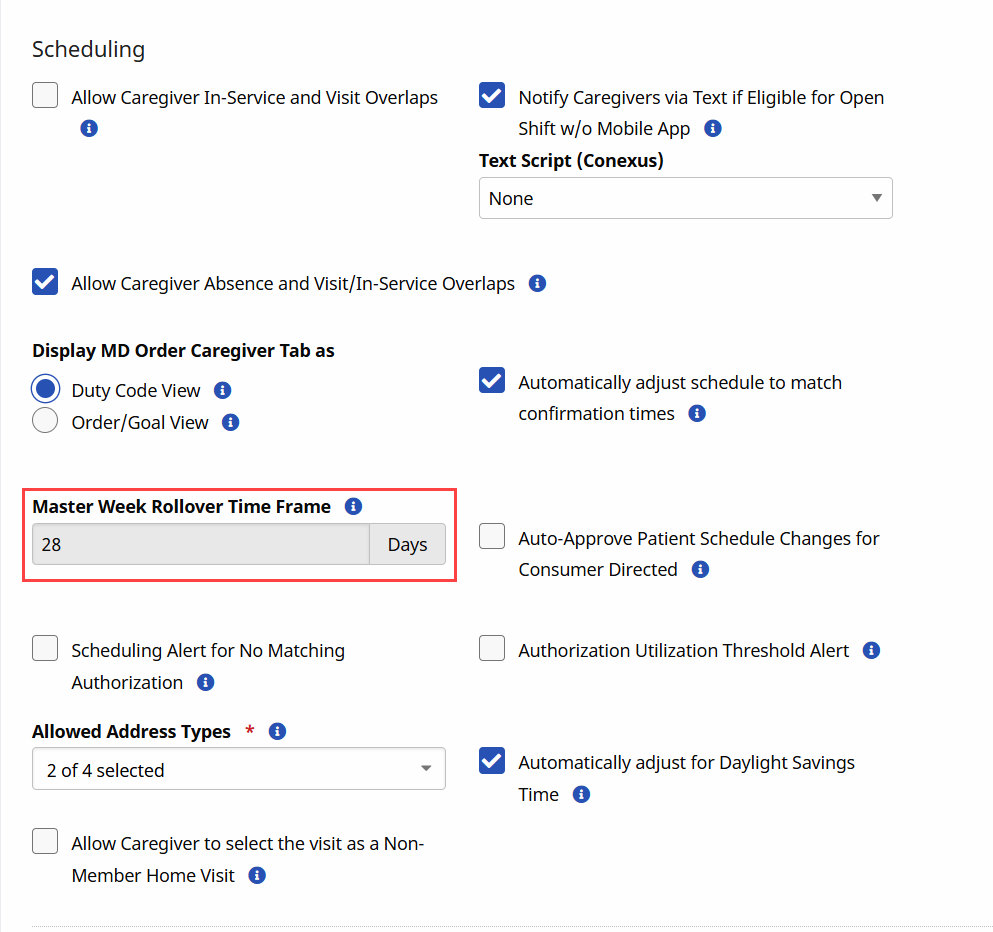
Go to Admin > Office Setup > Search Office. Fill in the search office filters and click Search, The Edit Office page opens. Scroll down to the Schedule section to view the Master Week Rollover Time Frame.
When opening the Patient Master Week page, the From Date and To Date are automatically set based on the Patient’s Office Master Week Rollover Time Frame settings.
For example, if the Master Week Rollover Time is set for 28 days, then the From Date displays as the current date and the To Date displays as 28 days from the current date.
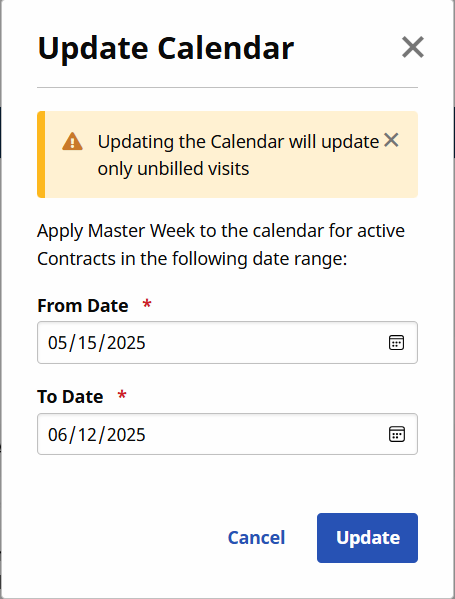
Users can manually schedule for a number of days greater than the default setting on the Office Setup page on a Patient’s Master Week. A manually entered schedule overrides the default Master Week Rollover Time Frame setting.
For example, if the Master Week Rollover Time Frame is set at 20 days, a user can manually schedule a Patient’s calendar for 31 days. In this case, the Patient’s calendar is populated with 31 days of scheduled visits; however, the Authorization figures only extend up to 20 days as per Office settings.
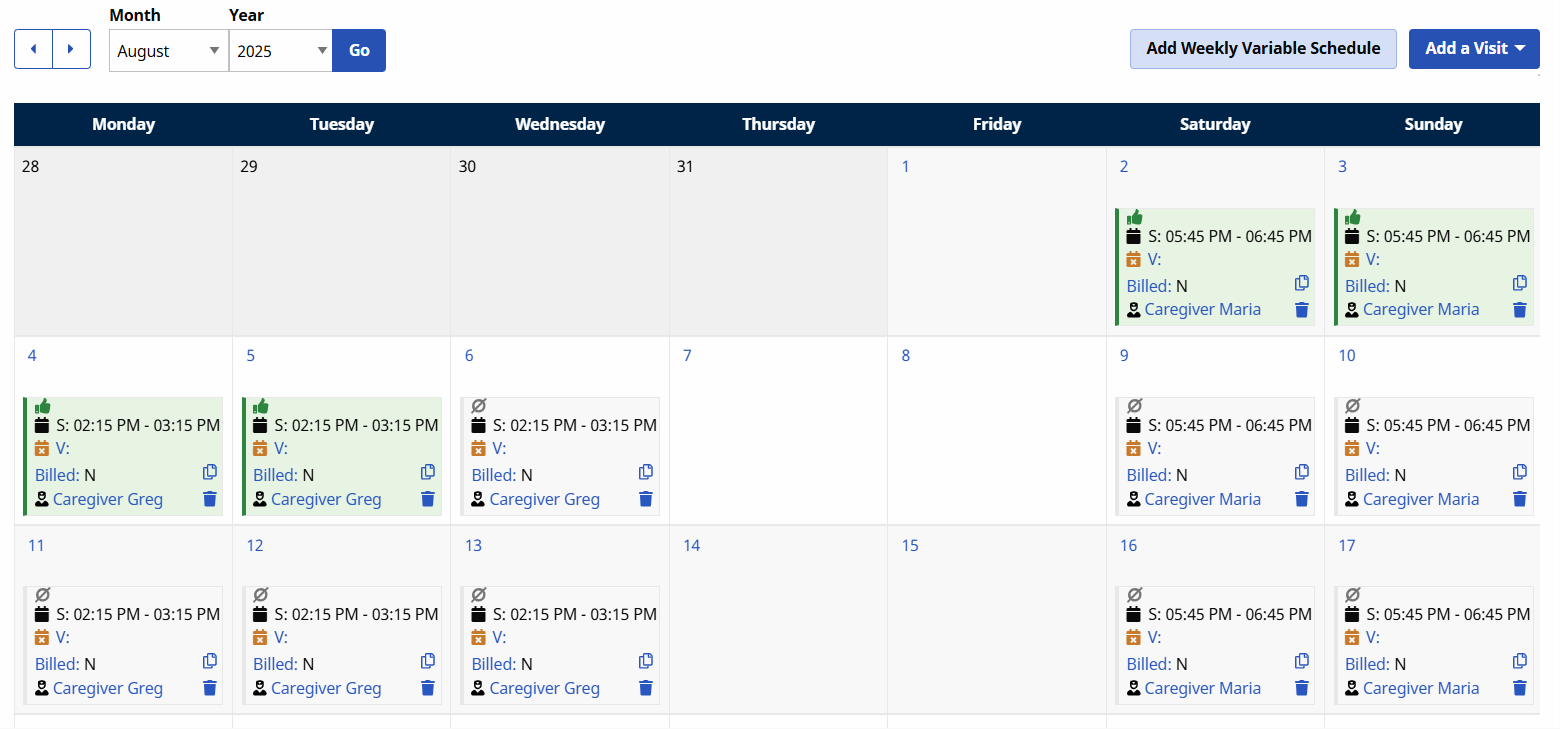
The Patient’s Calendar displays Green for 4 days (August 2 to August 5), and White for the rest of the days, indicating those dates past the Master Week Rollover Time Frame are not validated yet against the Authorization.