Drug, Allergy, and Disease Interactions Checker
This feature is activated by HHAeXchange System Administration. Contact HHAeXchange Support Team for details, setup, and guidance.
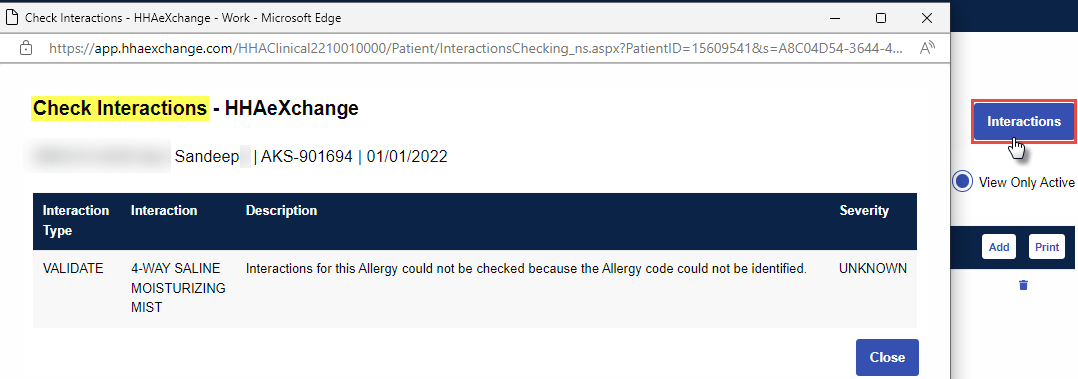
The Drug/Allergy/Disease Interactions Checker allows Agencies to view and track a Patient’s medication interactions (for example, allergic reactions and severity), as seen in the following image (displaying the Check Interactions window).
Allergies, medications, and diagnosis information must be entered in the Patient’s Profile prior to using the feature. Allergies must be entered in the structured format for the Interactions Checker to function. Refer to the Structured Allergy Entry for details.

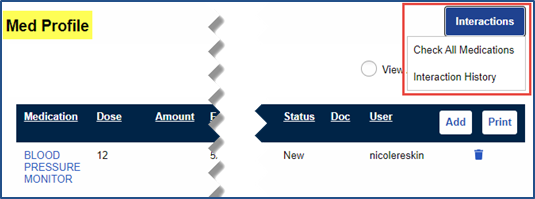
On the Patient’s Med Profile page under Patient > Med Profile, a Check Interactions button and an Interaction History button are displayed to view a Patient’s medication interactions.
|
Select |
To… |
|---|---|
|
Check Interactions |
To view and check all interactions entered for the Patient. Select the Check Interactions button, and then select Check All Medications from the sub-menu. |
|
Interaction History |
View a historical view of all interactions for the Patient’s medications. Refer to the Interaction History section below. |
The Interactions Checker window opens to display the various interactions based on the Patient’s prescribed medications, as seen in the following image. The window shows Interaction Type (for example: drug to drug, drug to disease, drug to allergy), Interaction (specific interaction between the two), Description (the risks), and the Severity (contraindicated, major, moderate, minor).
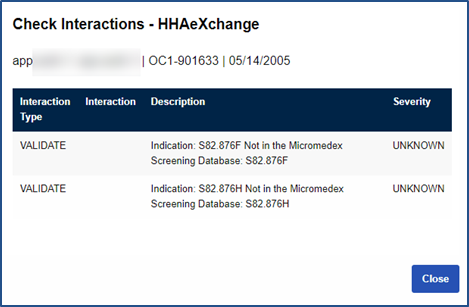
If there is an issue processing a data element, then a Validate label under the Interaction Type column appears to indicate that interactions were not checked for that data element.
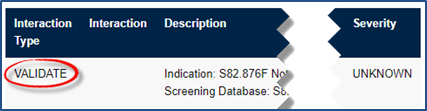
The Check Interactions button is unavailable if the feature is not activated by HHAeXchange System Administration. A pop-up message appears.

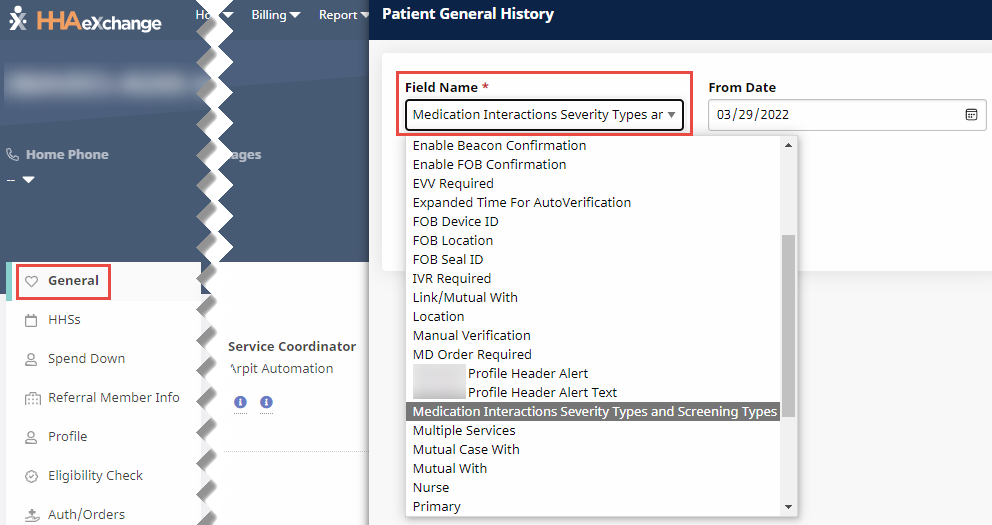
Providers can control which types of alerts to view and track by severity and type of interaction. In the Agency Profile page under Admin > Agency Profile under the General section, select the severity type (level) from the Medication Interaction Severity Types dropdown field and the screening types from the Medication Interaction Screening Types dropdown field.
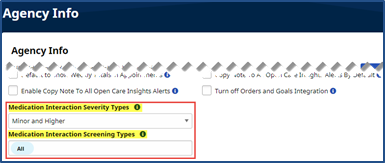
While the Medication Interaction Severity Types field allows only one selection, the Medication Interaction Screening Types allows for multi-selections.
At least one option must be selected per field.
The following screening types are not included: Drug-Pregnancy, Drug-Lactation, Drug-Tobacco, and Drug-Lab.
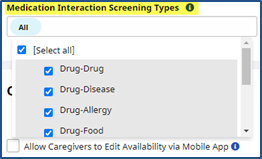
Once saved, the alerts appear on the Patients’ Med Profile pages.
The Interaction History option, available via the Check Interactions button, provides a historical view of all interactions for the Patient’s medications to include a Timestamp column and User column to indicate the date, time, and the user who entered the information in the system.
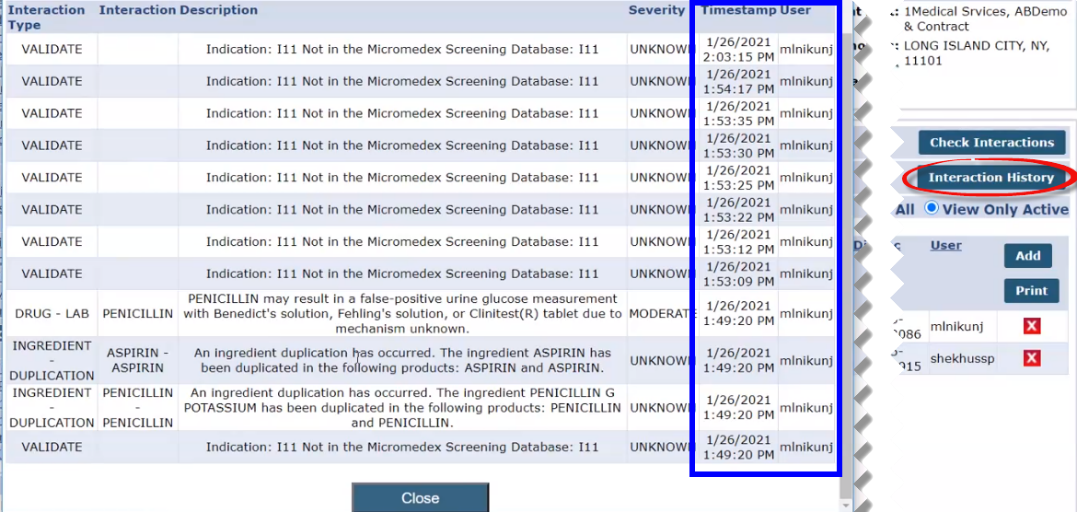
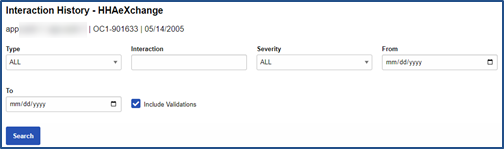
Use the Interaction History search filter fields (pictured below) to facilitate Interaction searches for the Patient.
Both fields are displayed in the History log under the General section. To view history, Click History link at the top-right of the section header. In the View History window, select either Medication Interaction Severity Types or Medication Interaction Screening Types from the Field Name.