Payer Guardrails for Entire Period Authorizations
This feature is enabled and managed by Payers. Providers must be migrated to the new Authorization environment for this feature.
Payers can restrict Entire Period type authorizations to prevent Providers from over utilization (over-servicing the Patient). Termed as Payer Guardrails in the system, these controls govern how the authorization can be allocated by Providers, ensuring that units are available throughout the entire period (lasting to the scheduled End Date).
To check available hours, schedule within weekly or monthly limits, or request a payer adjustment, see Scheduling Guardrails.
This functionality only applies to Hourly rate types.

Once payer guardrails are enabled, go to Patient > Search Patient and open the patient. Select Auth/Orders. Locate the applicable authorization, select Actions (…) > View/Edit, and expand Authorization Guardrail Breakdown.
The table displays a weekly or monthly breakdown of authorized hours, based on the payer’s guardrail settings. Payer Allocated (Hours/Period) shows the limit for each period, Used (Hours) shows the hours used, and Available (Hours) shows the remaining hours. Visits that exceed the applicable period’s guardrail limit are not authorized.
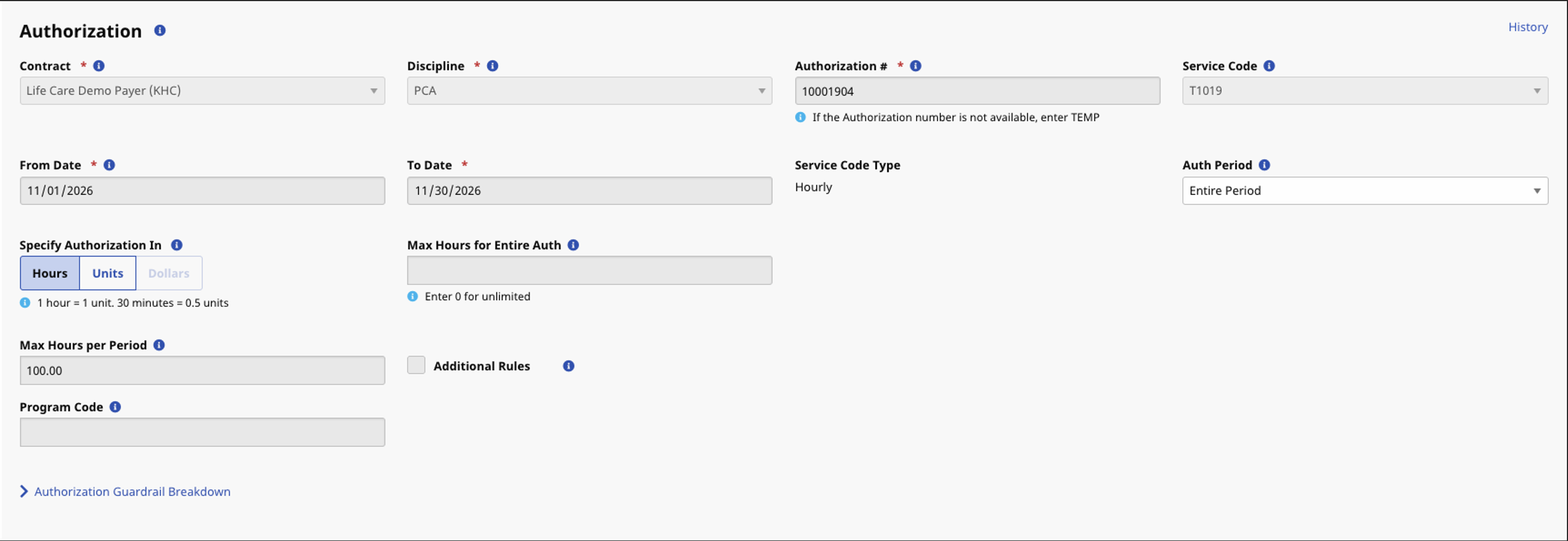
The Guardrail Breakdown displays. The top section provides a summary of the Authorization and Guardrail details to include the effective date of the Payer Guardrails.
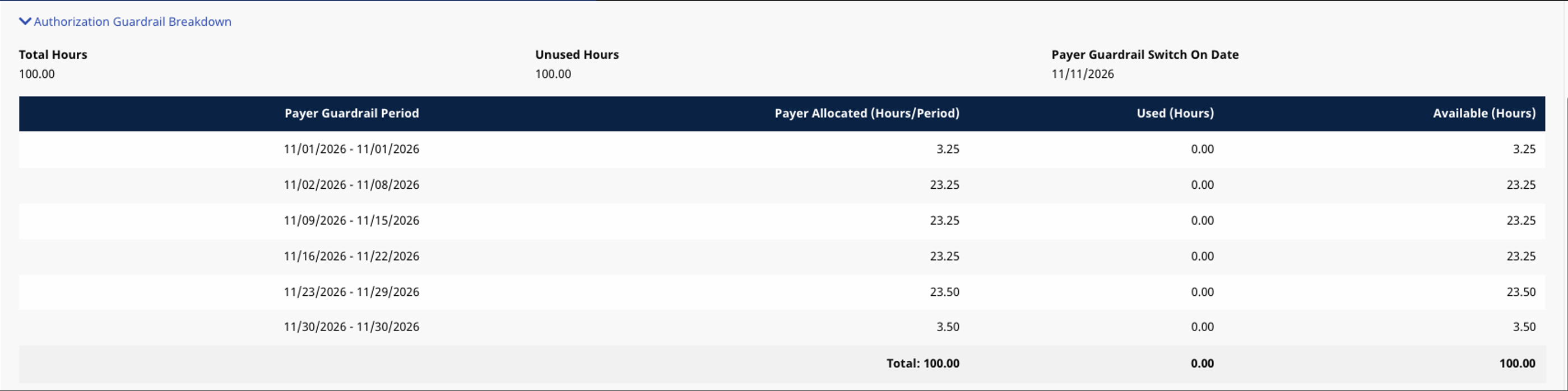
The table underneath offers a monthly breakdown of hours (Total Entire Period divided by the period duration). The Payer Allocated (Hours/Month) column indicates the limit for the monthly period. Utilized hours will display under the Used (Hours) column per month. Remaining hours not utilized appears in the Available (Hours) column. Visits that exceed the Guardrail limits for the month are not authorized.
Providers can also add Additional Rules to authorizations within the set Guardrails.
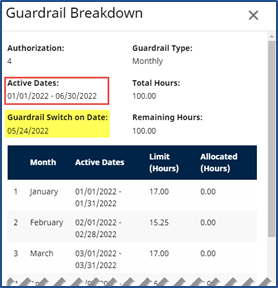
When guardrails are enabled on an existing authorization, previously utilized hours remain factored into the authorization total. The remaining hours are allocated according to the payer’s guardrail settings. Review the effective date and the applicable weekly or monthly period limits.
The monthly example below shows guardrails becoming effective in mid-March, with limits applied from March through December. Hours used in January and February remain authorized and count toward the Entire Period total.
Your payer can enable or disable payer guardrails for an individual authorization. Contact the payer if a change is needed.
When the payer disables guardrails for an authorization, the weekly or monthly payer guardrail limits no longer apply. The overall Entire Period authorization limit still applies.
When a payer edits and saves weekly or monthly guardrail limits, the system automatically generates a Patient Note and, if configured, a Provider Email alert for the authorization edit.
The Authorization Edit note provides the reason for the edit.
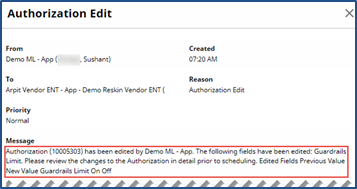
If the Provider has email alerts configured for Authorization Edits, then an email is also issued with the edit reason.

When a Payer turns the Guardrail feature on or off, the system automatically generates a Patient Note and a Provider Email alert (if configured) for the Authorization Edit. As seen in the following image, the Note contains a grid that includes the Guardrails Off under the New Value column as well as multiple Authorization Edits.
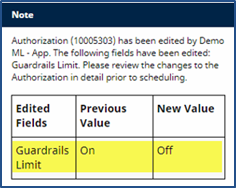
The image below illustrates the email alert including the Guardrail feature turned Off.

Other Resources
Enable Provider Profile General Page Options
How do I manage patient authorizations for linked contracts?