Use a FOB
This category covers the Fixed Object (FOB) functionality in the HHAeXchange system. An FOB is a small device, sometimes called an Alternative Device, used for Electronic Visit Verification (EVV).
The FOB produces codes that identify the date and time service delivery begins and ends. Caregivers must enter codes from the FOB into the EVV system before they expire (seven days from the date of the visit) by calling a toll-free number or using the HHAeXchange Mobile App.
The following items are required to use EVV:
-
FOB Passcode (an 8-digit number sequence) providing HHAeXchange with the exact date and time an EVV is generated.
-
FOB Device ID, a unique identification number specifying the device that produced the passcode.

Complete the following steps to assign an FOB to a Patient Profile.
-
Go to the desired Patient’s Profile and select the General page.
-
On the General page, click the Edit button.
-
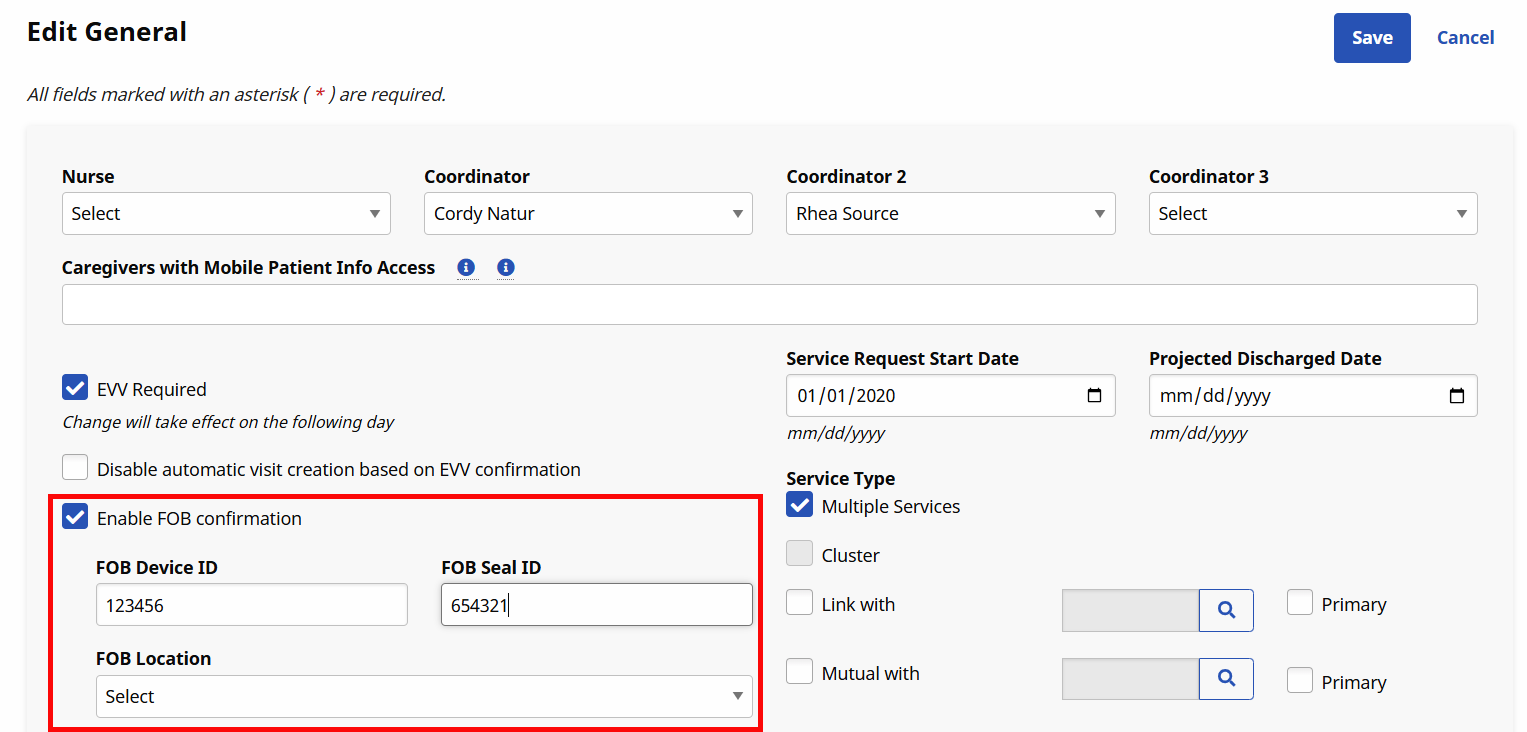
Select the Enable FOB Confirmation checkbox. The FOB Device ID and FOB Seal ID fields become available. Complete these fields with the provided numbers on the devices.
-
Click the Save button to register to the Patient.
FOB-based EVV issues are routed and sorted on the Call Maintenance tab of the Call Dashboard. There are three specific statuses associated with FOB confirmation issues, described in the table below.
|
Status |
Description |
|---|---|
|
Invalid FOB Passcode |
The passcode entered at Clock In and/or Clock Out is not recognized by the system. This issue occurs if the Caregiver enters the code incorrectly. |
|
Expired FOB Passcode |
The passcode entered at Clock In and/or Clock Out has expired. All FOB passcodes expire 7 days after they are generated. |
|
FOB Confirmation from Inactive Patient |
An FOB-based EVV was placed for a Patient listed as Inactive. |
Invalid and Expired FOB Passcode cannot be linked to visits. The only course of action with these issues is to Reject the EVV. FOB Confirmation from Inactive Patient, can be linked if determined that the Patient was mistakenly listed as Inactive.
FOB-based EVV that end up on the Call Maintenance tab may have other statuses applied to them, such as Call Out with No Call In or Potential In/Out Mistake.

Complete the following steps to disconnect a Patient Profile from an FOB.
-
Go to the Patient’s Profile and select the General page.
-
On the General page, click the Edit button.
-
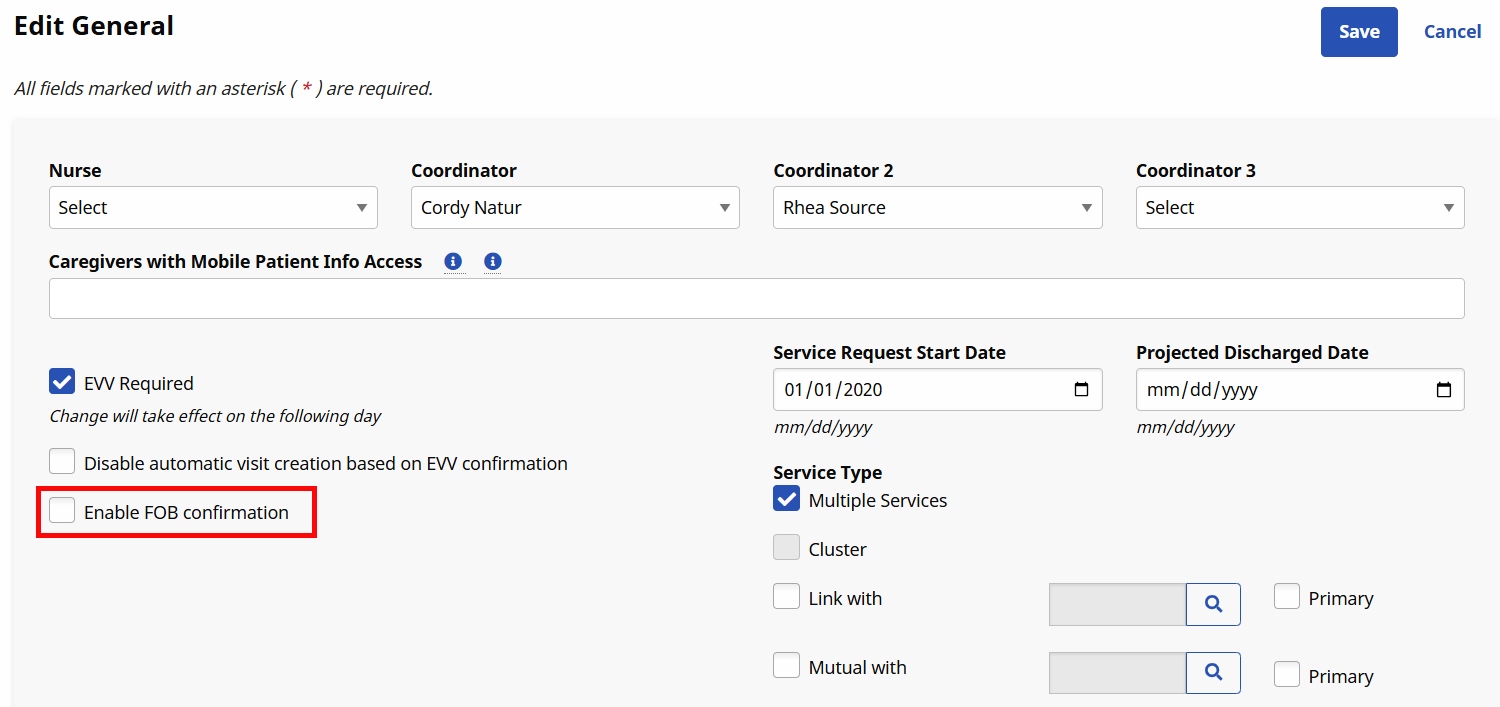
Click to deselect the Enable FOB Confirmation checkbox.
-
FOB Device ID, FOB Seal ID, and FOB Location are removed from view.
-
Click Save to complete the disconnection.
The FOB is now unassigned and can be assigned to a different Patient Profile.
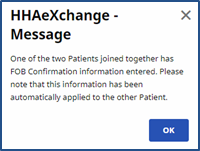
For Linked and Mutual Cases, enter the FOB information for the Primary Patient.
Once entered, the following confirmation message populates.
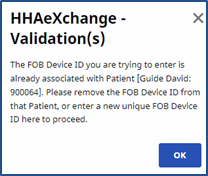
When attempting to register an FOB which is already associated with another Patient, a validation error message populated directing the user to disconnect the FOB from the first Patient before proceeding.
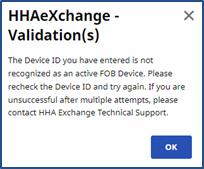
If an error validation message stating that The Device ID entered is not recognized as an active FOB…, contact the HHAeXchange Support Team to link the FOB to the Agency.
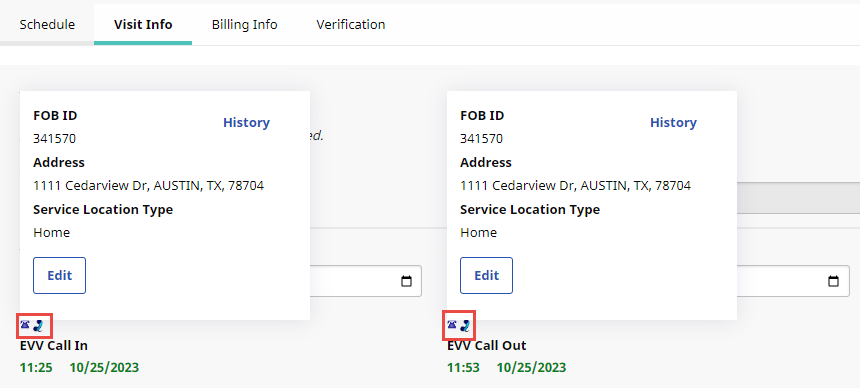
A successful FOB EVV completed using the Mobile App displays a phone icon with time and date (in green) on the Visit Info tab. Hover over the phone icon to view FOB EVV data.
FOB setup involves assigning the device to a specific Patient and, optionally, physically anchoring it in their home. Assigning the FOB to a Patient allows HHAeXchange to authenticate EVV placed using the device and affixing it in the Patient’s home ensures that a Caregiver cannot place fraudulent EVV.
Be sure to ask the Patient where to place the FOB device in the home.
The FOB Device ID is registered directly on the device. The window provides the digital code that the Caregiver enters to Clock-In and Out from the Patient’s home.
This digital code changes every 30 seconds.
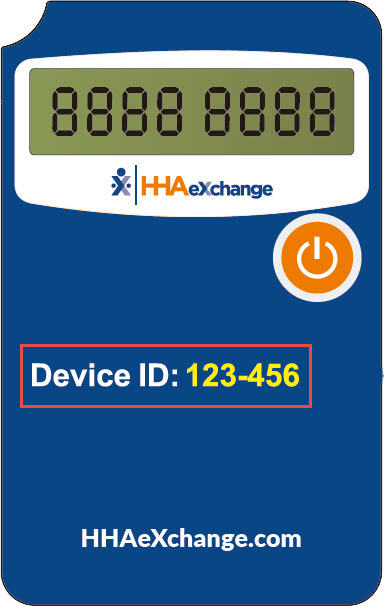
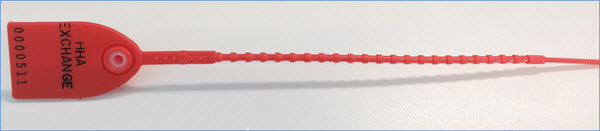
The FOB Seal ID is the identification number on the seal used to anchor the device in a Patient’s home. This ID is for reference purposes only allowing Agencies to run internal audits to ensure that the seal ID on file matches the one found in the Patient’s home.