Employer Pay Types
The Pay Type feature under Payroll > Employer > Employer Profile, allows you to set up and manage pay types like hourly or salary for manual edits to pay in the Payroll Run.
The ability to create custom and default pay types is available for both employees and contractors. This feature allows employers to set up standard pay types like hourly, salary, and reimbursements. It also enables an employer to create custom labels for pay types specific to an individual business' needs.

-
Go to the Payroll > Employer > Employer Profile.
-
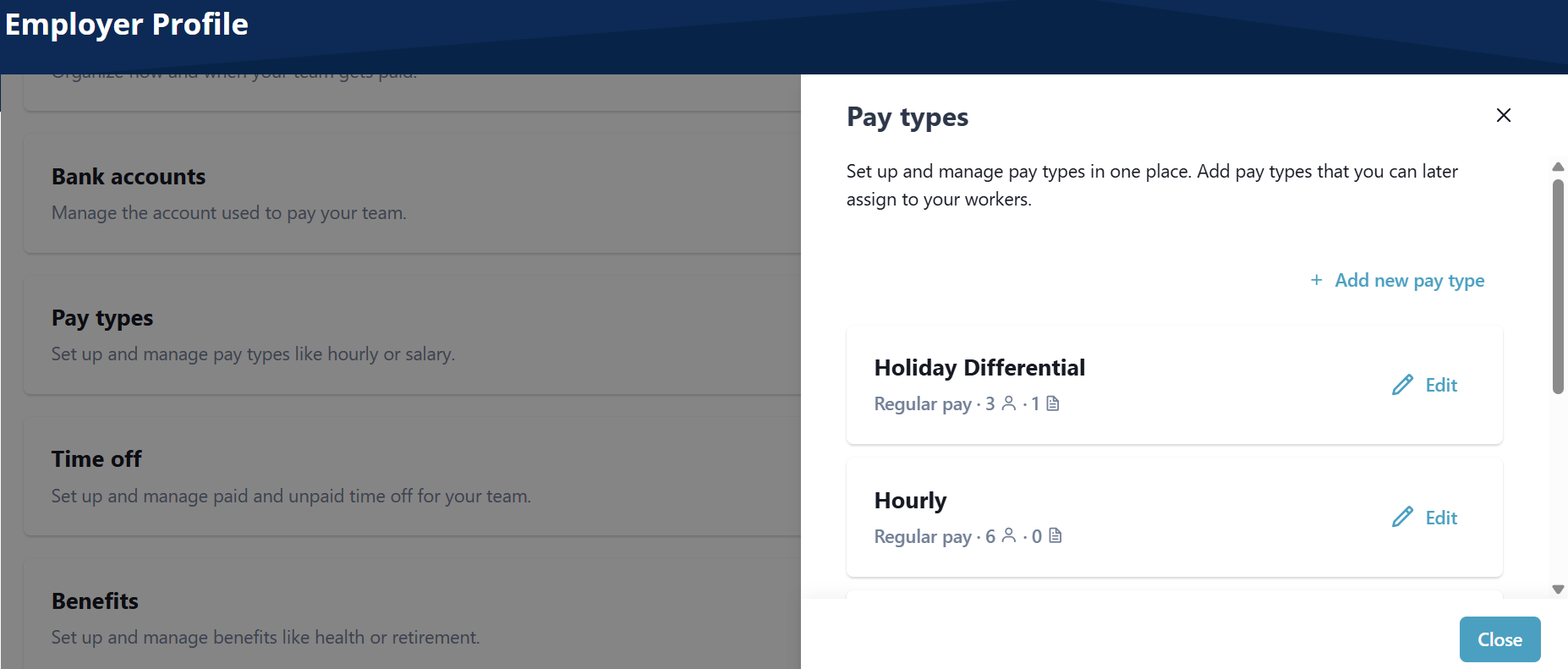
On the Pay type tile, select Edit.
-
Select Add new pay type.
-
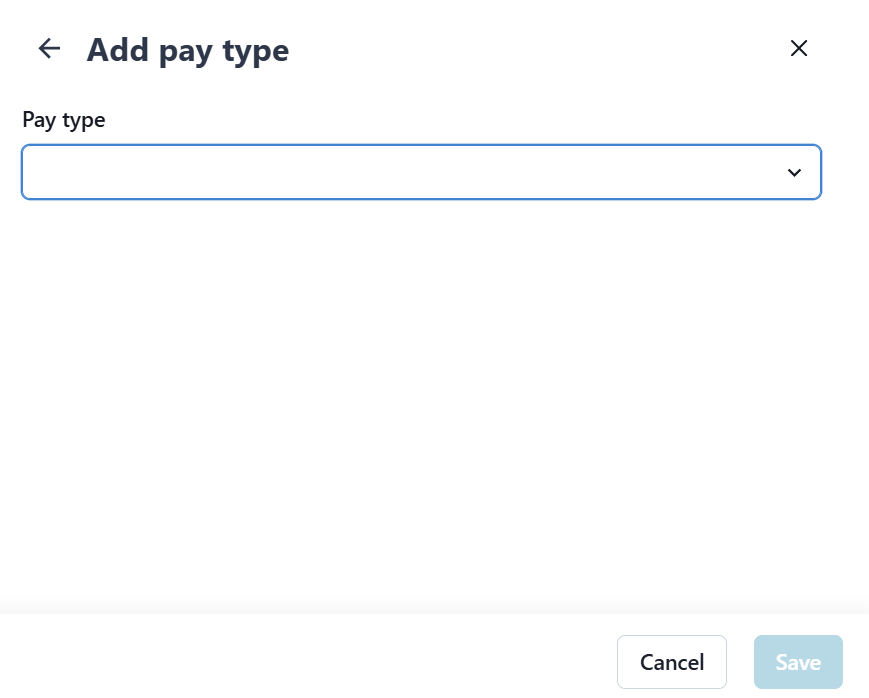
Select the desired pay type
-
Select a name for the pay type
-
Select if the pay type will have company defaults.
-
-
Select Save.
-
Go to the Payroll > Employer > Employer Profile.
-
On the Pay type tile, select Edit.
-
Select Edit next to the Pay Type.
-
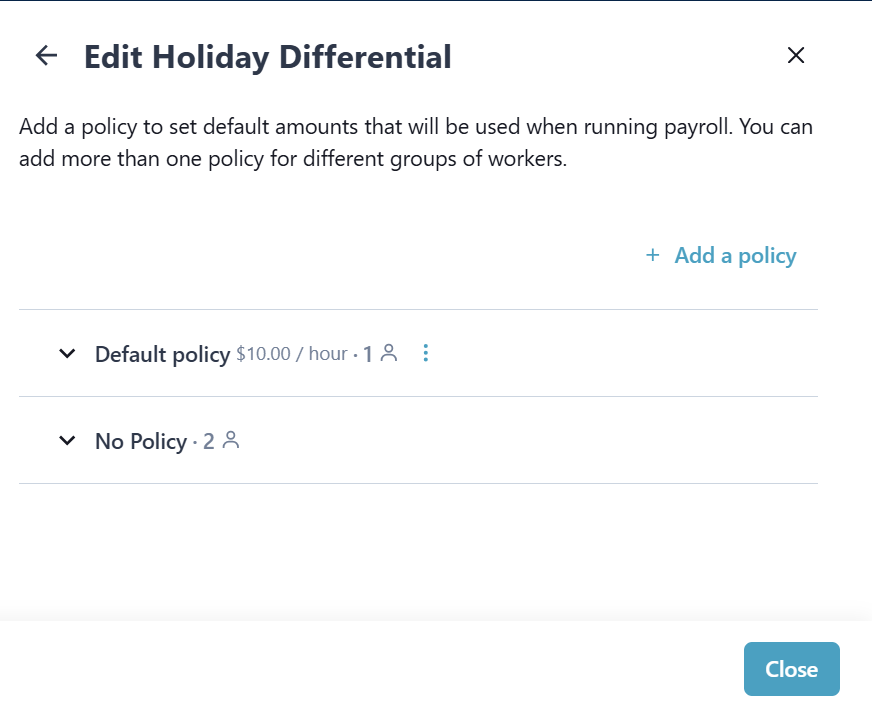
Select Add a policy.
-
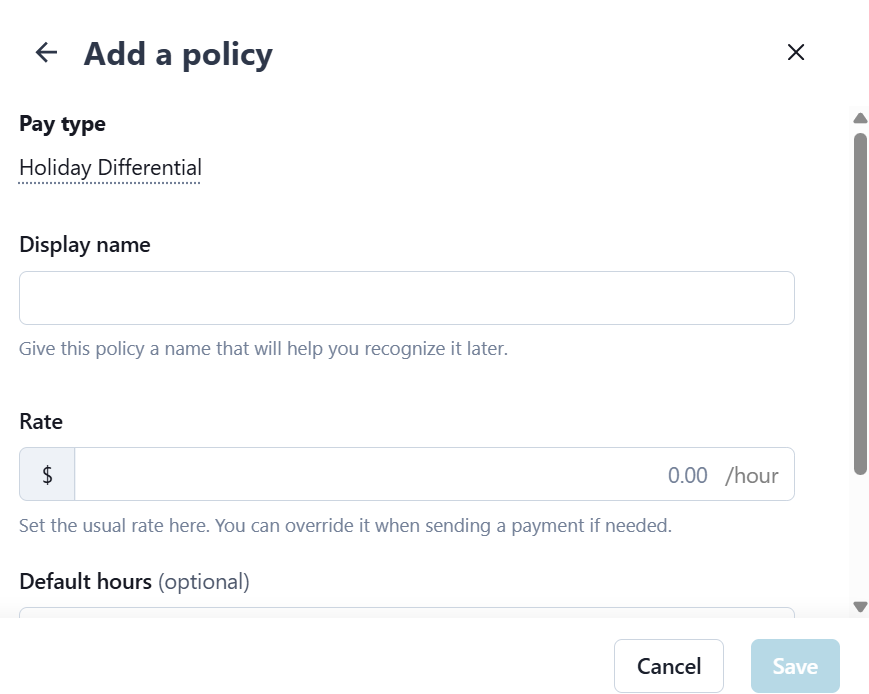
Complete the fields for the new policy, and then select Save.