Payroll Run List Feature
The Payroll Run List feature under Payroll > Employer, allows you to review pending payroll and download payroll reports.

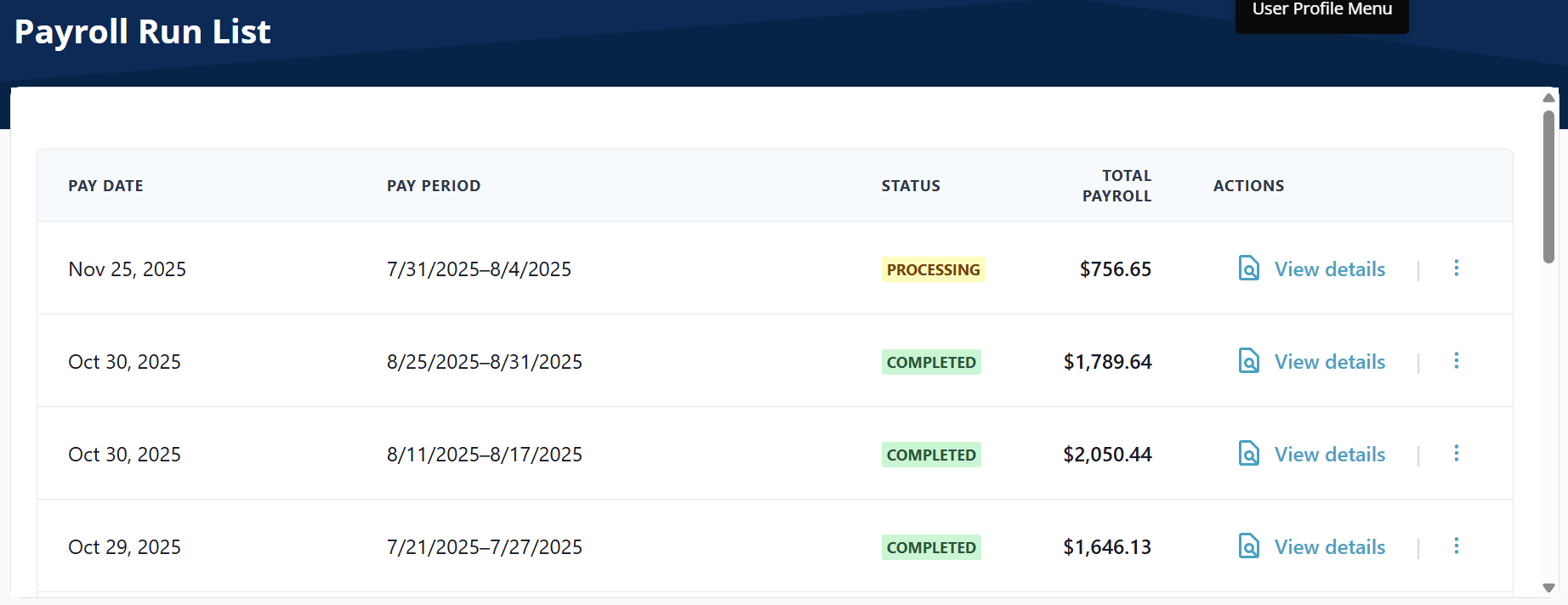
Review pending payroll in the Payroll Run List feature under Payroll > Employer > Payroll Run List.
-
Select View Details to see more details about the Payroll Run. You can cancel the payroll from this screen if you made a mistake.
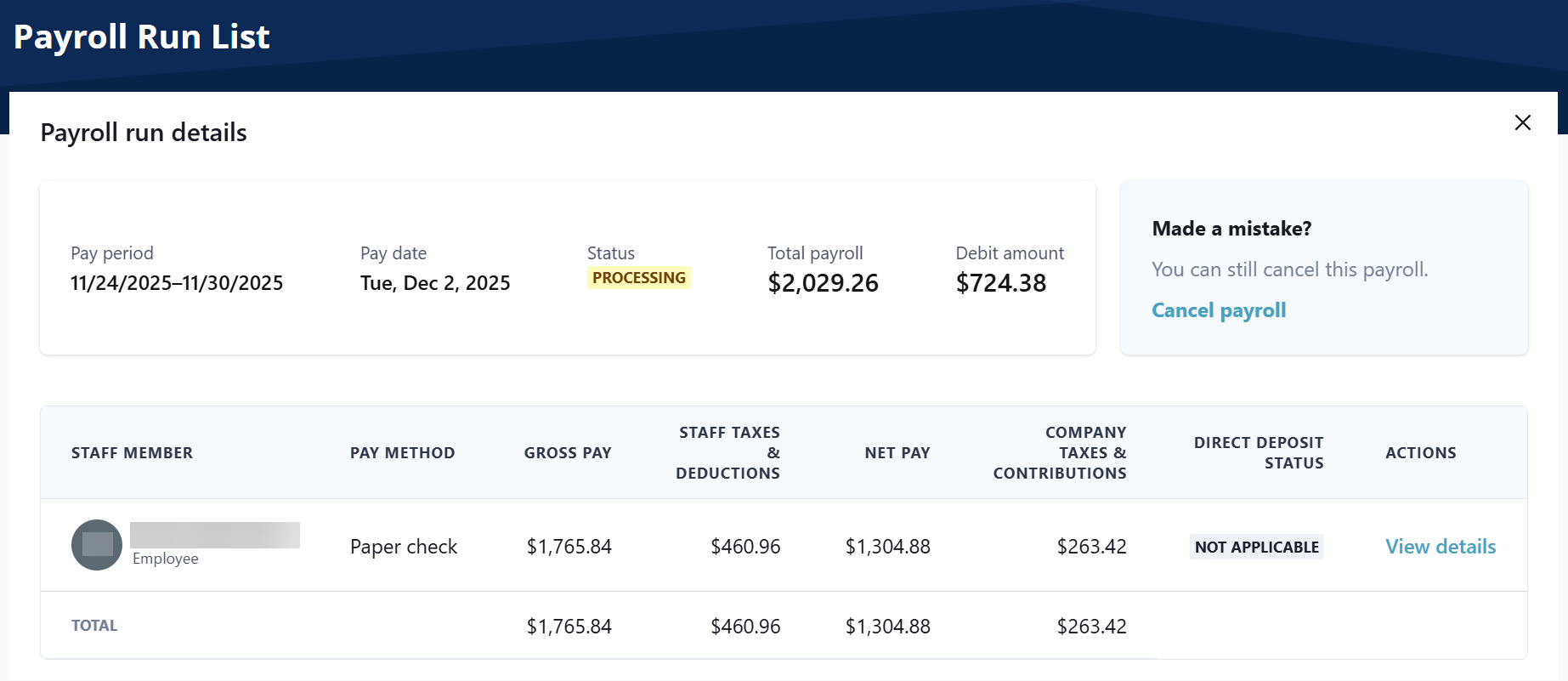
The View Details button under the Actions column opens the Transaction Details window.
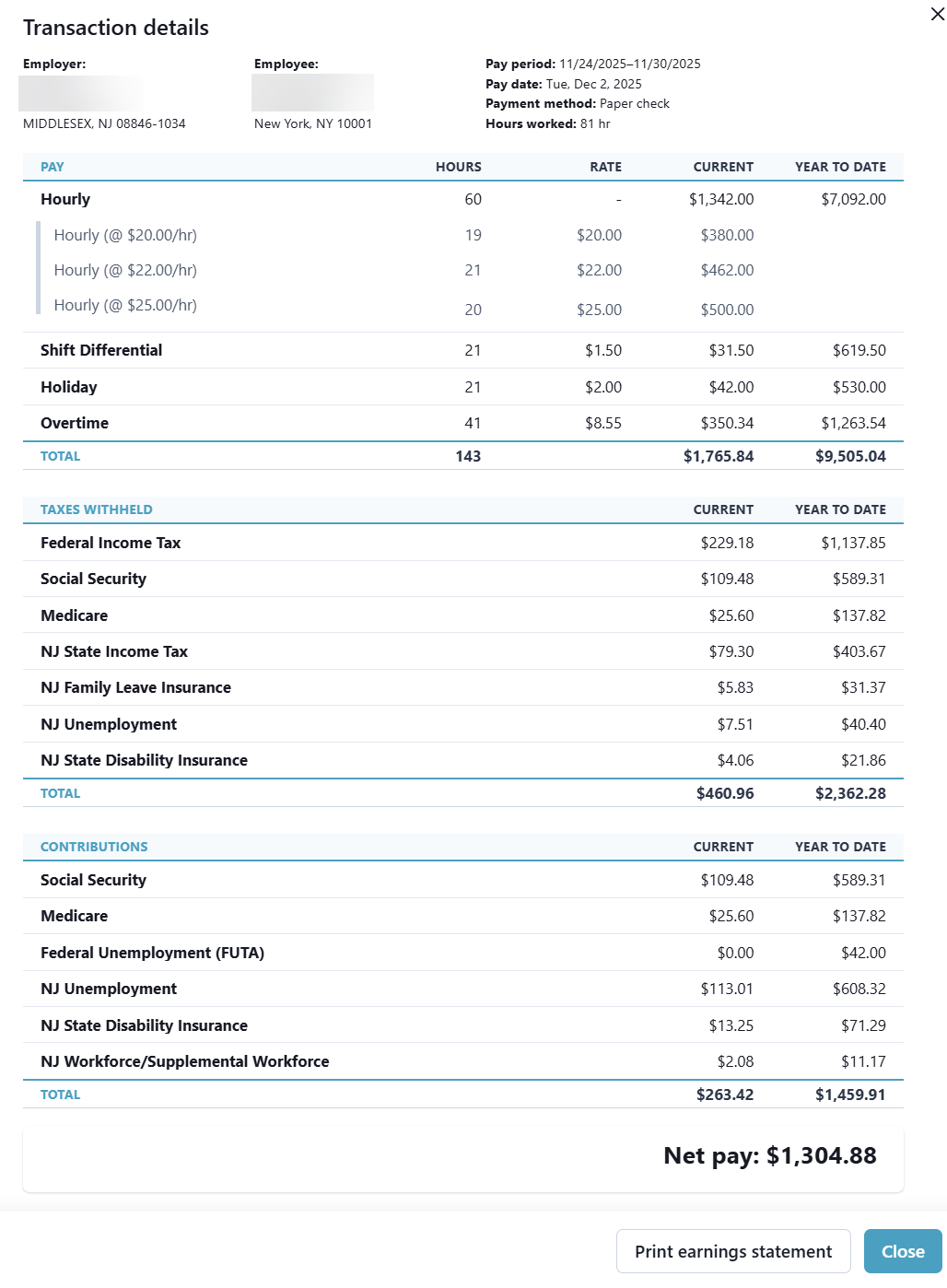
-
Select the Ellipses to download the Cash Requirements Report or Payroll Journal Report.
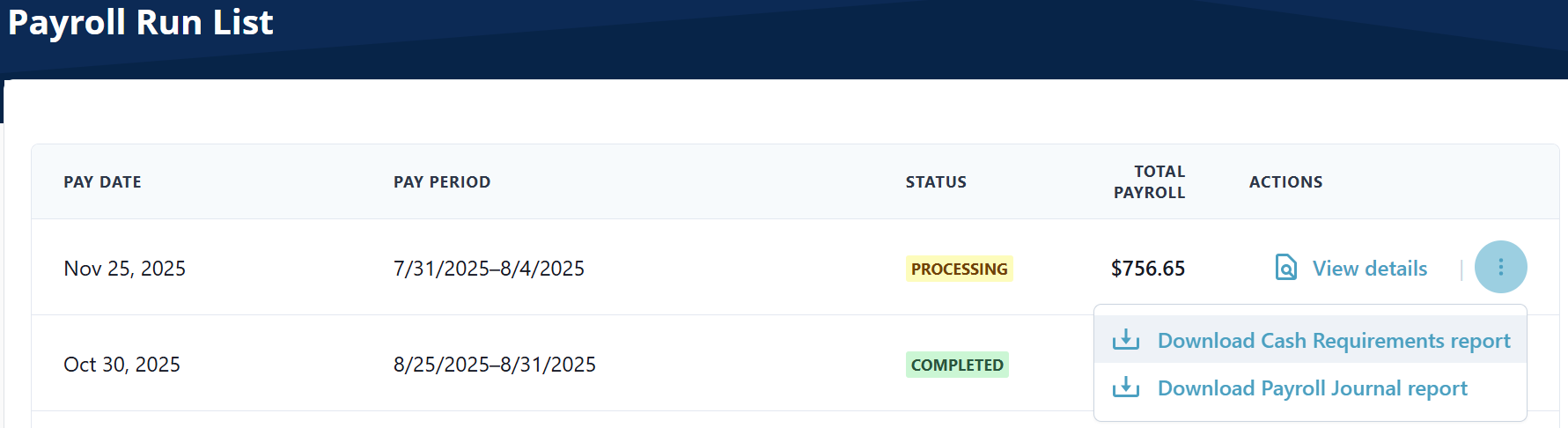
You can view and download two reports related to HHAeXchange Payroll:
-
Cash Requirements Report
This report provides you with a detailed breakdown of an individual pay run, including what cash amounts are leaving your company bank account and where they are going. This report is useful for managing your company's cash flow.
-
Payroll Journal Report
This report, also known as a payroll ledger, summarizes payroll-related transactions for your company. This report provides you with all earnings, deductions, employee taxes, and employer taxes paid out in each individual pay run.
Download a Report
-
Go to Payroll > Employer > Payroll Run List.
-
Find the payroll run you want to download the report for, and then select the Ellipsis under the Actions column.
-
Select the report you want to download. A CSV file downloads automatically.
Each Payroll Run includes a Payroll Status for each worker.
To view the status of a payroll run, go to Payroll > Employer > Payroll Run List or Payroll > Employer > Employer Dashboard and scroll down to the Payroll run list.
Hover over the Status to view the status definition.
| Payroll Run Status | Definition |
|---|---|
| COMPLETED | This payroll run is complete. Workers receiving direct deposit have been paid, and funds have been processes. Any paper checks should be distributed as needed. |
| DRAFT | This payroll run hasn't been submitted yet. Review the details and submit it when you're ready. |
| FAILED |
One of the following,
|
| ON HOLD | This payroll run is on hold. Click View Details to learn more. |
| PROCESSING | This payroll run is being processed. Funds are being debited from your account. No action is needed at this time. |
| CANCELED | This payroll run has been canceled. Click View Details to learn more. |
To view a worker's Direct Deposit Status, go to Payroll > Employer > Payroll Run List, under the Actions column, select View details.
Hover over the Direct Deposit Status to view the status definition.
| Direct Deposit Status | Definition |
|---|---|
| AWAITING | This worker payment has been sent to the bank and is awaiting confirmation. |
| CANCELED | This worker payment has been canceled. |
| COMPLETED | This worker payment is complete. Any direct deposits have been paid. Any paper checks should be distributed as needed. |
| NOT_APPLICABLE |
|
| PENDING | This worker payment is scheduled for processing but has not been sent yet. |
| RETURNED | This worker payment failed. A direct deposit payment was not successful. Click View Details to learn more. |