Worker Tax Info Feature
The Tax info feature under Payroll > Worker > Search Worker allows you to complete the Federal Tax information for the workers. Use the information from the workers W-4 form to complete this section.

To create or update tax withholding details,
-
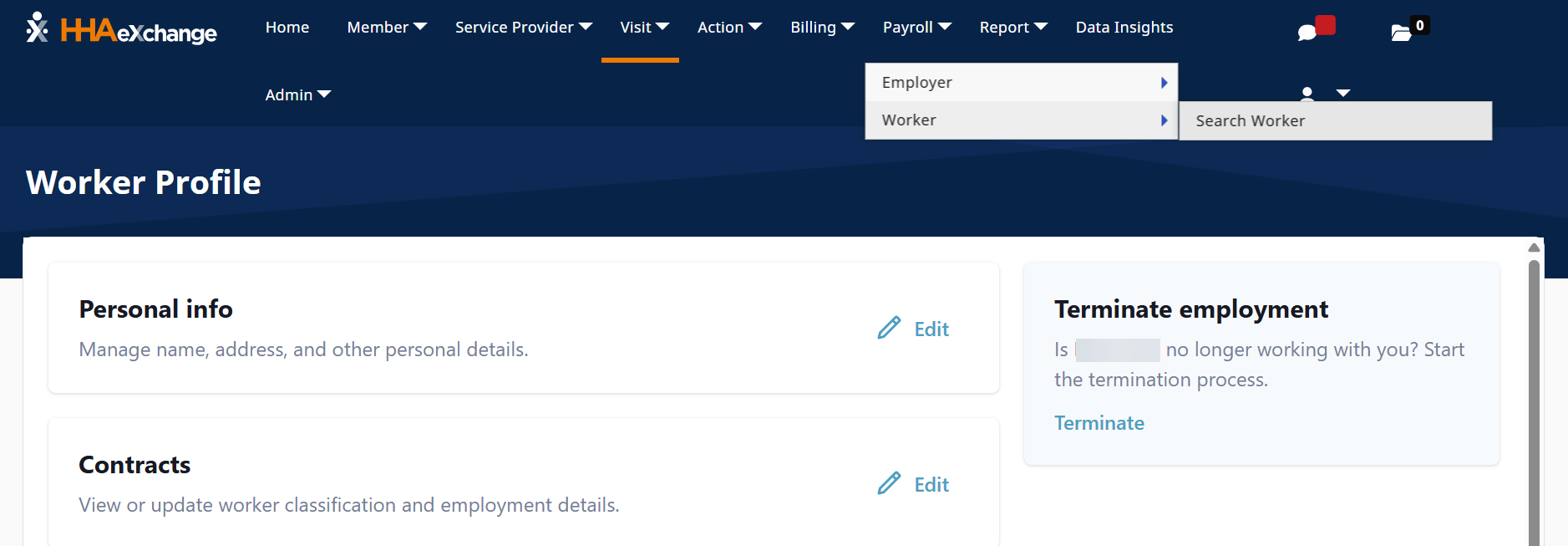
Go to Payroll > Worker > Search Worker, search for the worker.
-
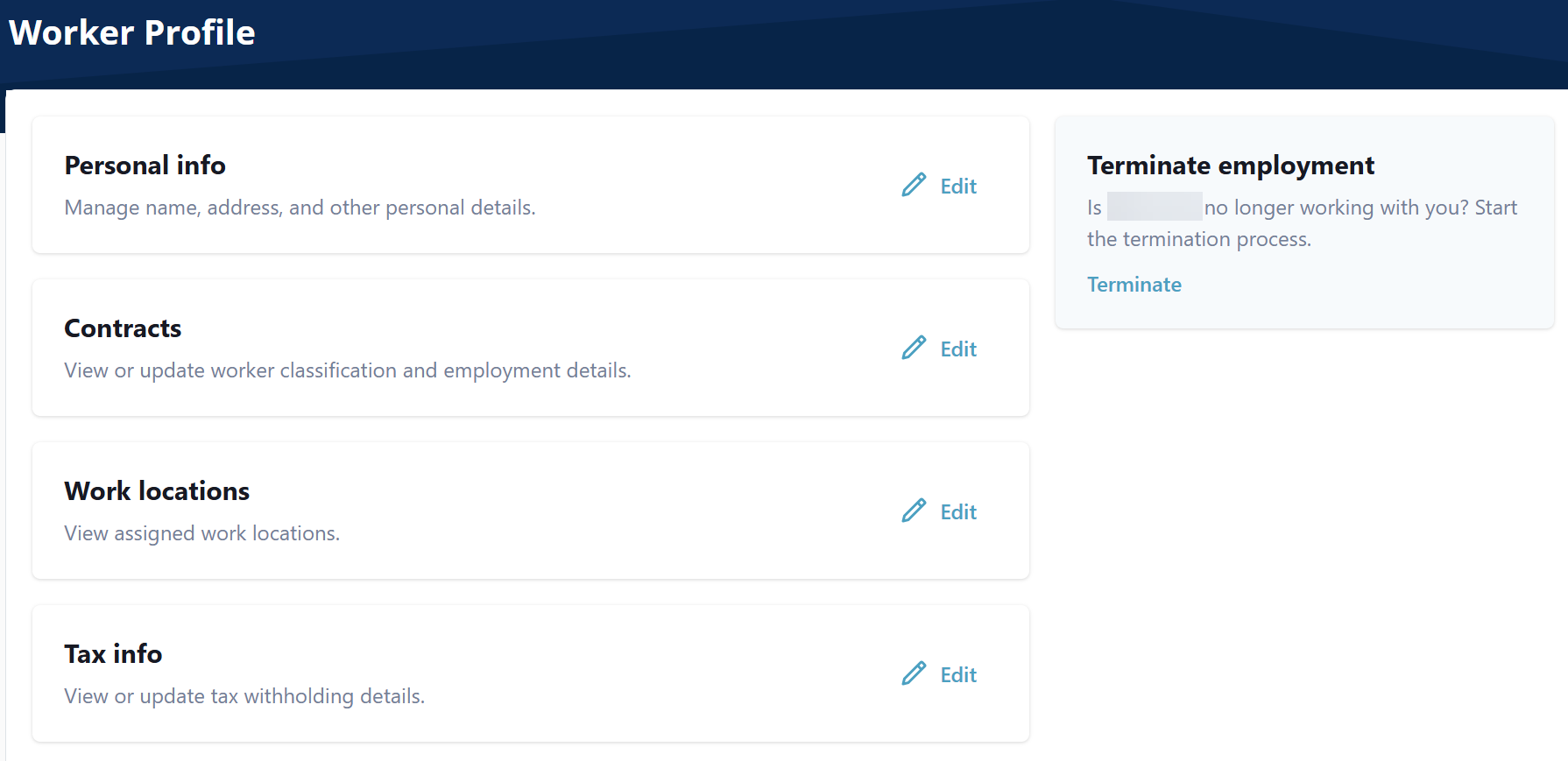
On the Worker Profile select Edit on the Tax info section. The Tax info window opens.
-
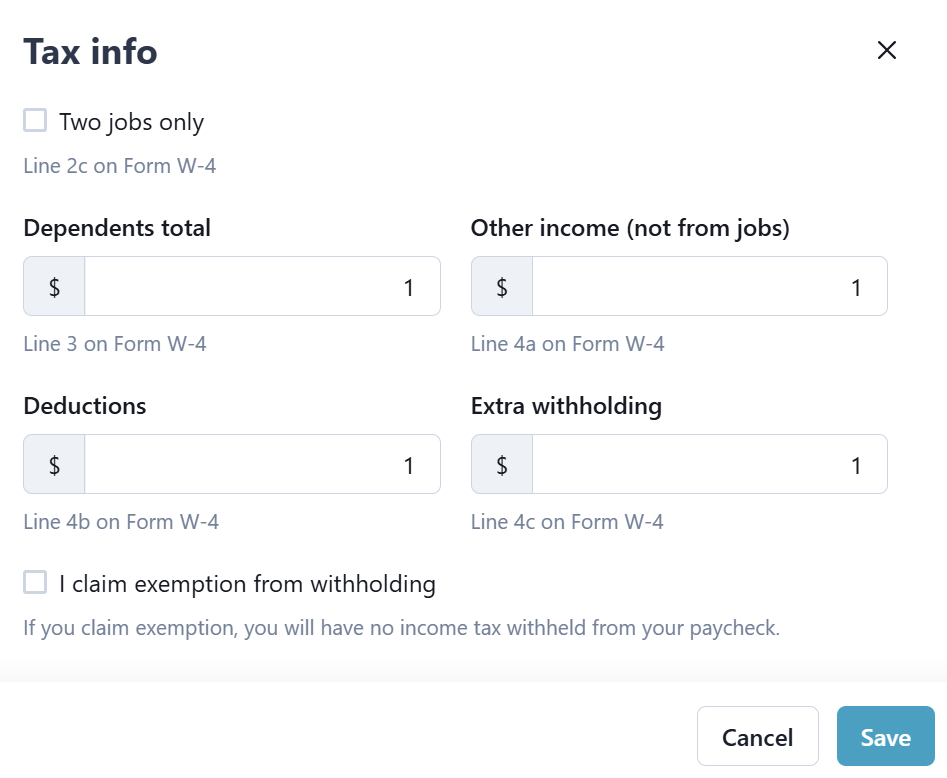
Complete the Tax info fields, and then select Save.
A worker may want a different federal income tax amount withheld from each pay check than the standard calculations.
If the requested tax withholding amount is more than the current calculated tax amount, follow the steps listed below to set up extra tax withholding.
If the requested tax amount is less than the current calculated tax amount,
-
Find the difference between the target withholding tax amount and the current withholding tax amount:
Target tax amount - current tax amount = difference
-
Go to Payroll > Worker > Search Worker, and search for the Worker.
-
On the Worker Profile select Edit on the Tax info section. The Tax info window opens.
-
Add the difference amount in the Extra withholding field, and then select Save