EDI Tool Page
The EDI Tool lets you upload electronic files directly into the system without using an FTP or SFTP application. It also allows you to review and correct failed records directly in the Non-Homecare Portal.
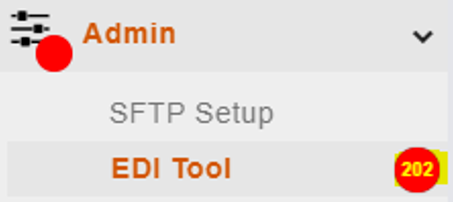
When the EDI Tool is enabled, it appears under the Admin menu. A red indicator appears next to Admin and EDI Tool when there are failed records. The number shown indicates how many failed records need attention.

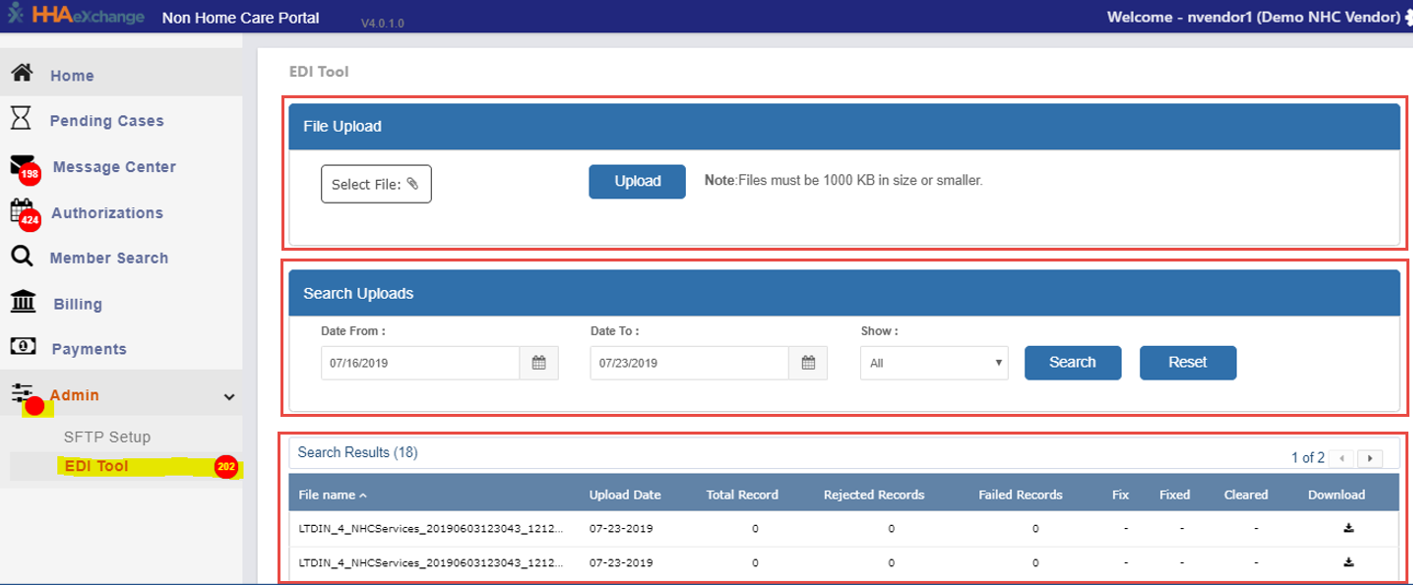
The EDI Tool page includes three sections:
-
File Upload: Upload or import a file into the system. File names must follow the naming standards in the NHC EDI Import Guide.
-
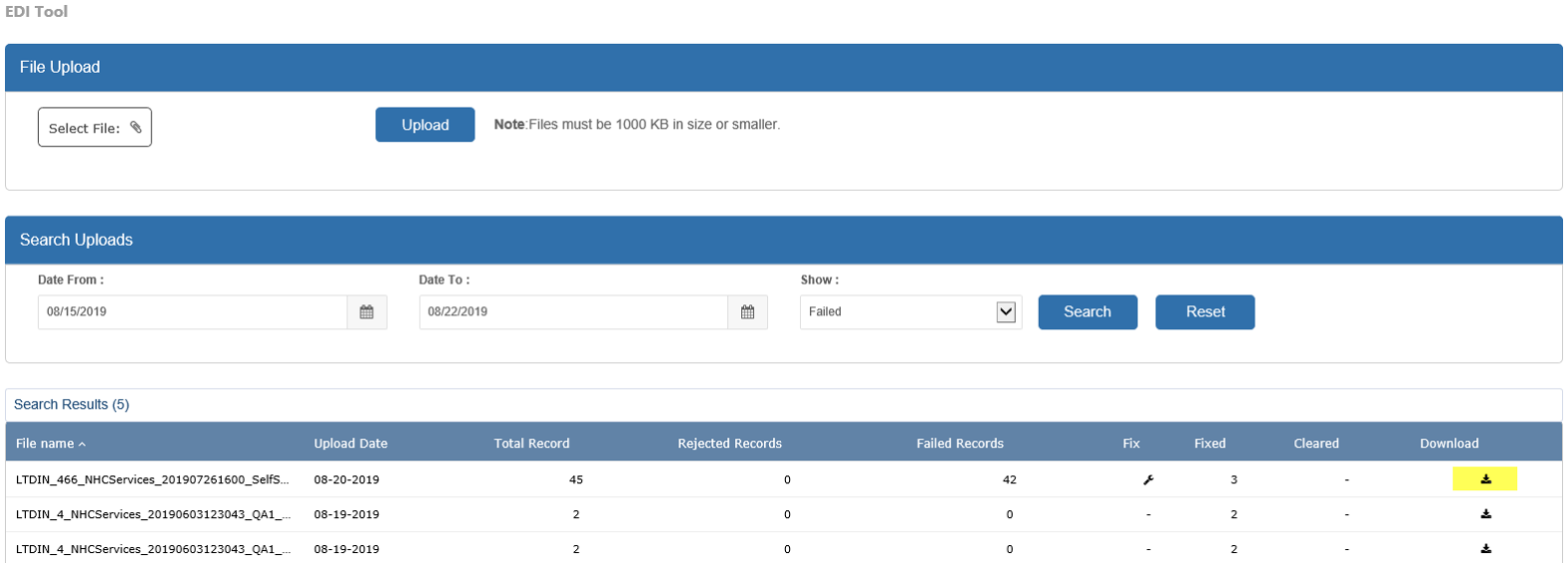
Search Uploads: Locate uploaded files using:
-
Date From
-
Date To
-
Status
-
All: All uploaded files
-
Completed: Files that finished processing
-
Failed: Files processed with failed records
-
Pending: Files uploaded but not yet processed
-
-
-
Search Results: Displays uploaded files that match your search criteria.
Each uploaded file includes the following information:
-
File Name: The name of the uploaded file
-
Upload Date: The date the file was uploaded
-
Total Records: Number of records in the file
-
Rejected Records: Records that cannot be fixed in the tool
-
Failed Records: Records that can be fixed in the tool
-
Fix: Opens the failed records screen
-
Fixed: Number of records corrected
-
Cleared: Number of records cleared
-
Download: Download the file
-
A Wrench icon in the Fix column indicates failed records.
To fix a failed record:
-
Select a file with failed records and click the Wrench icon
. 
-
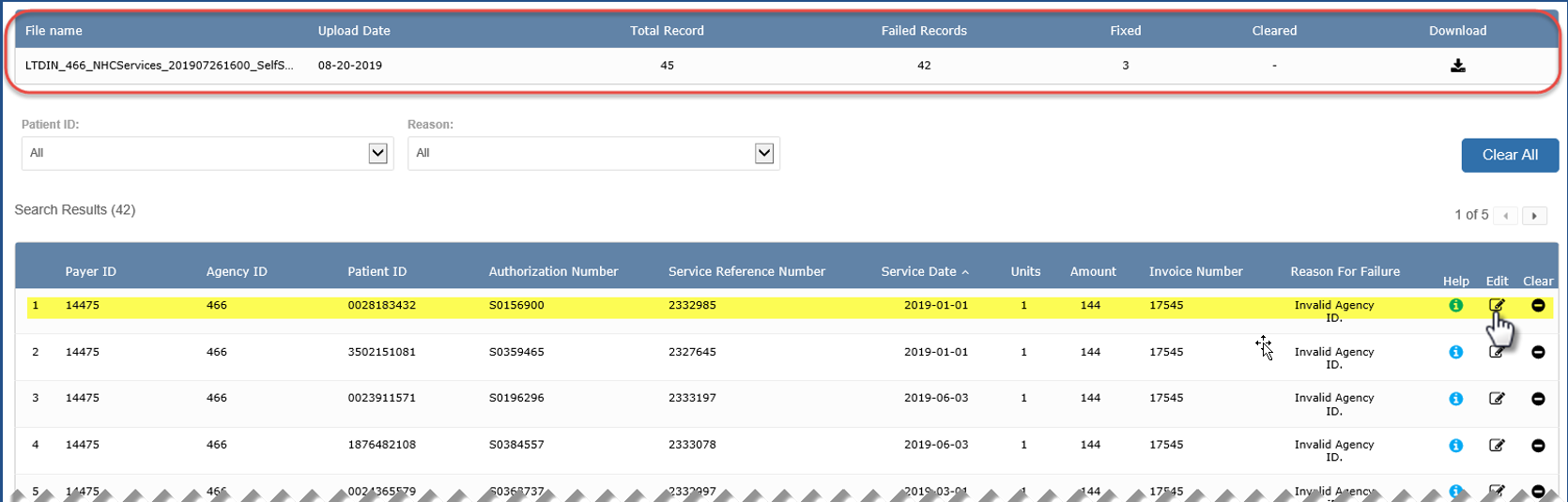
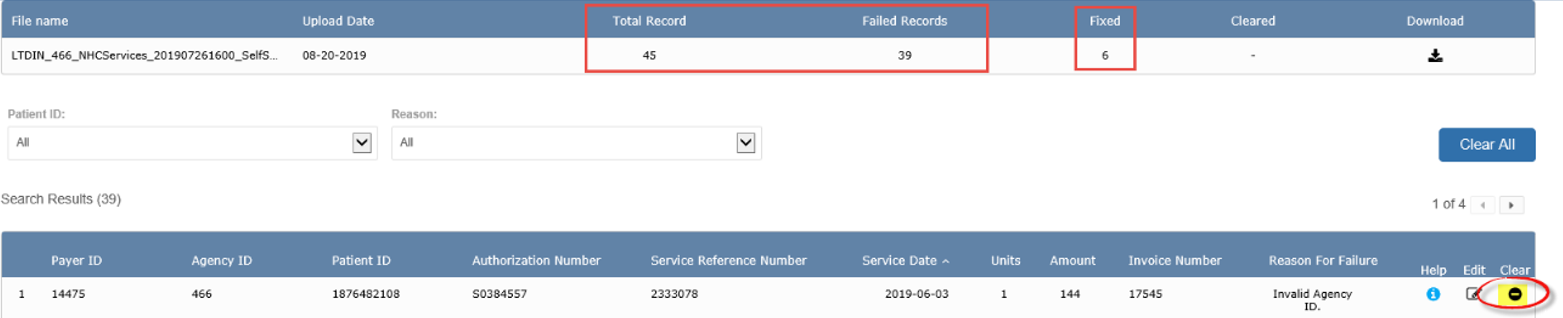
Review the summary at the top of the screen and the list of failed records below. Each record shows details such as Payer ID, Patient ID, Authorization Number, service details, and the Reason For Failure.
-
Click the Pencil icon to edit a record.
-
Update the required field(s) and click Save.

Fixed records are reprocessed during the overnight system process. If a record fails again, it returns as a new failed record. Use the Help icon for guidance on correcting errors.

In this example, after the record is edited, the summary section shows that there are 4 Fixed records and that 41 Failed records remain.
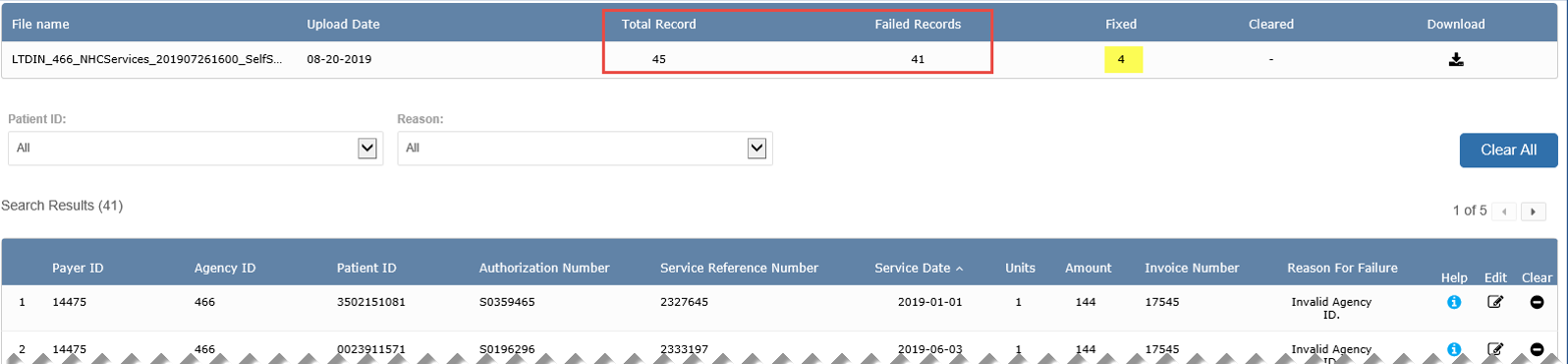
The Clear option is used when you do not want a record to be reprocessed.
To clear a record:
-
Click the Clear icon for the record.
-
Confirm the action when prompted.

Cleared records are removed from processing. If needed, you can use the Revert option by clicking the Undo button to reopen a cleared record.
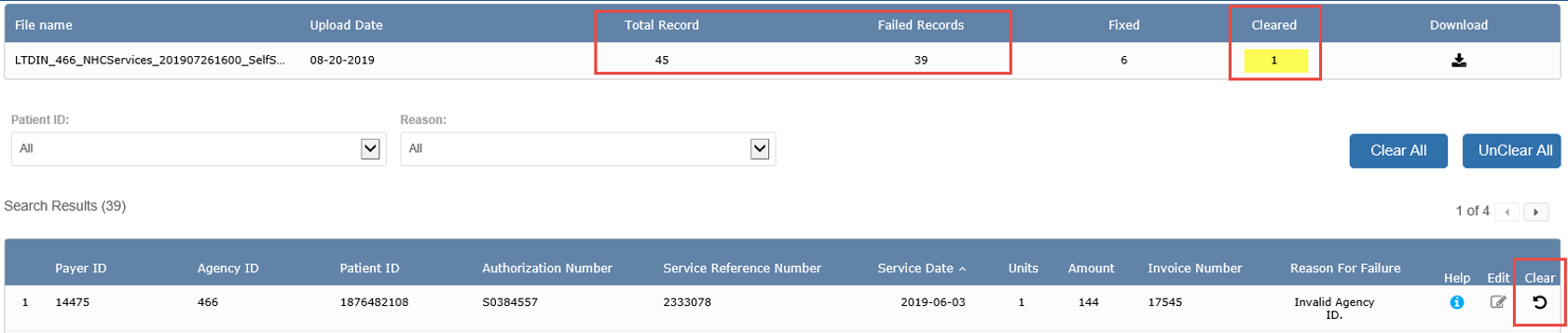
The goal is to either fix or clear all failed records.
Additional tools are available to manage failed records:
-
Search by Patient ID or failure Reason
-
Clear All: Clears all uncleared records (available only when uncleared records exist)
-
Unclear All: Reopens all cleared records (available only when cleared records exist)

You can download:
-
The complete file: Click the Download icon in the Search Results.
-
Only failed records: Click the Download icon in the summary section of the Fix screen.

Files are downloaded in CSV format. To preserve formatting, open the file using a text editor such as Notepad.