SFTP Setup Page
This section only appears for EDI Providers.
The SFTP Setup page is used by Providers who exchange files with a third-party EVV vendor. Once SFTP access is enabled for your organization, go to Admin > SFTP Setup to configure your settings.

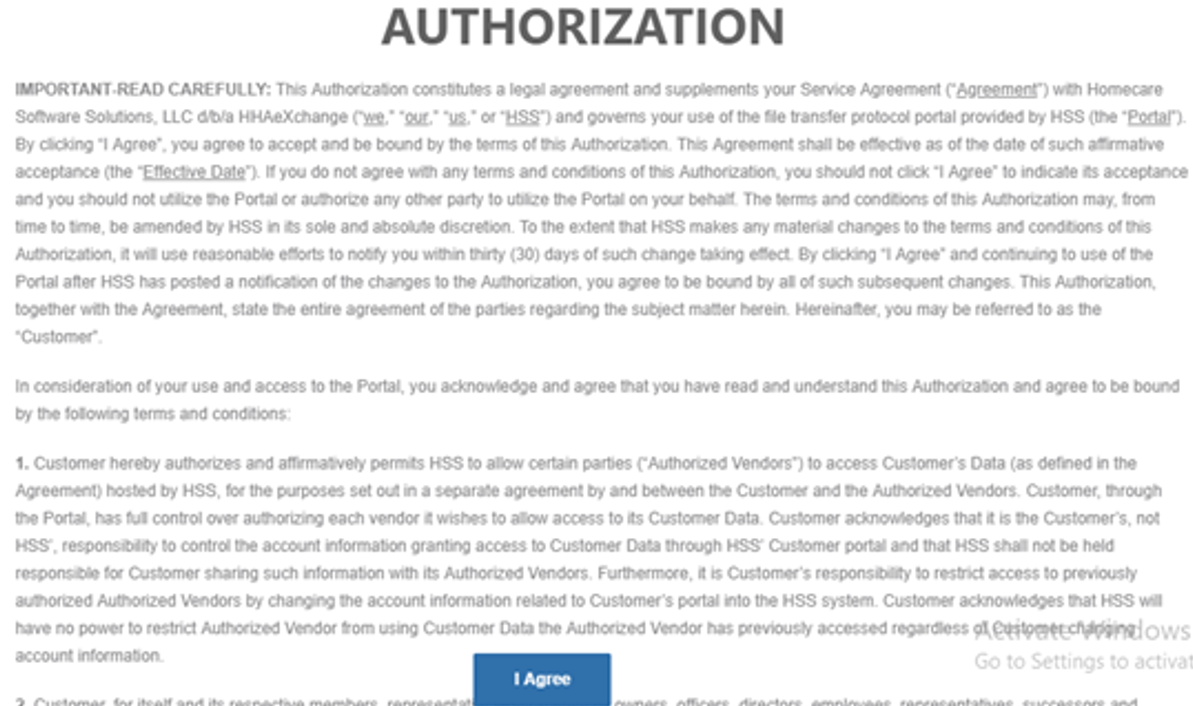
The first time you open the SFTP Setup page, you must accept the SFTP User Agreement.
-
Review the agreement and click I Agree to continue.
-
You cannot access SFTP settings until the agreement is accepted.
-
Updated agreements may appear again if policies change.
This agreement appears once per Provider at initial login.
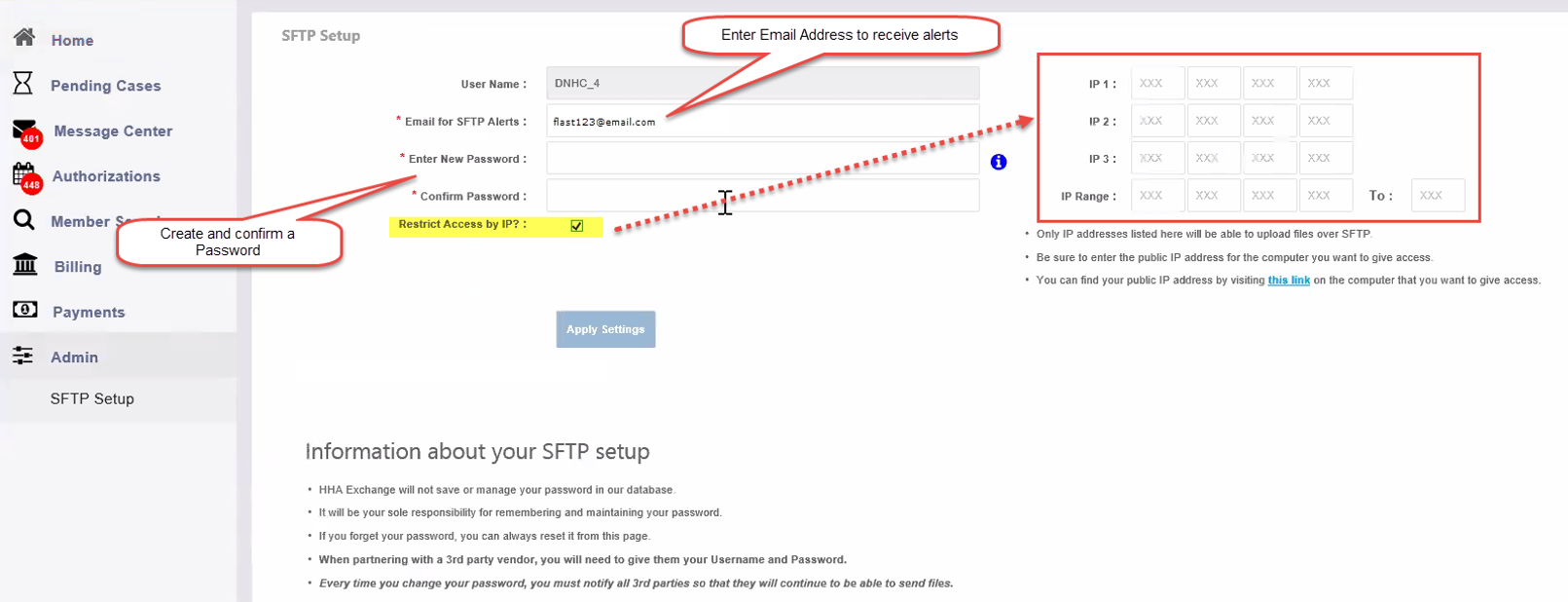
After accepting the agreement, the SFTP Setup page opens.
-
Username: Automatically generated using your Provider prefix and ID. This value cannot be edited and is required to log in to your SFTP site.
-
Email address: Enter an email address to receive SFTP alerts.
-
Password: Create and confirm a new SFTP password. Hover over the Info icon to view password requirements.
You can also limit SFTP access by IP address:
-
Select Restrict Access by IP.
-
Enter one or more IP addresses or an IP range.
Click Apply Settings to save your changes. A confirmation message appears when the settings are saved successfully.
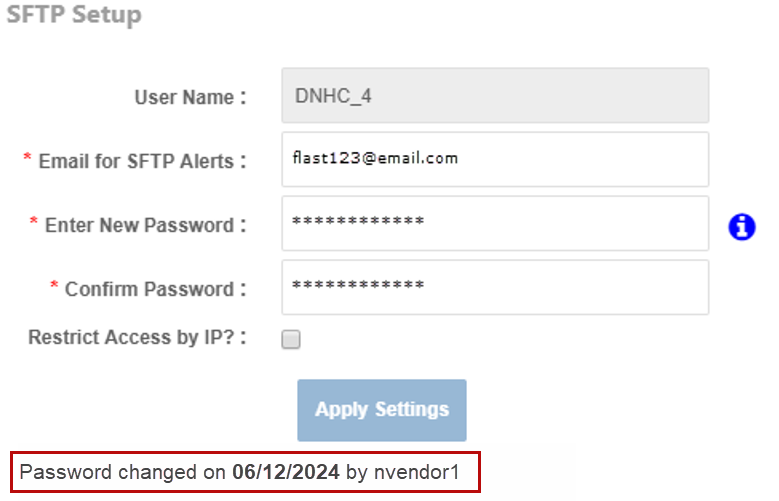
To reset your password:
-
Enter a new password.
-
Re-enter the password to confirm.
-
Click Apply Settings.
Important password rules:
-
Passwords expire periodically.
-
Email alerts are sent when a password is nearing expiration.
-
Passwords can be changed once per hour.
-
The system records when and by whom a password was changed.
-
The portal does not store or recover your password. You are responsible for keeping it secure. If you forget your password, you must reset it from the SFTP Setup page.
Click History in the top-right corner of the page to view changes made to:
-
Username
-
SFTP alert email
-
Access restrictions
-
IP addresses
If you use a third-party EVV vendor:
-
You must provide them with your SFTP username and password.
-
Each time you change your password, you must notify all vendors so file transfers continue without interruption.