MiLogin What Providers Need to Know
What is MiLogin?
MiLogin is the sign-in process used by Michigan-based Payer, Provider, Aggregator, and Services Portal users. Instead of signing in directly to HHAeXchange, you sign in through Michigan's state portal (MiLogin), and MI automatically hands you off to your HHAeXchange service.
This change moves account matching from email address (which can be shared or outdated) to unique username, making sign-in more accurate and more secure.
Additionally, a user’s SSO username (MiLogin user ID) will need to be added to the User Management screen in the HHAeXchange portal by the administrator for the portal. Please refer to the steps below as a guide when adding a new user.
1. From the Add New User screen, click the … next to the Singe Sign On Username field.
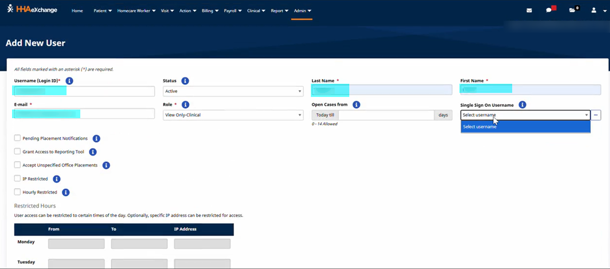
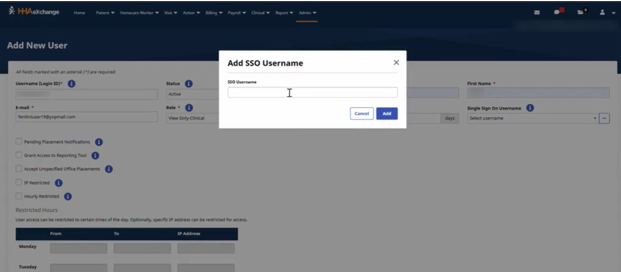
2. Enter the new user's MiLogin user ID.
3. Click Add.
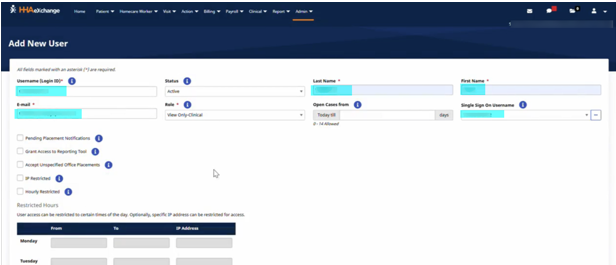
4. The username will display in the Single Sign On Username field. Continue with New User setup.
Find more SOM resources here.