Caregiver Menu
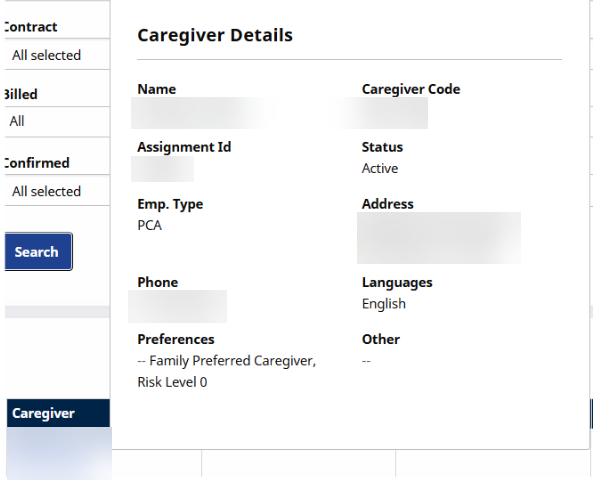
When searching for visits by Caregiver, hover the cursor over the Caregiver name in the left-most column to view a Caregiver’s information to include Name, Caregiver Code, Assignment ID, Status, Employment Type, Address, etc..
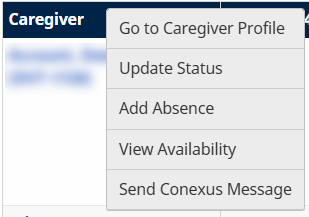
Click the Caregiver Name link to open a menu options.
|
Select… |
Description |
|---|---|
|
Go to Caregiver Profile |
Opens the Caregiver’s Profile in a new window. |
|
Update Status |
Update the Caregiver’s Status. |
|
Add Absence |
Add an absence for the Caregiver. |
|
View Availability |
View the Caregiver’s availability. |