Declined Caregivers
The Declined Caregiver validation is placed as requested by a specific Patient restricting the Caregiver from working their scheduled visits. Complete the following steps to mark a Caregiver as declined.
-
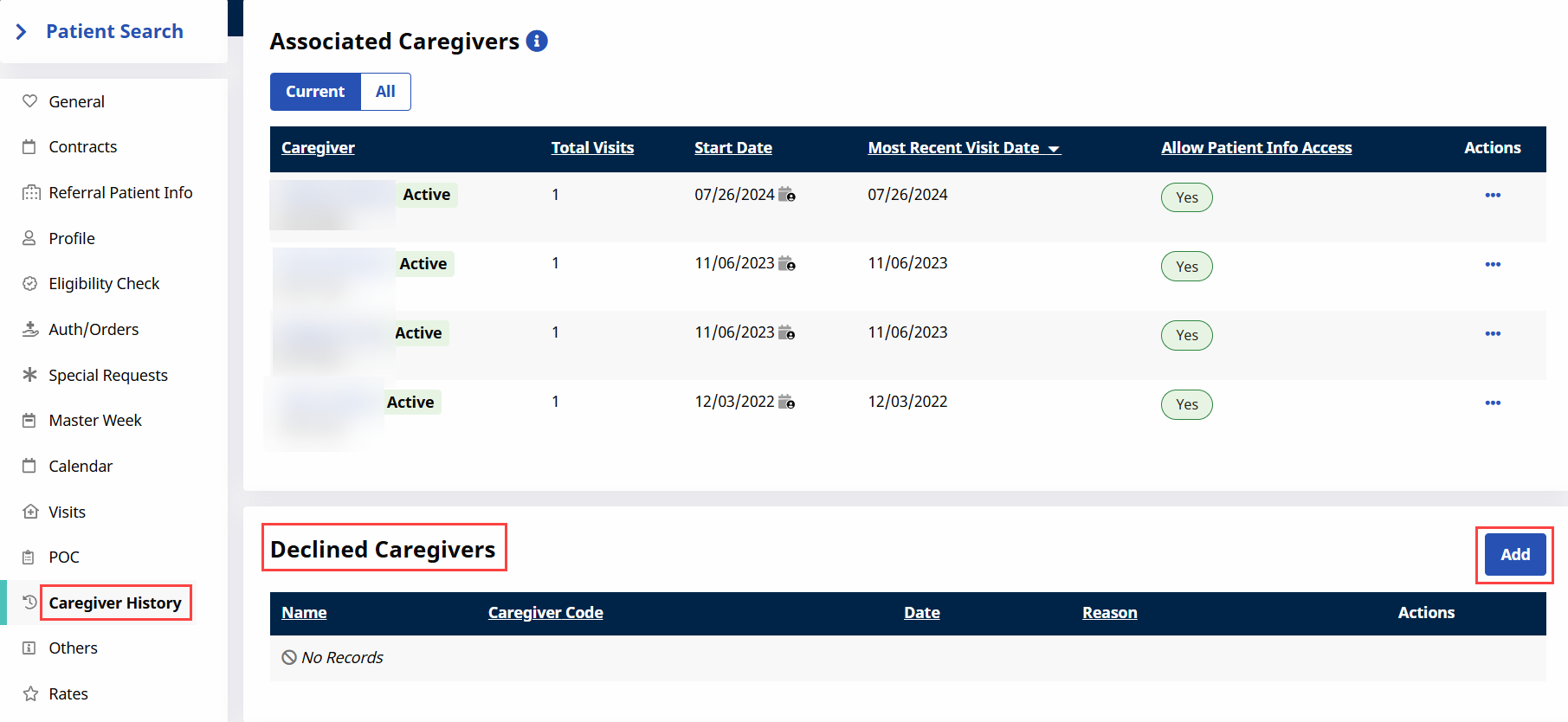
Go to Patient > Caregiver History.
-
Click the Add button.
-
The Declined Caregivers window opens. Complete the required fields, select a Reason from the dropdown menu and click Save.
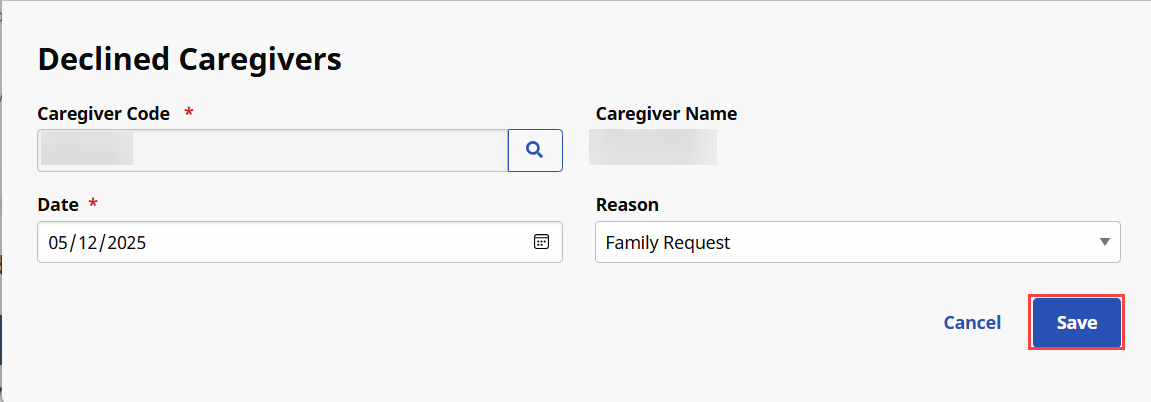
The values for the Reason dropdown are set via the Reference Table.
-
Once saved, the Caregiver is restricted from working visits scheduled for the Patient.

Once set, all Declined Caregivers are listed on the Caregiver HHAeXchange page. For Declined Caregivers, there is no option for an end date, which means records must be deleted manually to assign the Caregiver to the Patient again.