Permissions for Linking EVV
The following permissions allow Providers to manage EVV linking to the correct modality.
-
Allow Linking Unrecognized Number controls linking unrecognized numbers. When activated, users can link EVV with an unrecognized number to a visit.
-
Allow Linking Unrecognized FOB links unrecognized FOBs when EVV is placed using landline Interactive Voice Response (IVR) or the Mobile App. When activated, users can link EVV with an unrecognized FOB to a visit.
-
Allow Linking Unrecognized GPS links unrecognized GPS when EVV is placed using the Mobile App. When activated, users can link EVV even if the GPS does not correspond to a Patient Address on file.
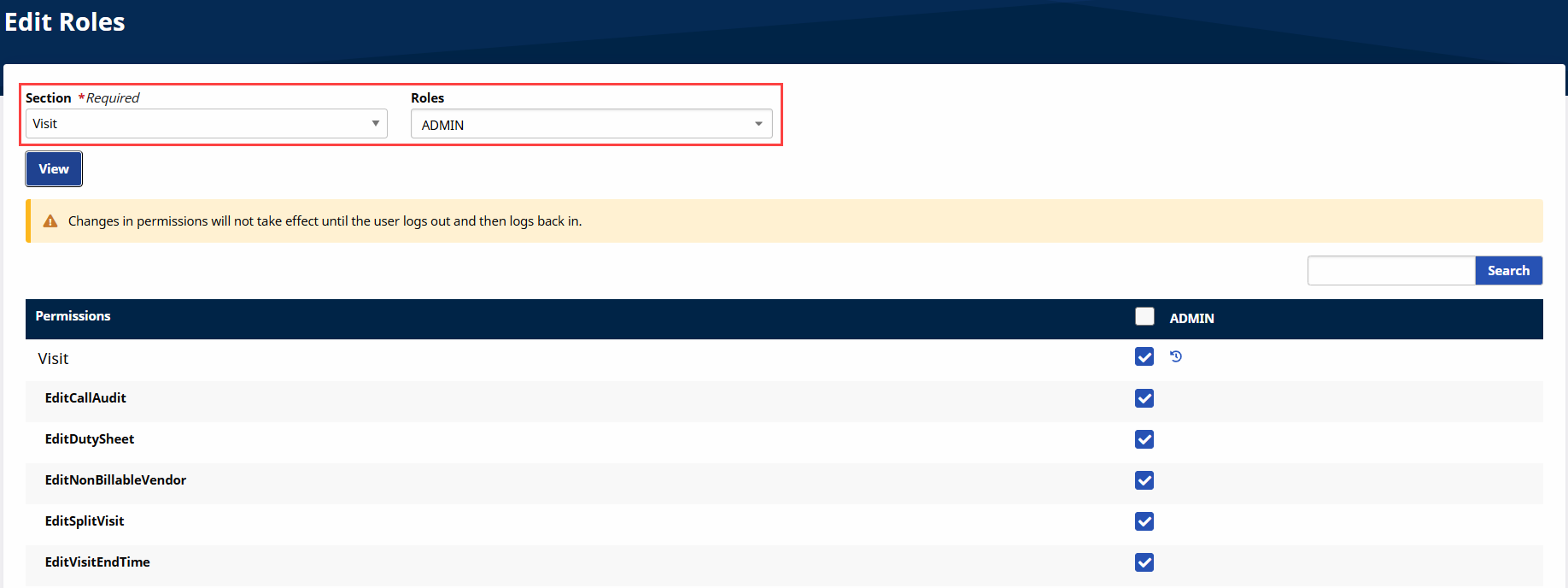
These permissions are managed through the User Management functionality. To enable or disable these permissions, go to the Edit Roles page under Admin > User Management > Edit Roles. Select Visit from the Section list and the applicable Roles. These permissions are located under the Call Dashboard section.