What's New: January 2026
Enterprise Version 26.01.01
We’re excited to introduce the latest enhancements to your home healthcare experience! This release brings new features designed to simplify care coordination, reduce administrative work, and help your team focus on what matters most—delivering quality care. Explore what’s new and see how these improvements make your work more seamless than ever.
HHAeXchange is permission-based, so access to certain features may vary depending on your role and organization settings.
Feature Enhancements

You can now set a time limit for shift overlaps. Under Admin > Reference Table Management >, add or edit a service code and then select Allow Member Shift Overlap. When selected without a time limit, the entire shift may overlap. Enter a time limit to allow a shift overlap for a specific period of time. Example: If 10 minutes is selected, overlaps of up to 9 minutes are allowed.
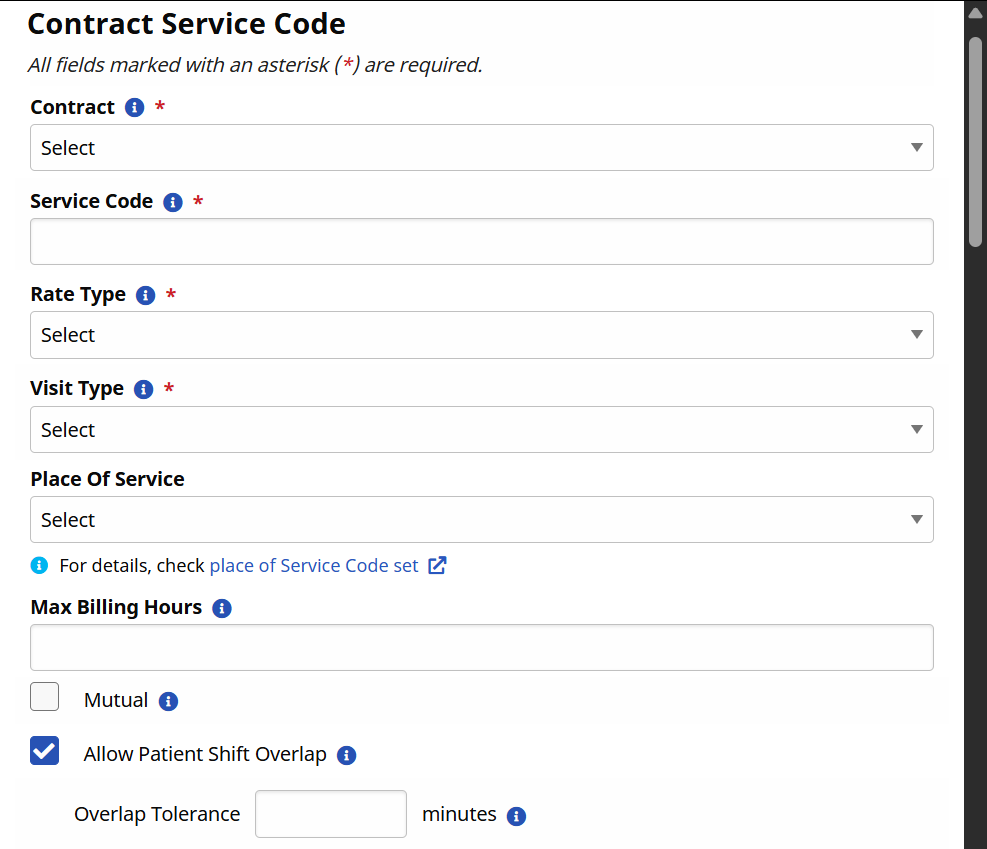
For more information, see Billing Process for Linked Contracts.
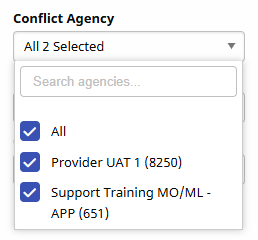
You can now select multiple agencies within the Conflict Agency filter on the Conflict Management page.
Additionally, conflicts can now be set to No Resolution immediately without the need to wait for the 7-day waiting period to expire.
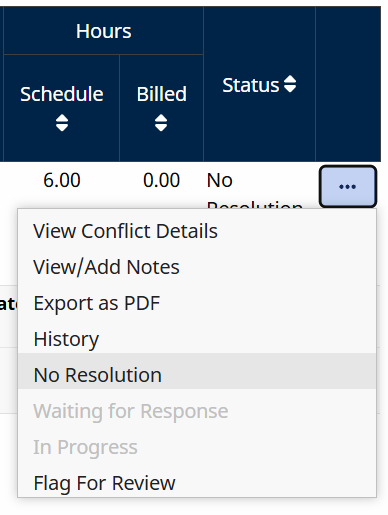
For more information, see Conflict Management Page.
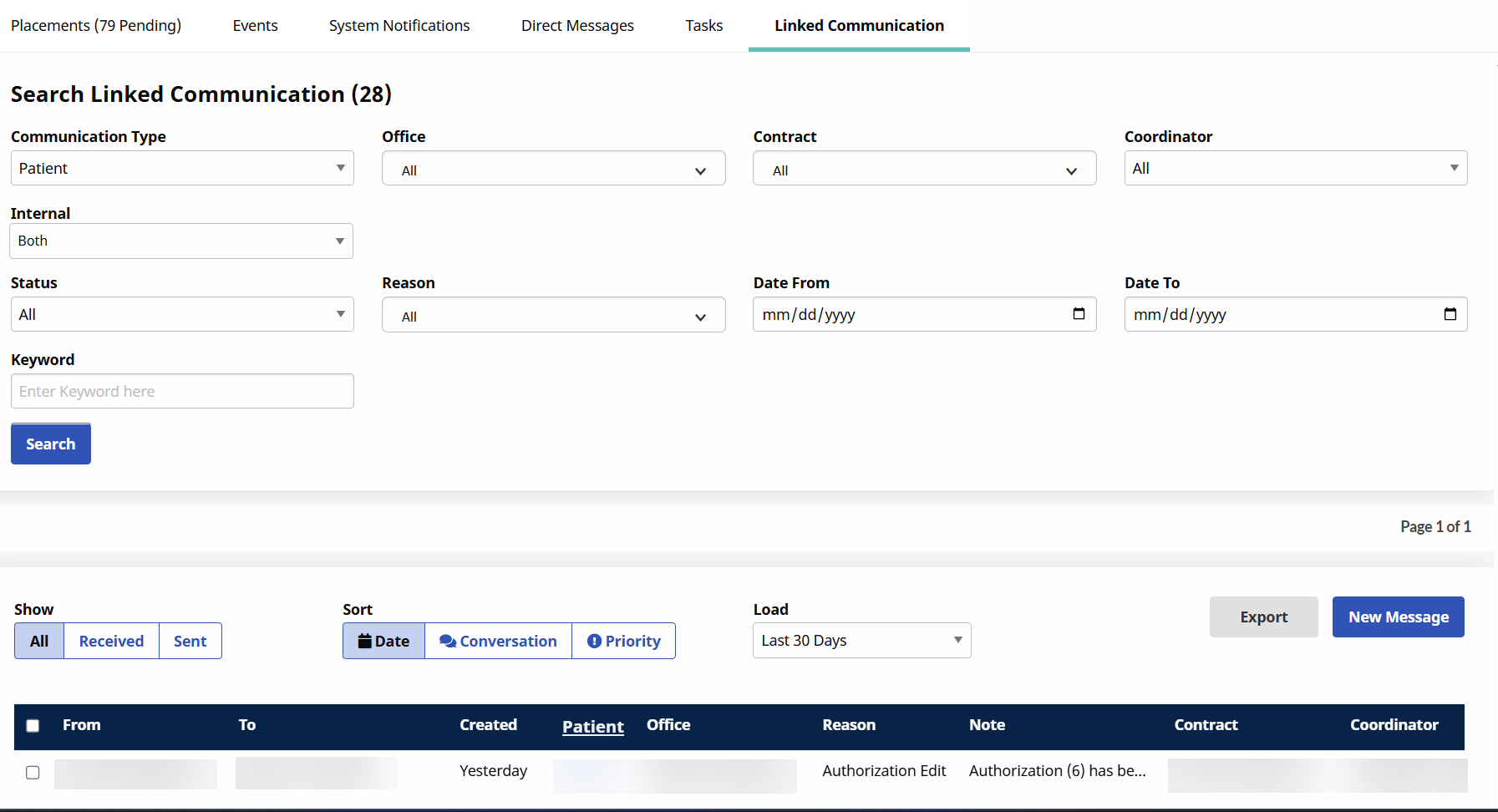
As of February 5th, you can export linked communications between an agency and its associated payers (linked contracts) from the Linked Communication tab on the HHAeXchange Home page. Use the Export button to export the results into a CSV file.
Some users experienced delays in retrieving their current location after tapping Continue, which could allow actions to proceed without reliable GPS data.
This update improves reliability by ensuring the app waits for accurate location data before moving forward, reducing inconsistent behavior and improving overall user experience.
When a biometric login certificate expires (after 7 days of inactivity or 30 days total), users are now redirected to the email and password login screen to renew it. This replaces a previous #500 error and provides a clearer path to restore biometric access.
Agencies can now opt to make Visit Notes mandatory in the HHAeXchange+ Mobile App. When this setting is turned on, Caregivers cannot end a Visit without entering Notes, and instead see a red notification on the Visit Details screen.
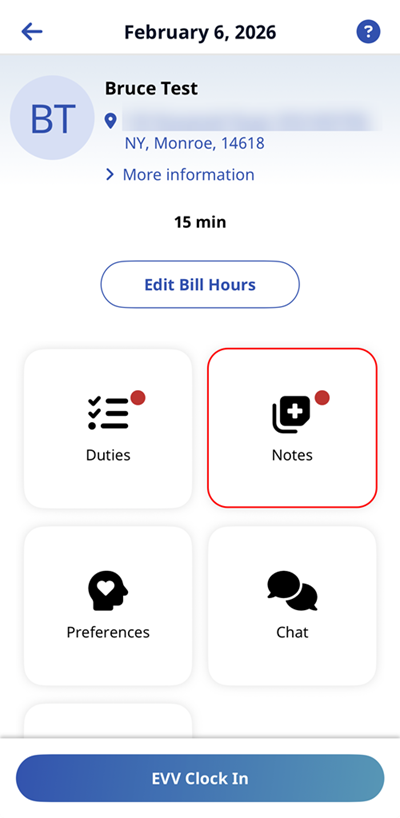
For more information, see HHAeXchange+ Mobile App Notes Page.
When receiving a push notification for an in-progress shift, tapping the notification now takes the user to the appropriate shift in the HHAeXchange+ Mobile App.