Care Insights - Mobile App
This topic describes the Care Insights feature shown to Caregivers in HHAeXchange mobile applications when a Member is enrolled in the Care Insights program. Care Insights are Yes or No questions that evaluate Member health. For example, Is the member eating less than usual?
Caregivers answer Payer Care Insights questions after entering Duties in the mobile app (During Clock-Out) or through the Care Insights tab during or after a visit (before or after Clock-Out).

If a Member is enrolled in Care Insights, all questions must be completed during the Clock-Out sequence. Questions appear after Duties are entered.
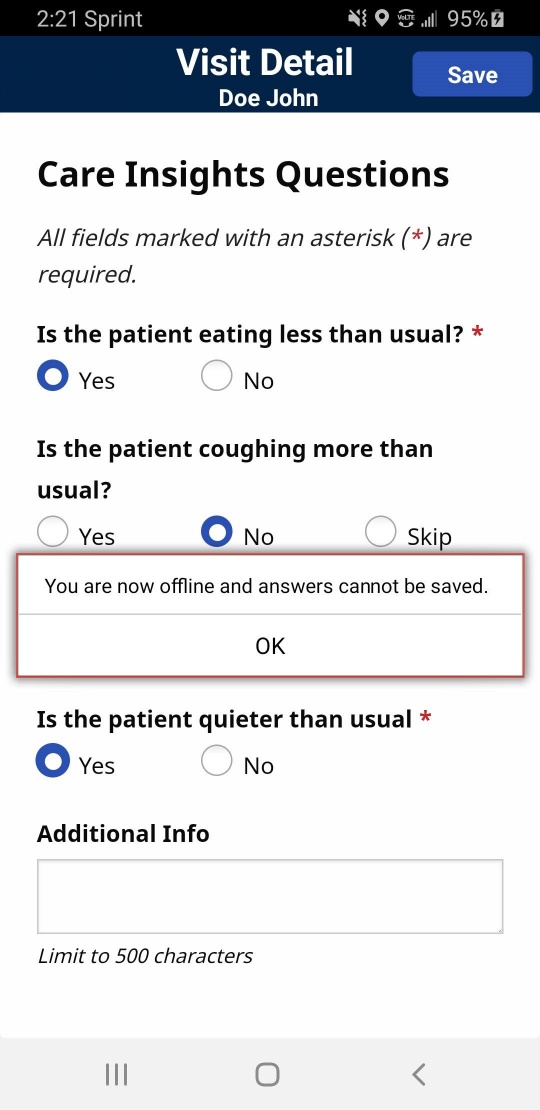
If a Caregiver loses reception on their mobile device while working in Care Insights, questions cannot be saved and the warning at bottom right appears. If a Caregiver has no reception on their mobile device before starting Care Insights, questions do not appear.
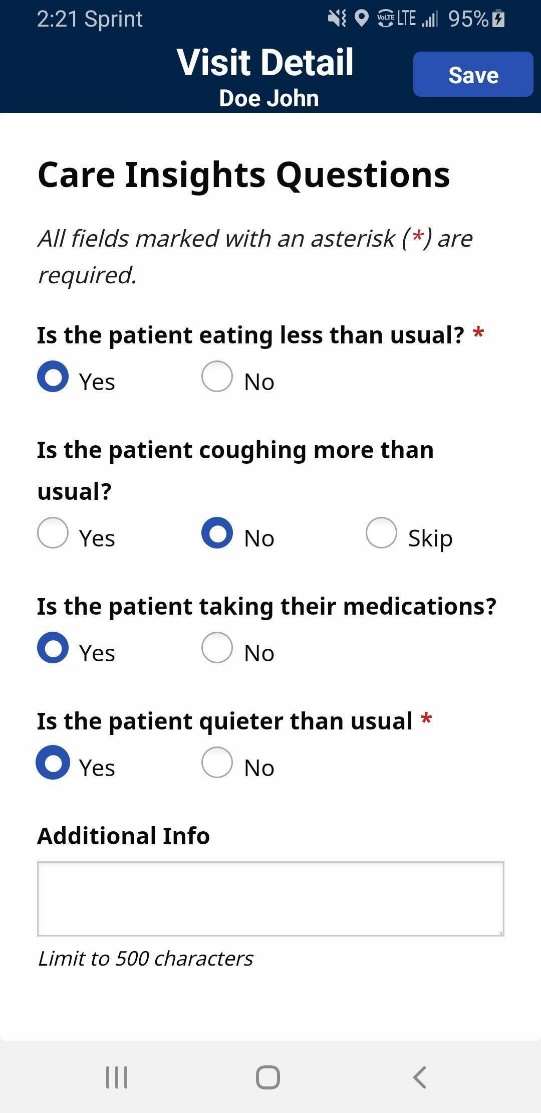
A Caregiver can answer Care Insights Questions at any time before Clock-Out by tapping the Care Insights tab. Answers can be reviewed and modified before submitting them at Clock-Out.
After a visit is complete, the Caregiver can view and edit their responses by tapping the Care Insights tab.
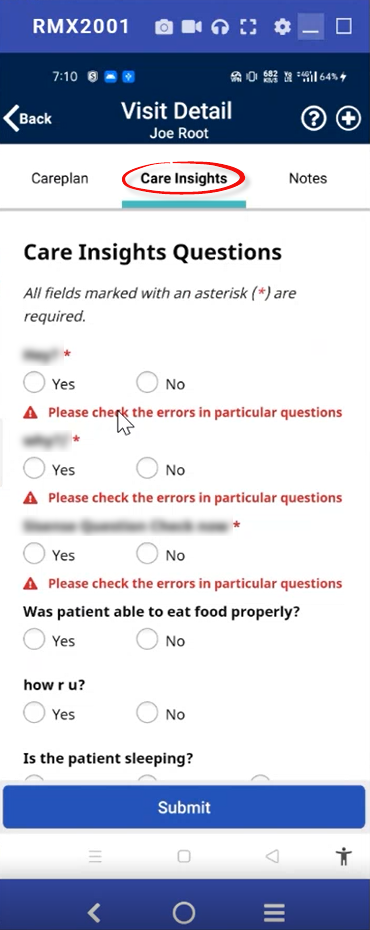
The following images are examples of the Care Insights tab with all questions answered and saved with the Submit button and with questions remaining that require a response.
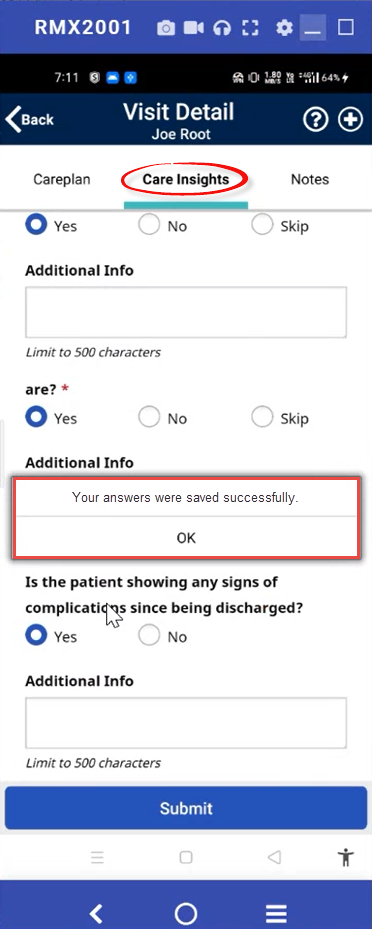
After Caregivers have submitted answers to Care Insight questions, they can return to the Care Insights tab to make changes and resubmit their answers up until the time the visit is billed.