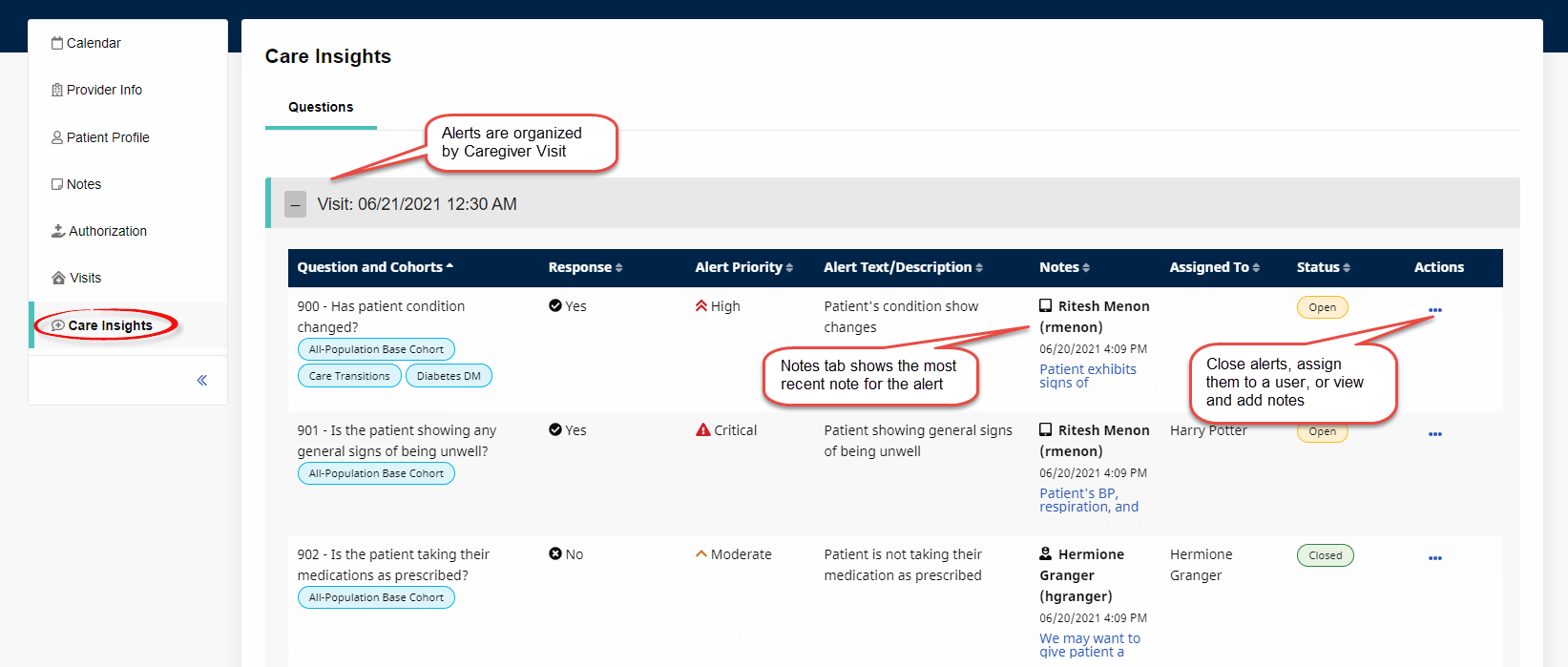
Care Insights tab on the Member Profile
To open the Care Insights tab on the Member Profile (Member, Search, search for and select a Member), click Care Insights on the left navigation bar.
The Care Insights tab provides a member-specific view of alerts, organized by Caregiver Visit. Within each Visit, users can view all alerts generated by Caregivers at clock-out, along with detailed information about each. Users can also close alerts, assign them, or add/view notes from the Actions column.
See the following image for an example of the Care Insights tab.