Oversight Visits

Some states require that a Skilled Worker (for example, an RN or LPN) conduct a periodic face-to-face visit with the Member. These skilled Oversight Visits are non-billable and are not part of the Electronic Visit Verification process. If a required Oversight Visit does not take place, the Payer can refuse to pay for billable non-skilled Visits.
Oversight Service Codes can be created to designate Oversight Visits. An Oversight Service Code can be associated with one or many billable Service Codes used to conduct non-skilled Visits. Likewise, a billable non-skilled Service Code can be associated with one or many non-billable skilled Oversight Service Codes.
When a billable (non-skilled) Service Code is used to authorize a Visit, and that Service Code is associated with one or more Oversight Service Codes, a visit using one of those Oversight Service Codes must be scheduled with the Member within a specified number of days (30, 60, 90). If the Oversight Visit does not take place, the billable visit may not be accepted by the Payer and is listed as a Prebilling exception in the Provider application.
A Payer Profile setting Enable Oversight Rule must be turned On by HHAeXchange Administration in order for the Oversight Service Code function to be available. Contact the HHAeXchange Support Team for assistance.
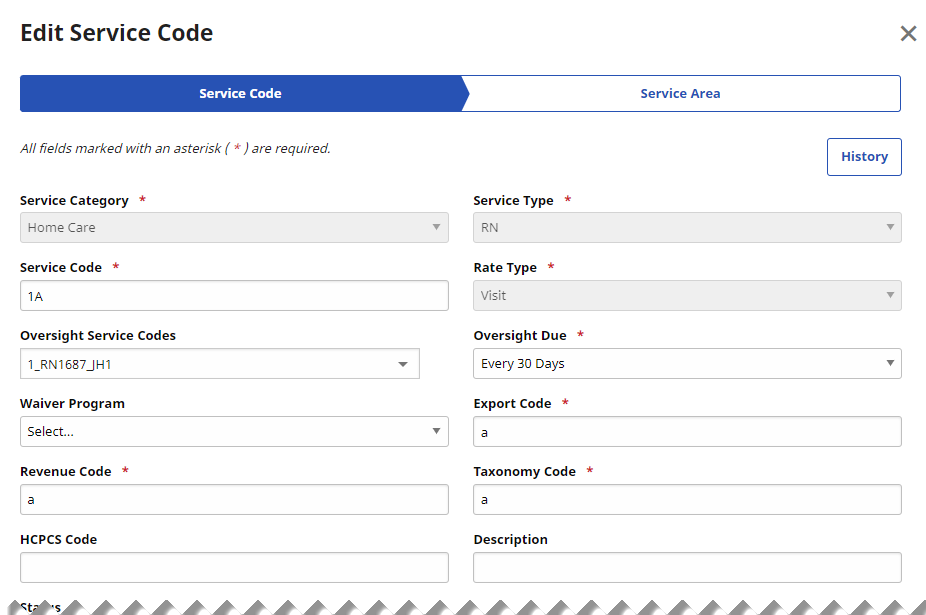
In the New Payer Portal, when the Enable Oversight Rule setting is ON for the Payer, the Add Service Code and Edit Service Code functions in Reference Table Management include two new fields: Oversight Service Codes and Oversight Due. These fields are only displayed when the Service Category selected is Home Care.
Oversight Service Codes created in Reference Table Management must be selected to authorize a non-billable Skilled Visit to the Member after an associated billable non-skilled Visit has taken place.
To create an Oversight Service Code:
-
From the Admin menu, select Reference Table Management.
-
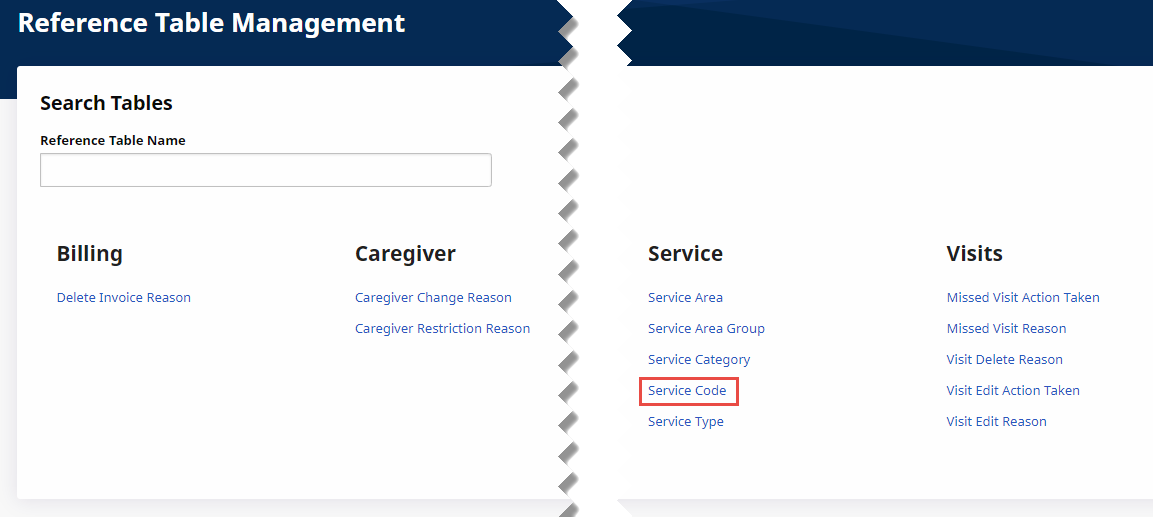
From the Reference Table Management page, under Service, click Service Code.
-
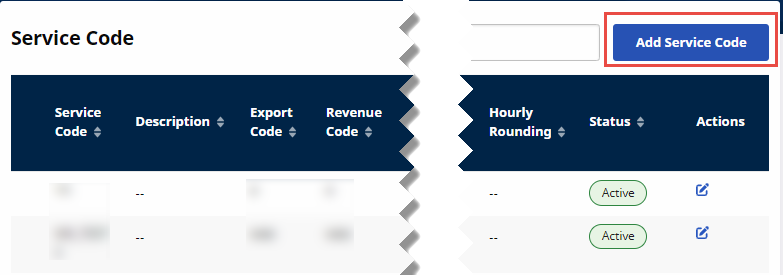
From the Service Code page, click Add Service Code at top right.
-
On the Add Service Code page,
-
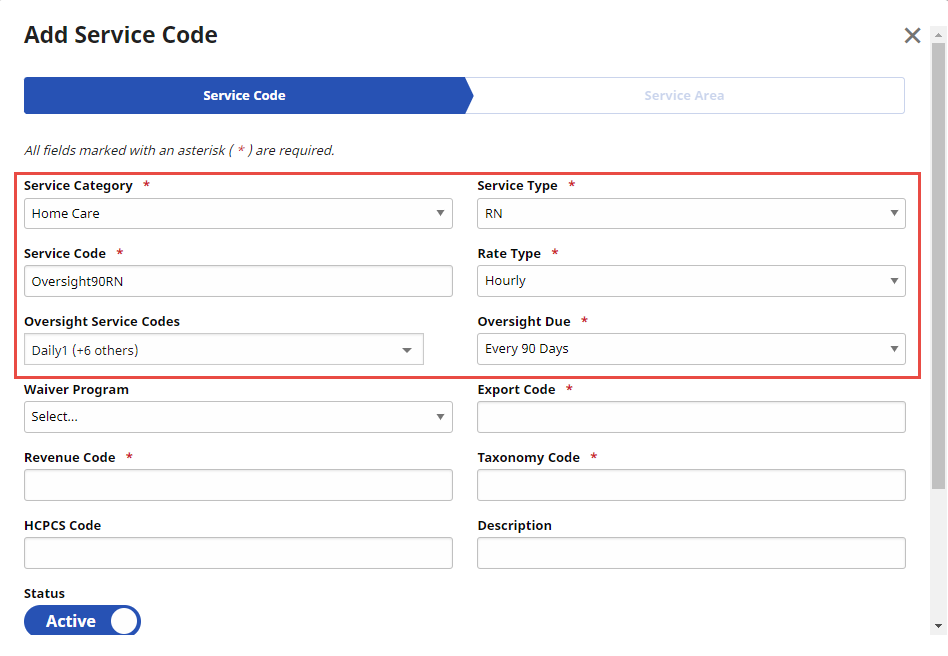
In Service Category, select Home Care to display the Oversight Service Codes field.
-
Select a skilled Service Type (such as RN).
-
In Service Code, type a unique name for the new Oversight Service Code, for example, Oversight90RN.
-
Select a Rate Type for the Oversight Service Code.
-
In Oversight Service Codes, select one or more billable non-skilled Service Codes to be associated with the new Oversight Service Code. The Oversight Due field is displayed.
-
In Oversight Due, select the required interval (30, 60, 90 days) for Oversight Visits.
-
Complete all other required fields for the Service Code.
-
Click Save & Continue at the bottom of the page.
-
-
On the Service Area tab, add optional Service Area Groups that use the new Service Code, and then click Done.
To edit an Oversight Service Code:
-
From the Admin menu, select Reference Table Management.
-
From the Reference Table Management page, under Service, click Service Code.
-
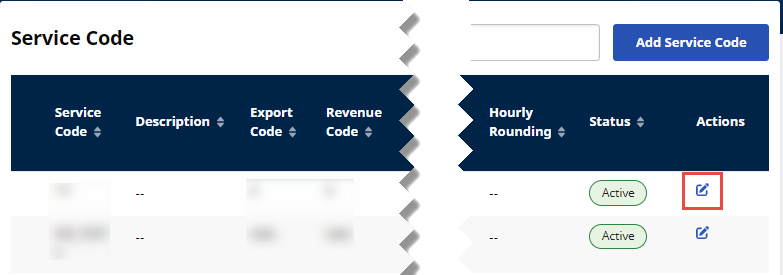
On the Service Code page, click the Edit icon on the Service Code’s row.
-
On the Edit Service Code page, make necessary changes, and then click Save & Continue at the bottom of the page.
-
On the Service Area tab, change optional Service Area Groups as needed, and then click Done.