Service Coordinator
A Service Coordinator manages communications for Member cases and serves as the intermediary between the Payer authorizing service and the Provider.
A Service Coordinator can be assigned to an existing user account from the New Payer Portal.

Complete the steps in the following table to create and assign a Service Coordinator.
-
From the Admin menu, select Service Coordinator.
-
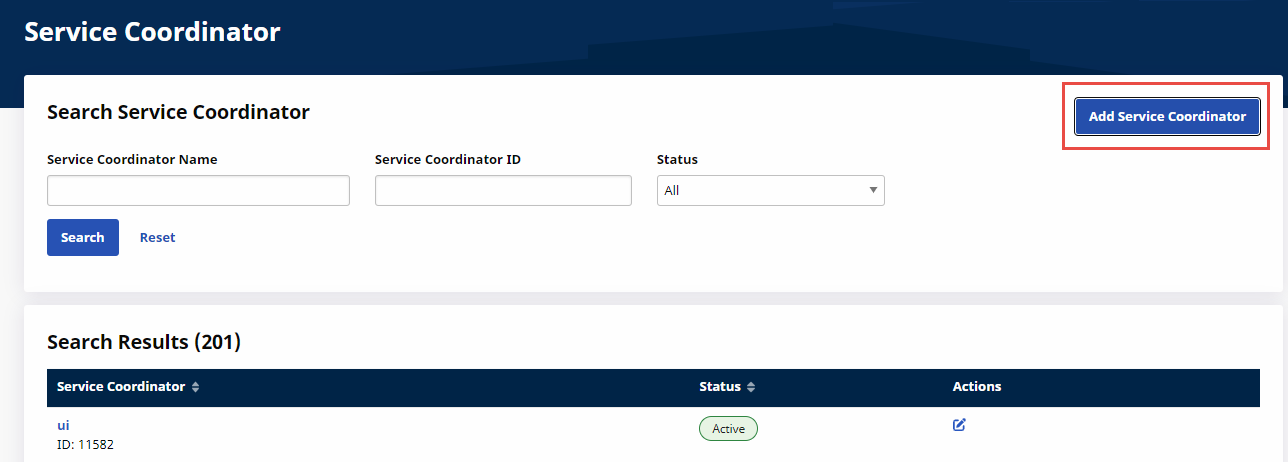
On the Service Coordinator page, click Add Service Coordinator at top right.
-
Type the Service Coordinator Name, ensure that the Status is Active, and then click Save.
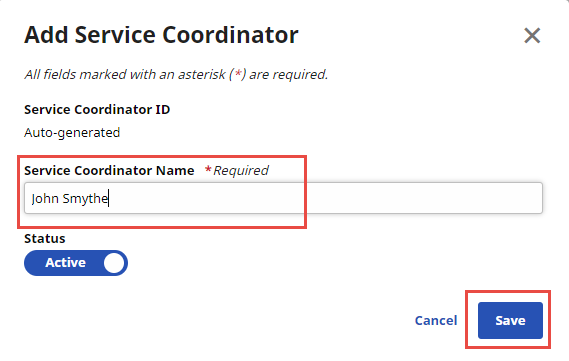
The Service Coordinator ID is generated automatically by the system.
-
From the Member menu, select Search. Search for and select a Member.
-
On the Member Profile tab, click Edit at top right.
-
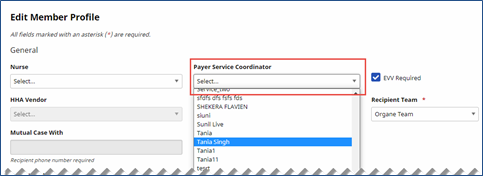
On the Edit Member Profile page, select the new Payer Service Coordinator and then click Save at the bottom of the page.
Complete the steps below to change a Service Coordinator.
-
From the Admin menu, select Service Coordinator.
-
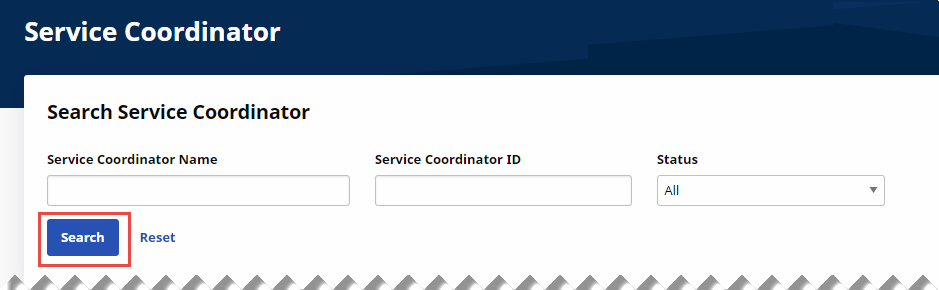
On the Service Coordinator page, use the Service Coordinator Name, Service Coordinator ID, and Status search filters to find the Service Coordinator.
-
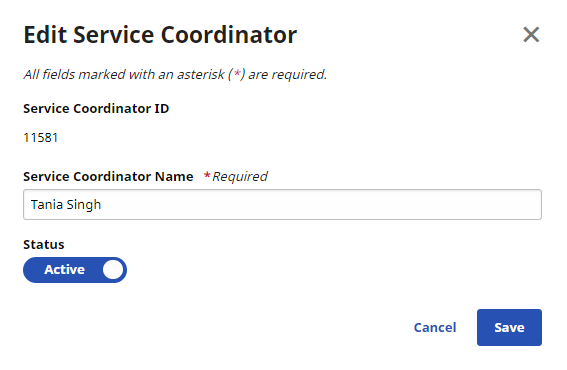
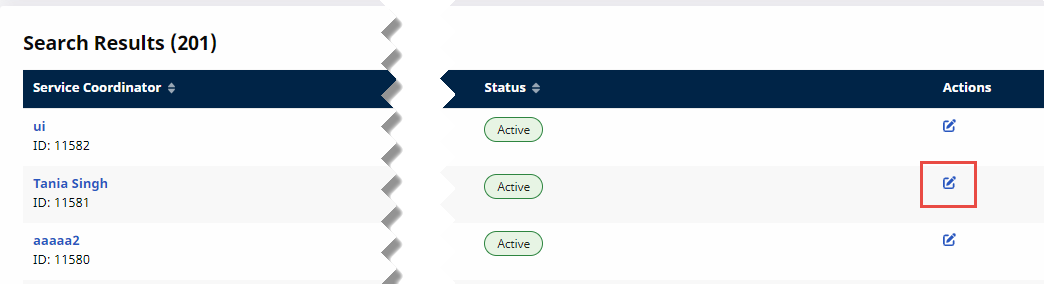
Click the Edit icon at the right of the Service Coordinator row to open the Edit Service Coordinator page.
-
On the Edit Service Coordinator page, change Service Coordinator Name and Status as needed, and then click Save.