Broadcasting Function
Broadcasting functions available throughout HHAeXchange and under Action > Broadcast Dashboard operate similarly for Single Shifts and Master Weeks, although opportunities to Broadcast vary slightly. While Single Shifts have the broadcasting functionality available throughout the system, a Master Week has the Broadcasting functionality only on the editing page.
To broadcast a shift from the Broadcast Dashboard, select Action > Broadcast Dashboard and search for the shift. Select the + box to view shift details. Click the patient name, then scroll down to the Calendar section of the patient page. Click the visit time link. A Broadcasting icon appears near the Caregiver Name field.

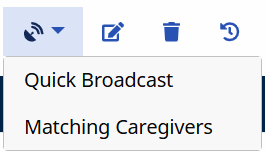
Selecting the Broadcasting icon provides the options to either Quick Broadcast or select Matching Caregivers.
The following conditions must be met for the Broadcast icon to be available:
|
Single Shifts |
|
|
Master Week |
|
When attempting to create a Broadcast for a previously broadcast shift (duplicate), an alert is created to notify you that the same shift has already been created by another user. In this case, refresh the page and create another broadcast for a different shift.