How do I fix a claim(s) held in billing review?
A visit is held in billing review until all problems are corrected. All visits need to meet rules designated by the payer before you can print invoices or submit e-claims.

-
Go to Admin > Contract Setup > Search Contract.
-
Enter search parameters and then select the applicable contract.
-
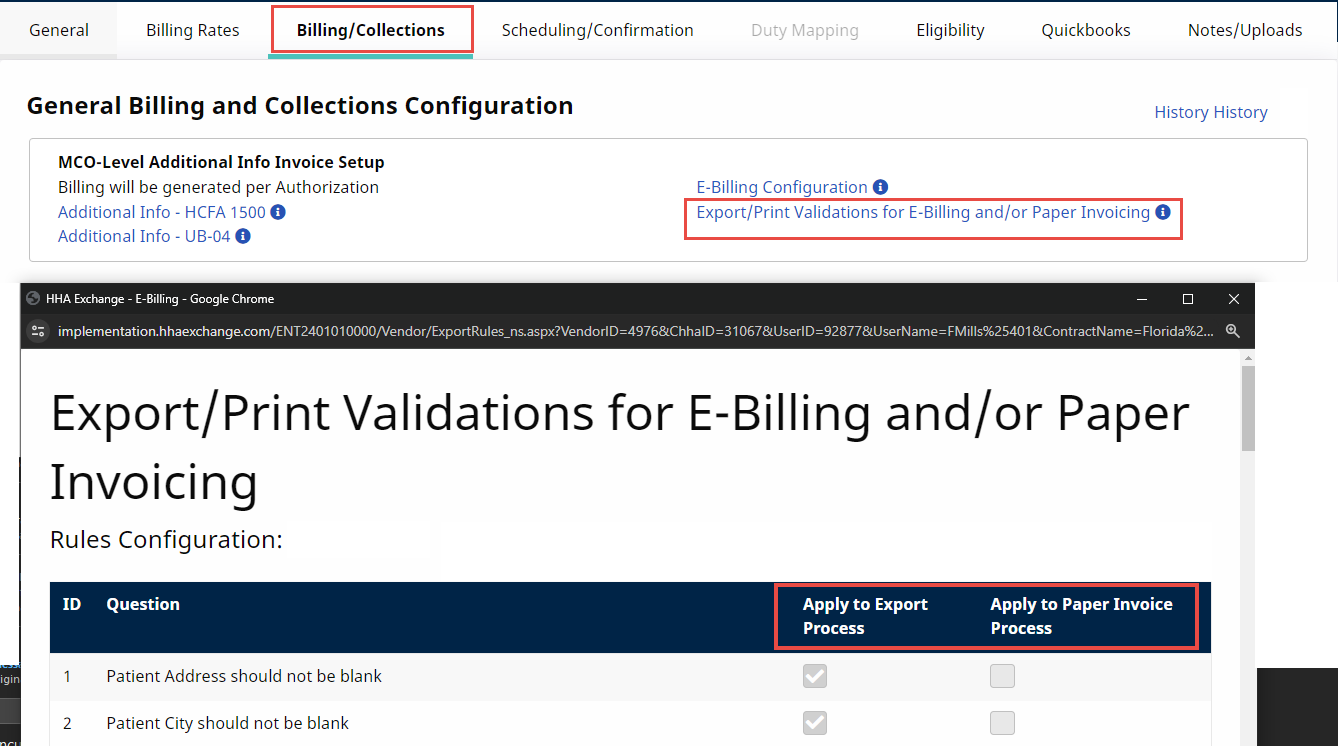
Under Billing/Collections select the Export/Print Validations for E-Billing and/or Paper Invoicing link.
-
Check the following selections in the window that opens to determine the requirements for the visit:
-
Apply to Export Process: complete these requirements to add visits to e-billing.
-
Apply to Paper Invoice Process: complete these requirements to add visits to paper invoicing.
-
-
Go to the Billing > Billing Review.
-
Select Detail View.
-
Enter search parameters and then select Search.
-
To resolve billing review issues, find the On Hold Reasons from the list below and follow the instructions in the resolution column.
Once the issue is corrected, the visit is removed from the billing review and can be added to an e-billing batch or a paper bill.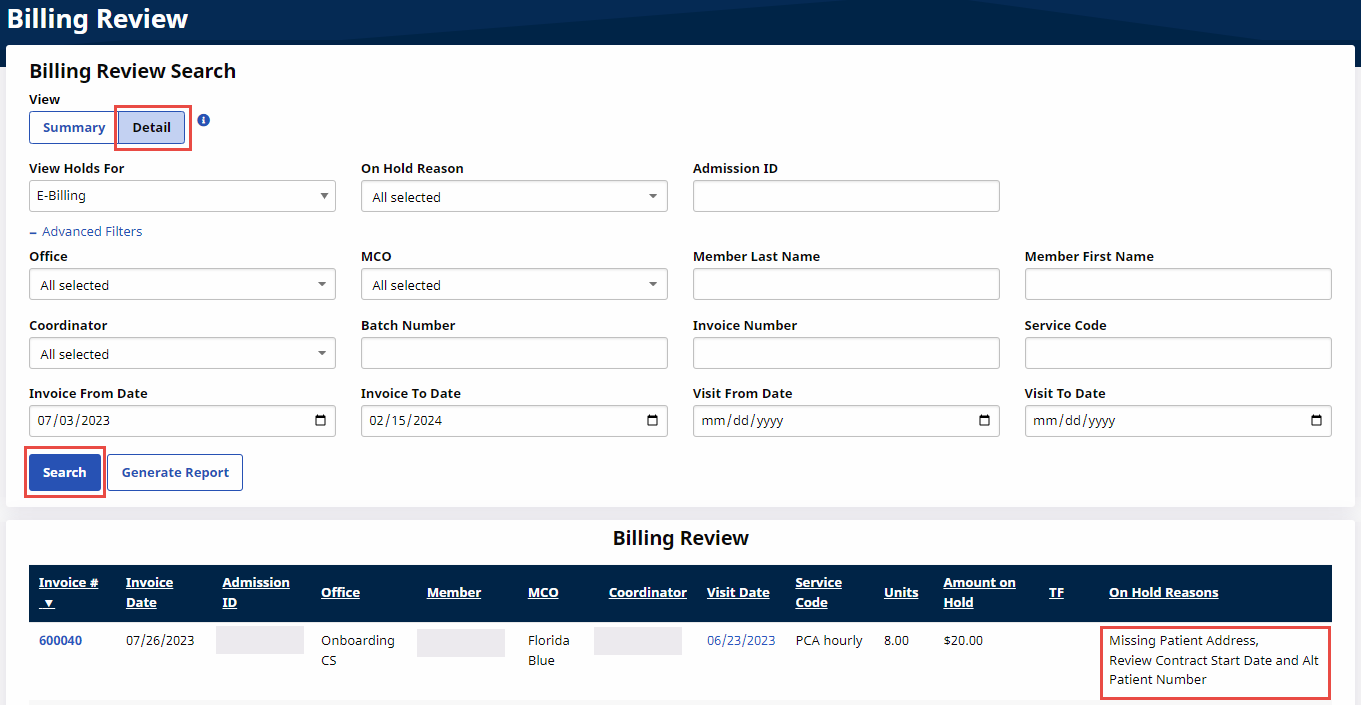
|
Problem |
Resolution |
|---|---|
|
|
|
|
|
Missing Primary Diagnosis |
|
|
Missing Authorization Number |
|
|
|
|
|
|
Invalid CNR Import Reference Number |
|
|
|
|
Missing CNR Employee Number |
|
|
Missing Physician NPI Number |
|
|
Pending Billing of Additional Shifts on Same Day |
|
|
Visits on the same day/service code must be billed on same invoice |
Additional steps may be required if visits are exported or paid.
Option 1 - Merge Invoice
Option 2 - Delete Invoice
|
|
Visit should NOT be placed on Manual Hold |
|
|
Does NOT meet POC Compliance Requirements |
|
|
|
|
DX Code May Fail Specificity Guidelines (if configured to validate for Flag 10 ICD Codes) |
|