Capture Caregiver and Nurse Signatures
The system has been updated to comply with certain EVV state requirements such as capturing and storing additional signatures from the Caregiver and Nurse (if configured), in addition to the Patient Signature. As configured in the system at a Contract level, the Caregiver is presented with these signature screens when Clocking In and/or Clocking Out of a visit.

In the Contract Setup under Admin > Contract Search > Contract, two signature requirement options are displayed on the Scheduling/Confirmation tab to capture the Caregiver Signature and RN Signature on the Mobile App.
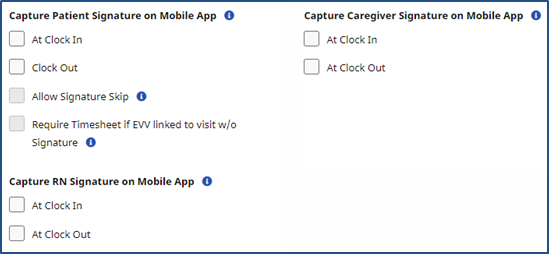
Based on the selections for these options, signature requirements are presented on the Mobile App when the Caregiver performs a Clock In and/or Clock Out, as configured at the Contract level. All Signature screens contain a different color header to differentiate them from one another.
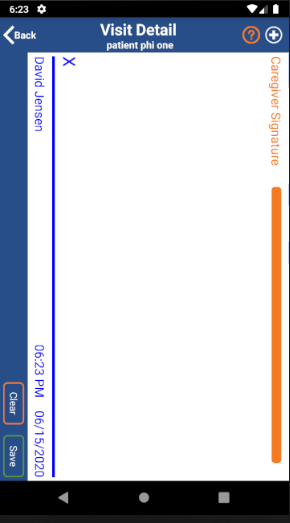
The following is required if Caregiver Signature is selected:
-
Caregiver presented with Signature Screen
-
Caregiver must sign to proceed (cannot skip)
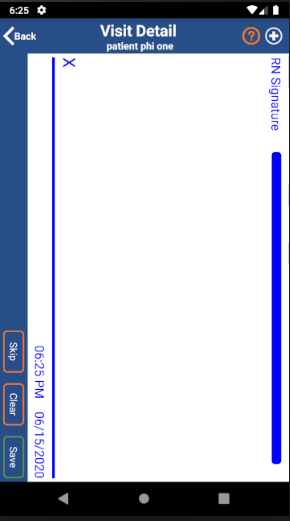
The following is optional if RN Signature is selected:
-
RN presented with Signature Screen
-
Can be skipped if RN is not present to sign
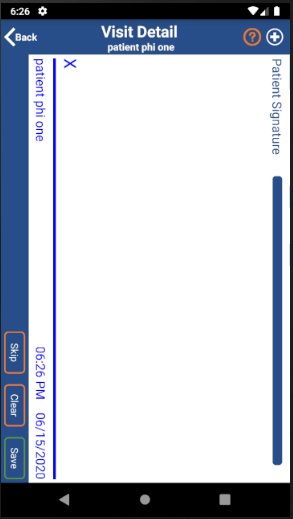
The following is required if Patient Signature is selected:
-
Patient presented with Signature Screen
-
Can be skipped if Allow Signature Skip is selected; otherwise Patient must sign to proceed