End Chat Feature

The End Chat feature allows Agency users to terminate chats with Caregivers. To terminate a Chat, Click the End Chat link at the top of the conversation pane, as seen in the image below. A Confirm Action pop-up window appears to confirm the termination. Click the End Chat button to close the chat.
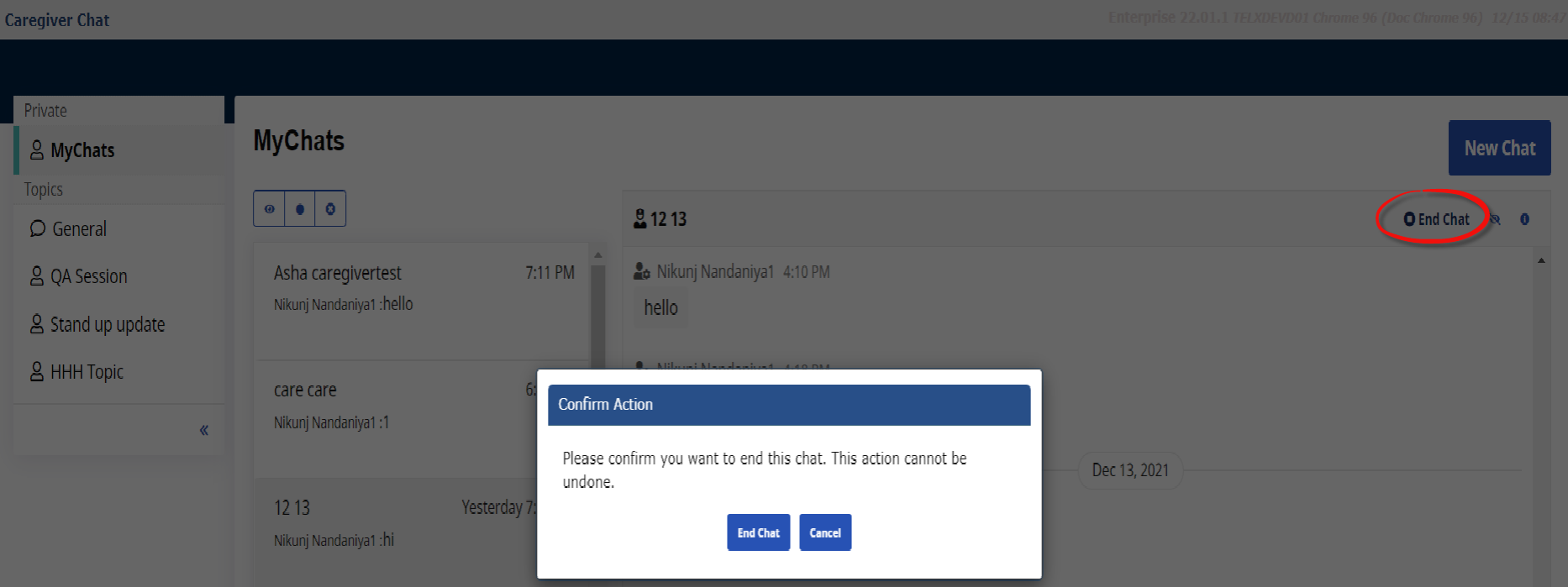
Once confirmed, an End Chat pop-up appears. Click the Close button to finalize. The End Chat link becomes unavailable as the chat is no longer active.

To reactivate the chat with the Caregiver, simply enter a new chat message in the chat window and send.
On the Mobile App, a Chat Ended label appears to indicate that the Agency has ended a particular chat.
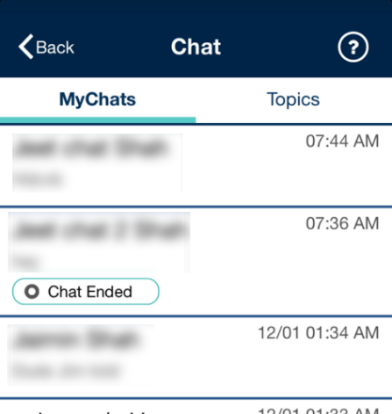
Once a chat is ended, the message field becomes disabled. If an Agency user enters any chat message thereafter, the chat reopens allowing a Caregiver to enter new messages.
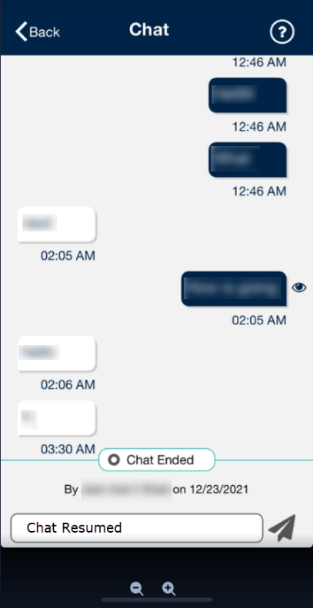
In the Chat window on the Caregiver Profile, the system loads up to 50 messages by default. Click the Display Additional Chat History button to view an additional 50.

When no other history is available, an End of Chat History label appears.
