Log Duties Throughout the Shift
Caregivers can enter or edit POC/VBC duties via the Mobile App throughout a visit as they are performed. Alerts are not generated until after the Clock Out and duties are saved. To enable this feature, go to the Mobile App section in the Edit Office page under Admin > Office Setup and select the Allow Caregiver to Log Duties after Clock In checkbox.
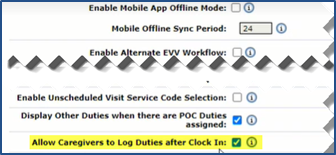
When this option is enabled by the Agency, the Duties tab displays once the Caregiver Clocks In. From the Duties tab, the Caregiver can log tasks performed throughout the visit. Upon Clock Out, the Caregiver can add and/or modify tasks performed throughout the visit.