How do I change a patient's status?
The patient Status is changed in the Patient Profile, General page. Complete the following steps to change the Patient Status.
-
Go to Patient > Search Patient to search for and locate the patient.
-
On the patient’s General page, click the Update Member Status button in the General section.
-
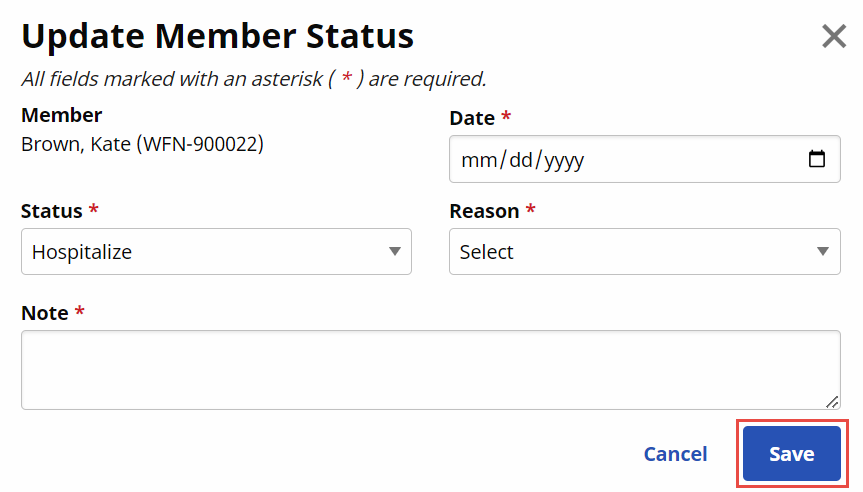
The Update Member Status window opens. Complete the following information:
-
Date: (Required) Select the effective date for the status change.
-
Status: (Required) Select the applicable status. Refer to the section below for Status descriptions.
-
Reason: (Required) Select the reason for the status update.
-
Note: (Required) Enter a brief explanation for the status change.
-
-
Click Save.
Changing the status from Active to Hold or Hospitalized prompts the system to delete visits on future dates. Users must confirm that it is okay to delete future visits before saving the status change.