Close Gaps on Quality Insights
Quality Insights enables payers and providers to close care gaps in a timely manner. This helps to improve member outcomes.
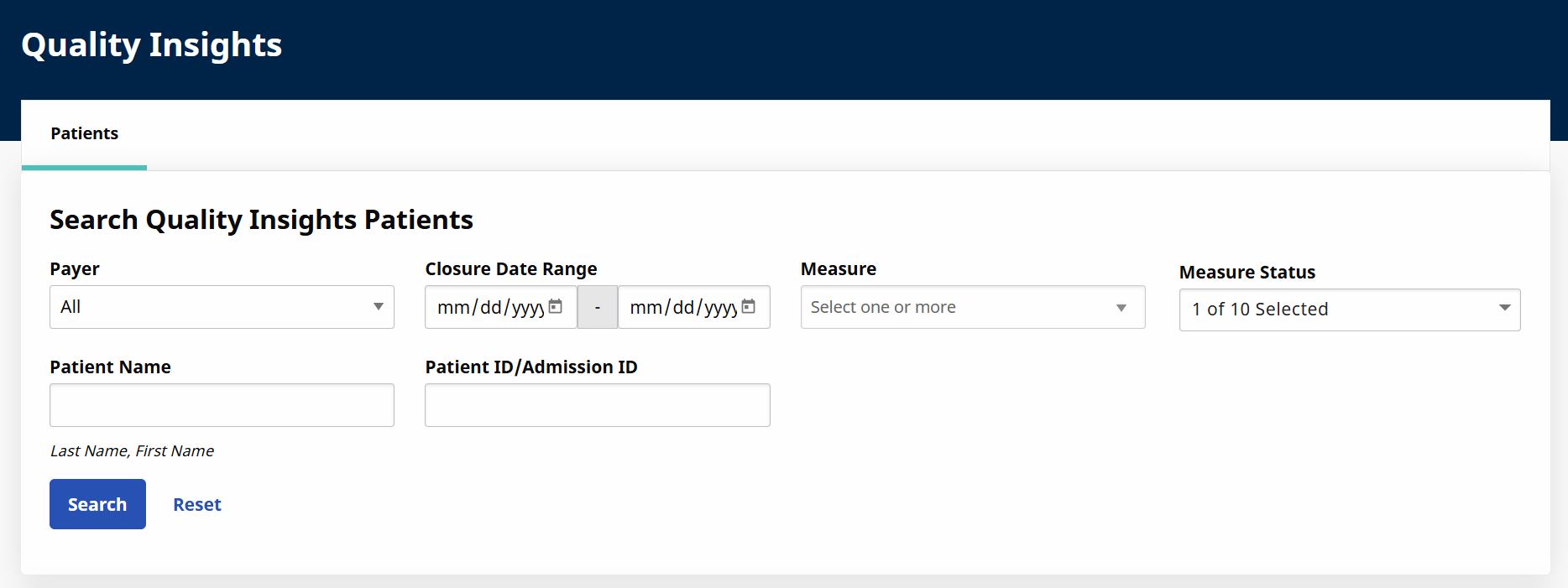
Providers can view Quality Insights in the HHAeXchange provider portal under Patient > Quality Insights. You can use multiple filters to search for specific members, search by gap status, view entire list, etc. The search results list the member information, measure, measure status, completed and last updated date.

-
Go to Patient > Quality Insights and use the filters to search for a specific member.
-
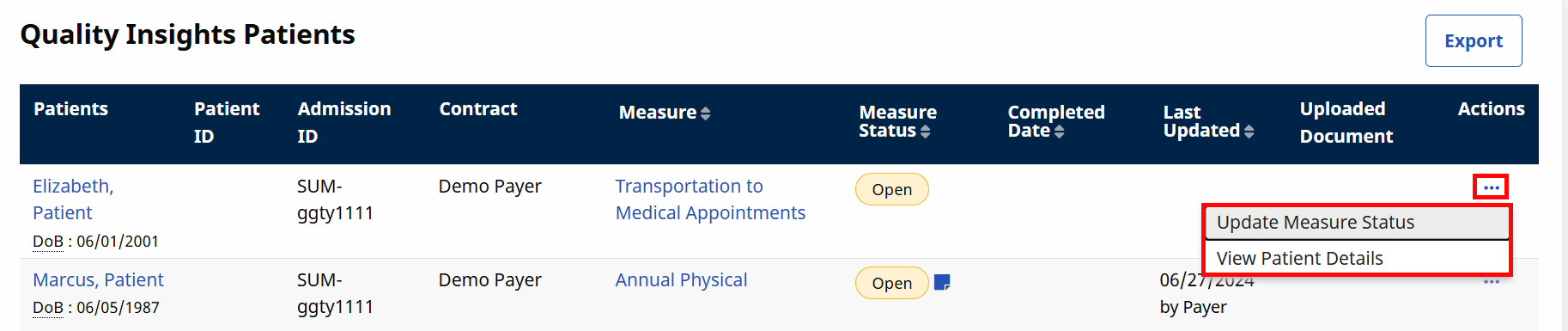
Click the Ellipsis under the Actions column. From here you can Update Measure Status or View Patient Details. Select Update Measure Status to close a gap.
-
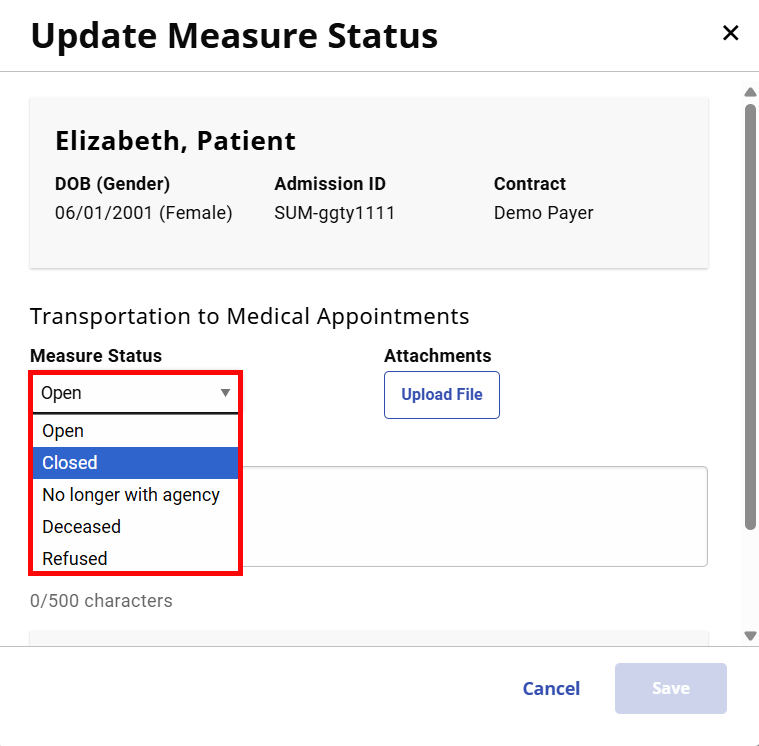
Select a status from the Update Measure Status dropdown.
-
Optional: Upload a document by clicking the Upload File button and selecting a file to attach.
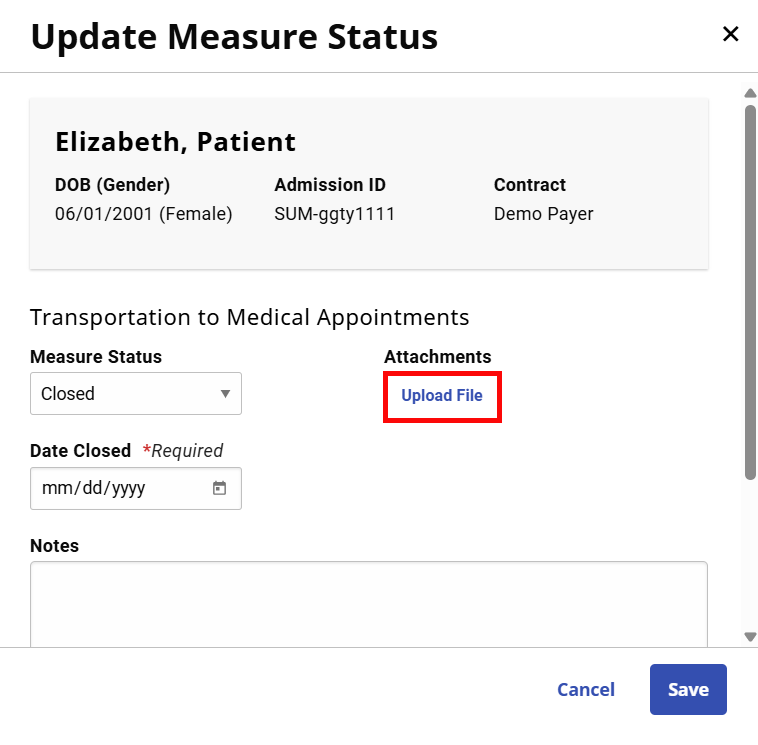
Supported files are PDFs, JPEGs and PNGs, and uploads are limited to 20MB.
-
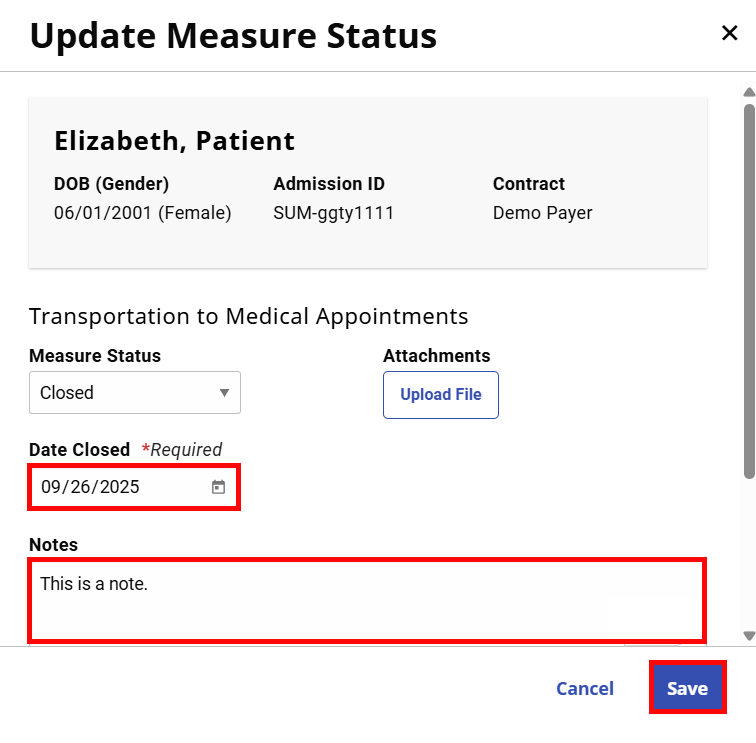
Enter Date Closed, Notes, and then click Save.
The Payers have visibility of the gap closures and generates a report to be validated. Once validated and approved for payment, the Payer generates an Authorization to the provider utilizing Service Code T1016U2 for one unit and reflect the gap closure date.
Providers can be notified via email that there is a new authorization, or they can view it within the provider portal to submit billing for the Gap incentives.
Providers need to schedule and confirm a 1hr visit for the date of service between, or on the authorization’s start and end dates. Once the visit is confirmed, the visit is ready to be invoiced and exported for payment.
The same steps apply to EDI providers, except the visit would be loaded into their HHAeXchange portal via EDI Visit Import process and automatically billed, if the visit is sent with an invoice number.