Care Insights Responses Alerts Report
The Payer Care Insights Responses & Alerts Report under Report > Care Insights offers Providers visibility into Payer Care Insights.
-
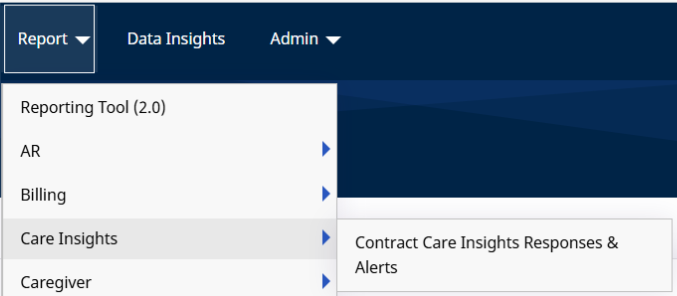
Go to Report > Care Insights > Contract Care Insights Responses & Alerts.
-
Use the From Date, To Date, and Contract(s) filter fields to generate desired results.
The From Date and To Date fields generate information based on the visit date when the Caregiver submitted alerts or responses to a question on the Mobile App.
-
Click View Report to view results. Click Generate Report to download a PDF version.

-
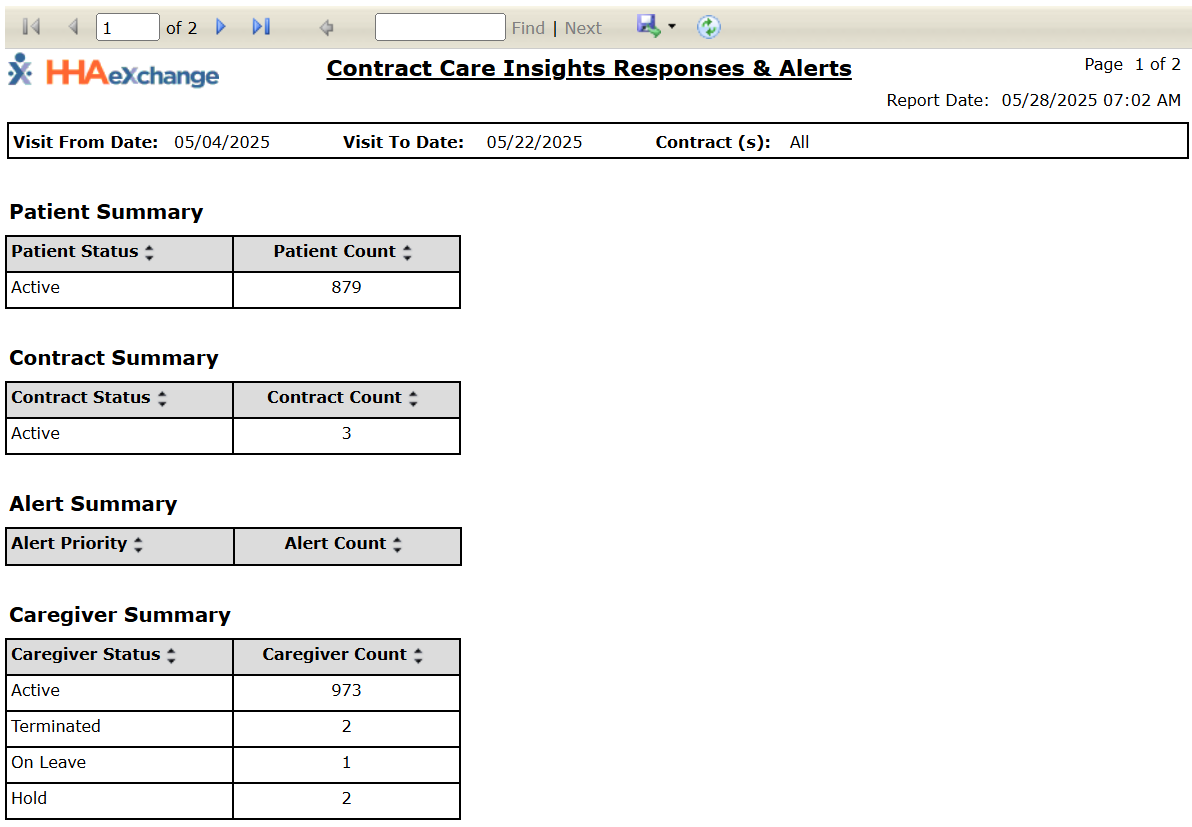
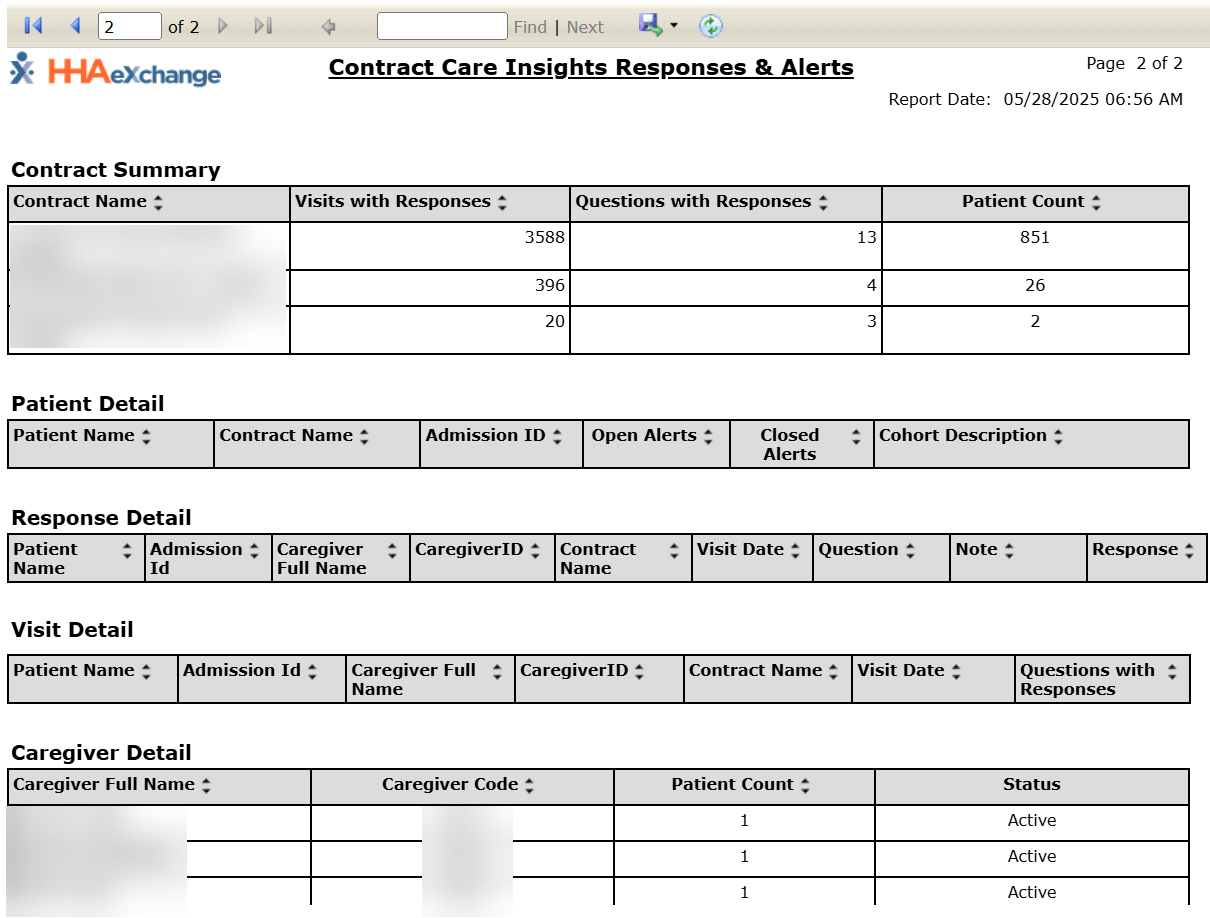
The output report is comprised of ten sections (tables), described as follows from top to bottom:
- Patient Status and Patient Count: Provides a Patient count according to Patient status.
- Patient Status and Payer Count: Provides a Payer Count according to Patient status.
- Alert Priority and Alert Count: Provides the alert count according to the alert priority.
- Aide Status and Aide Count: Provides the number of Caregivers according to Caregiver status.
- Contract Name and Patient Count: Provides specific contracts and the Patient count per contract.
- Alert Count Per Patient, Contract, and Cohort: Provides open and closed alerts per Patient, Contract, and Cohort
- Alert Details per Visit: Provides the alert and response details per visit, captured on the Mobile App.
- Patient Count per Caregiver: Provides the Patient count according to the servicing Caregiver.
- Patient and Question Count per Cohort: Provides the question count according to the Patient’s Cohort.
- Patient Count per Cohort and Question: Provides the cohort description, the question, and the Patient count per question and cohort.