Exclusion List Report
To run the Exclusion List Report complete the following steps:
-
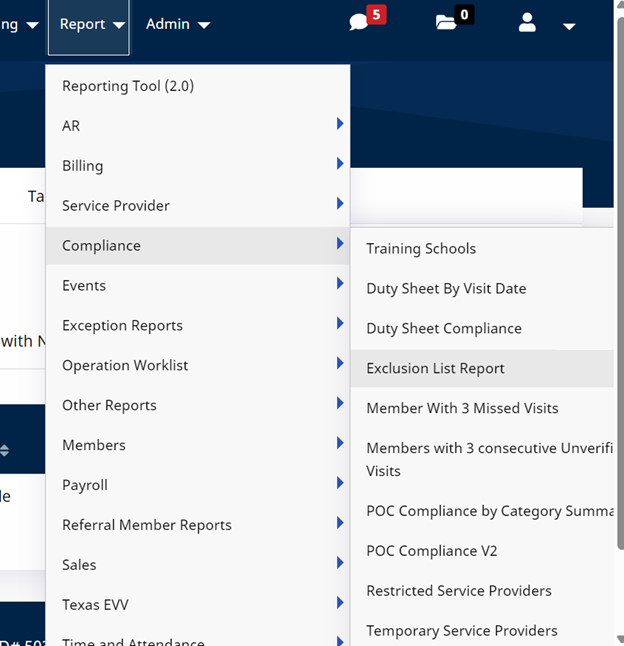
Go to Report > Compliance > Exclusion List Report.
-
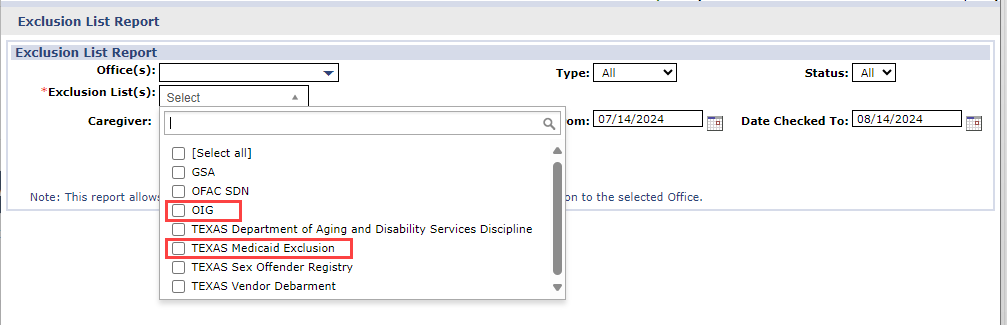
Enter search parameters. Select all exclusions from the Exclusion List(s) field to run and then click View Report.
The OIG Exclusion option is the Federal OIG Report.
-
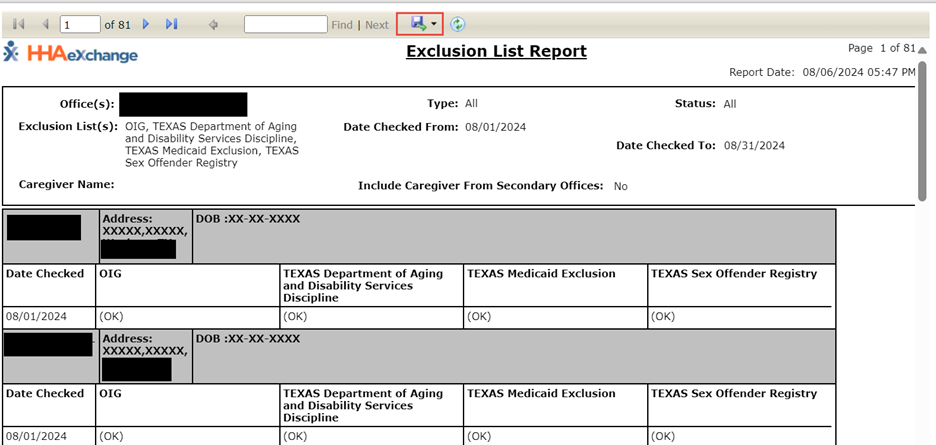
The report results display below. The report results show the exclusion lists selected, the dates the exclusions were verified, and a Report Date and Time Stamp.
OK displays under the reported column if no results are found on the Caregiver.
-
Save the report.
-
Sign and date the end of the printed report as you normally would. The report does not have a line to indicate where to sign and date.